LinkedIn Tag
Blog
Blog

What is CSS Security? | Preventing Phishing, Clickjacking from CSS Attacks

CSS controls what users see. Attackers exploit that. This article explores CSS-based client-side vulnerabilities and how to protect against them.

Dec 23, 2025 12 min read
Juan Combariza
Juan Combariza Growth Marketer

User trust is visual. Users can only trust what they see. It’s the browser that delivers this promise visually. It’s CSS that delivers this visual promise. CSS is about more than just styling to make the pages look good and make your brand stand out.

CSS delivers UI: what users can see and what not. If you don’t see a warning popup, why would you worry? When attackers control what renders in the browsers, they’re in control of user trust. They can mislead them by injecting malicious CSS. That’s why CSS is also a hidden attack surface.

In March 2025, 150,000 websites found out the hard way. Visitors expecting legitimate sites, got Chinese gambling platforms instead. How was it done? Attackers injected malicious JavaScript and used CSS overlays to replace real pages.

“Every stylesheet is a potential channel through which external resources are requested by the browser. Therefore, CSS stylesheets are part of the overall client-side security posture.”

TL;DR

  • Why CSS is a security risk: CSS controls what users see. If attackers can find an entry point they can overlay fake UI to carry out multi-step phishing attacks.
  • How CSS based attacks work: First, attackers gain an injection path (often via XSS or third-party scripts). Then, CSS can be used to suppress alerts, reposition elements, reorder content, or stack invisible overlays for clickjacking and phishing.
  • Tips to prevent CSS abuse: Lock down style sources with CSP, protect static assets with SRI, block iframe embedding, and harden against XSS vulnerabilities. Alternatively, use a continuous monitoring tool such as cside to watch over DOM changes.

What is CSS?

HTML, CSS, and JavaScript: who does what?

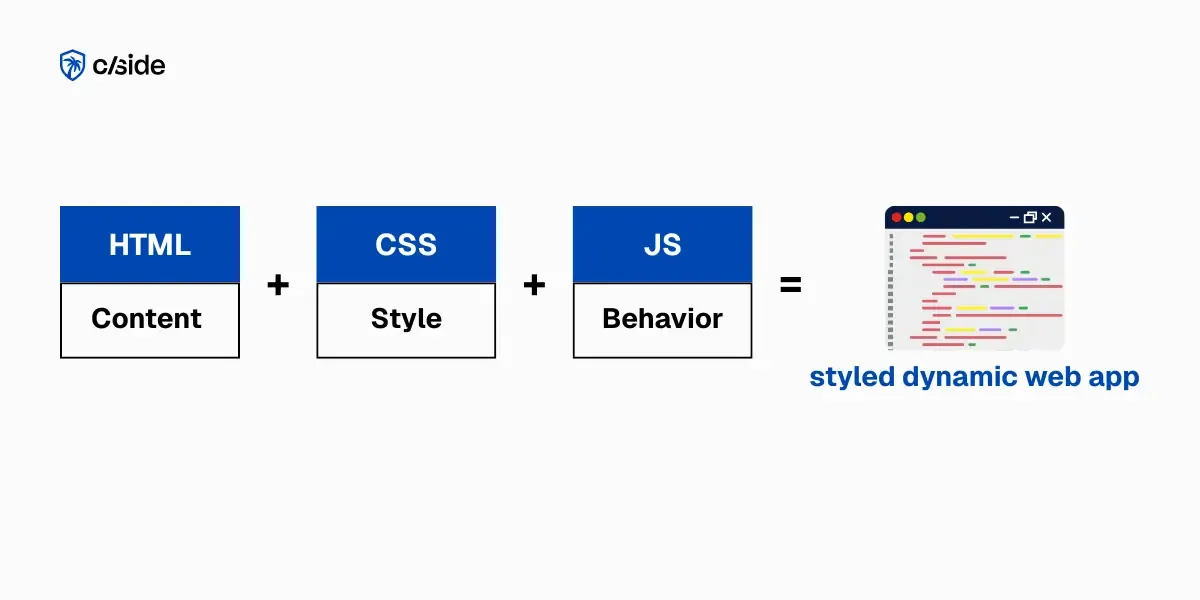
CSS, short for Cascading Style Sheets, defines the look and feel of your website pages. It controls the visual layer:  borders, alignment, colors, fonts, spacing, size and many more style features. 

It works in harmony with HTML which gives the page structure and content, along with JavaScript which runs the behavior and logic: handling clicks, showing error messages, sending or fetching data from a server. For example, HTML defines <form>, <button> or <input>, CSS picks colors, layouts and the font and JavaScript adds dynamic properties and the validation or API of the request.

Why CSS Matters for Web Security

Here’s why security practitioners should pay attention: HTML, JavaScript and CSS run in the browser and share the same origin and trust boundaries. The Document Object Model (DOM) is key here. When a page loads, the browser parses HTML into the DOM tree and CSS into the CSS Object Model (CSSOM). The result is a Render Tree that contains only the visible and styled elements.

JavaScript is designed to read and manipulate the DOM: it can add, change, remove and hide elements at runtime.

Everything that can change the DOM, like injected HTML or JavaScript, can change the UI and what gets displayed on the screen of the user. That creates opportunity and risk. 

That’s why CSS security should start with preventing DOM-manipulation: XSS prevention, CSP and supply chain security.

CSS: from visual design to attack surface

Unlike JavaScript, CSS cannot execute code, but it can instruct the browser to load additional resources such as fonts, images or icons, from external servers. For example, CSS url() values in background-image or @font-face can tell the browser to get those resources from external servers. 

Every stylesheet is a potential channel through which external resources are requested by the browser, and therefore part of the overall client-side security posture.

Even without running code, CSS calls the shots on what gets displayed and what remains hidden with display:none; or visibility:hidden;. It can also reposition content off-screen, so users don’t even see certain options or buttons. It can move and restyle buttons and forms, hide or visually downplay warnings and consent banners or it could even add layers that change how users interact with the page. 

If attackers can change what stylesheets are loaded or which images, fonts or icons they reference, they can influence what users see. 

That’s how CSS becomes part of your CSS attack surface and your broader client-side attack surface and why it should be included in your risk management and assessment. After an injection vulnerability, like cross site scripting, malicious actors can weaponize CSS.

How CSS Nudges Users to Trust You

Users trust what they see if the interface behaves as they expect. If the UI looks familiar people trust the process.

That makes the visual hierarchy a UX design concern. But it becomes a security concern when attackers manipulate a trusted design. For example, you design your “Pay now” button to stand out with clear error messages to make them obvious and readable, not hard to find or easy to miss.  

The opposite is also true. Bad layout are confusing and lead to misclicks or to irreversible actions without warning, trust goes down. Decent CSS and thoughtful UI design should avoid confusing layout and reduce misclicks. It should provide unambiguous feedback and give clear visual cues about what’s happening and what’s expected of users. 

“Secure-by-design” UX uses CSS to support and help customers to confidently find their way in your applications. If users are confused and don’t understand what is happening or why, your security controls don’t land. 

Users trust patterns and attackers know that: They inject some CSS, reposition a pay button, hide a warning and overlay a fake payment form.

How CSS Is Used In Clickjacking Attacks

how-users-are-tricked-in-clickjacking-attacks

Also, negative margins can push elements off-screen. A security warning can be pushed out of the visible area using .security-warning { margin-top: -9999px; }.

Yet other tricks to manipulate what users see:

  • `display: none` removes content
  • `visibility: hidden` hides content and preserves its space
  • `overflow: hidden` clips content that may contain warnings
  • `overflow: visible` extends content outside of its container overlaying other elements.

For critical flows such as login, consent, or payment, it is necessary to check the sizing of elements in the DOM and whether anything is stacked on top or pushed out of sight.

CSS attack entry points: XSS, CDNs, supply chain, and widgets

In most cases, attackers need an entry point first. Here’s how they get malicious CSS onto your page:

  • XSS vulnerability - Inject <style> tags or inline styles
  • Compromised CDN - Malicious CSS served from trusted source
  • Supply chain attack - Compromised npm package, theme, or plugin
  • Third-party widgets - Chat, analytics, A/B testing tools with layout control

These attacks target the user’s browser in different ways.

XSS and third-party widgets inject malicious CSS directly into the page while it’s running in the user’s browser.  

CDN and supply chain attacks poison the CSS at the source. CDN attacks swap your CSS with malicious versions on the server. Supply chain attacks sneak malicious CSS into your codebase during the build via compromised npm package or themes.

UI deception in framing-based attacks

Some UI attacks, like framing-based clickjacking, don’t need to change your CSS at all. Instead, the attacker lures the user to their own page. They embed your site in an iframe and visually disguise what the user is clicking (UI redressing). This only works if your site can be embedded in iframes, meaning no CSP `frame-ancestors` restriction and no `X-Frame-Options` header.

SVG Clickjacking

Framing based clickjacking can be executed far beyond the classic one hidden button click. In December, security researcher Lyra Rebane shared a proof of concept that shows how. Instead of relying on classic overlays, it cleverly makes SVG filters and CSS rendering work together in a totally new way to create an interactive and multi-step clickjacking attack. The implications are serious: if embedded iframes are allowed, such an attack can leak cross-origin data as was demonstrated with Google Doc content. Bottom line: if your pages can be framed, assume attackers spotted them already.

Independent research from that expands on SVG click jacking: 

How to Make CSS Safer: Prevent, Detect, Defend 

CSS cannot be weaponized on its own. Attackers need an entry point first.  Once that foothold exists, CSS becomes an amplifier. CSS security requires layered defense with attention focused on the scenarios that give attackers the most leverage for the least effort (especially login, consent, and payment flows).

A practical approach prevents malicious styles from loading in the browser, detects visual manipulation and defends users and systems to limit impact.

How to Prevent CSS Based Attacks

To prevent CSS attacks, block them at the door. If you stop inline injection and untrusted styles from loading in the browser, attackers can’t manipulate your UI

The following measures will make CSS abuse much harder.

1 - Control where styles can load from with Content Security Policy (CSP)

Use `style-src 'self'`to allow only styles from your domain. Of course, you’ll want to avoid `style-src 'unsafe-inline'` as much as possible because this control precisely enables injected styles. In case you need inline styles anyway, it makes sense to use nonces or hashes. 

Don’t let fear of breaking things stop you. You can test your CSP safely before rollout with `CSP Report-Only`. 

CSP reports show you what would break. They list inline styles and external sources that will be blocked as well as third-party dependencies you might have forgotten about.  Fix those and then enforce the policy.

2 - Pin third-party CSS with Subresource Integrity (SRI) 

To prevent tampered files from loading, add SRI (`integrity + crossorigin`) for CDN-hosted stylesheets.

For example:

<link rel="stylesheet" href="https://cdn.example.com/style.css"

integrity="sha384-..." crossorigin="anonymous">

This works best for stable, versioned assets because every time the CDN updates this file, the hash changes. As a result, your SRI check will fail, and the browser will block it. That means you’ll have to manually update the integrity hash. For critical CSS that often changes, it’s better to host it yourself.

Sub Resource Integrity is a strong defense measure for static files. Dynamic files such as JavaScript from third-party scripts will need a continuous monitoring solution. 

3 - Block iframe embedding with anti-framing headers 

Another big headache is classic clickjacking attacks that embed your site in an invisible iframe on a fraudulent page. `Content-Security-Policy: frame-ancestors 'none'`  and  `X-Frame-Options: DENY` stop attackers from embedding or overlaying fake UI elements; and consequently, from tricking users into clicking buttons they’re not even aware of. 

4 - XSS prevention = CSS security

Inline styles increase risk and make CSP harder to enforce. The way you prevent Cross-Site Scripting (XSS) largely defines your CSS security. Most CSS abuse depends on an injection path (often XSS). If you prevent XSS, the attack won’t be able to inject `<style>` blocks or inline `style=""` attributes.

Preventative controls like CSP, SRI, and XSS hardening reduce risk but they don’t provide visibility into what actually renders for users. cside gives security and compliance teams ongoing page-level visibility into client-side style and layout changes.

How to Detect CSS Attacks: Monitor Critical UI for Abuse

Prevention alone isn’t enough. But you can’t fix what you can’t see. If an attack slips through preventative measures, detection catches it early. So ask yourself where UI manipulation would impact security most and what red flags you should look for. 

CSS tampering most likely shows up on critical UI. It is a good idea to set up automated alerts for Login, checkout and payment and privacy and consent pages. 

1. Manual Detection of Malicious CSS 

Now that you’ve determined where to look, watch for unknown stylesheets that appear out of nowhere and check for red flags and suspicious patterns:

  • extreme z-index point to overlay attacks: `z-index: 9999`
  • huge negative margins to hide content off screen: `margin: -9999px`
  • hidden security messages `display: none` and  `visibility: hidden` on warnings, consent banners, or error messages
  • Visual reordening to bury critical information under the fold with Flexbox `order: 999`   
  • Tiny font size or low contrast for limiting visibility on “Cancel/Reject” buttons `font-size: 6px`  

Manual security checks may work for limited, smaller projects; use DevTools for red flags on your login, payment, and consent pages. Before production, test on mobile because it’s easier for attackers to hide content on a small screen.

2. Automated Detection of Malicious CSS  

For large and complex builds manual checks don’t scale. Build automatic detection into your security monitoring system instead:

  • Client-side runtime security monitoring: cside detects DOM and JavaScript manipulation continuously in real-time and sends an alert when critical elements are tampered with. 
  • CSP violation reports:  add `report-uri`(or `report-to`) to your CSP so browsers report policy violations automatically. Also, run aCSP validator on every build to catch misconfigurations
  • Synthetic monitoring on key pages:  visual regression tools catch unexpected UI changes by comparing screenshots. If a payment button shrinks or a warning disappears, you'll know before users do. 
  • Inline styles scanners: configure your CI/CD pipeline to scan for inline styles on critical pages and block commits before they hit production.

Security Risks of Vibe Coded CSS

AI coding tools speed up web development and spit out CSS styles in seconds. But there’s a trade-off: if teams accept generated CSS without security review, they also risk speeding up their attack vulnerabilities as well. 

Using inline styles brings the risk of CSP bypass; uncontrolled links to external CDN without integrity checks create supply chain vulnerabilities. 

CSS Patterns That Should Alarm You:

  • `style="display: none"` scattered throughout (inline styles complicate CSP and review)
  • Third-party CSS links without Subresource Integrity (SRI)
  • `z-index: 999999` enables full-screen overlays
  • Complex Flexbox/Grid layouts nobody can explain
  • External icon and font CDNs loaded by default

AI coding tools are neutral to your security concerns: they prioritize speed over security.  And that shows in the final output. Inline styles can appear everywhere without clear structure and that complicates enforcing CSP with `style-src` later. Third-party CDNs where themes and fonts are pulled from can be shortcuts that create a supply chain risk.

Read more on dedicated article with defense tips for AI generated code.

Juan Combariza
Growth Marketer Juan Combariza

Researching & writing about client side security.

Don't just take our word for it, ask AI

FAQ

Frequently Asked Questions

CSS controls what users see. If your CSS is manipulated, so are your users. CSS cannot be weaponized on its own—attackers first need an entry point like Cross-Site Scripting (XSS) or a compromised dependency. Once attackers are in, injected CSS can be used for phishing and fraud by visually tricking users.

XSS injects malicious JavaScript into your page and can perform actions like a real user, including stealing cookies or capturing keystrokes. CSS injection, by contrast, manipulates what users see on a web page and is typically the second step in an attack after a page has already been compromised.

Yes. Inline styles add a style attribute directly to elements inside the HTML, which creates security blind spots on large, complex websites. If attackers exploit a vulnerability like XSS, they can inject malicious inline styles throughout the HTML, making them extremely difficult to find and review at scale.

Content Security Policy (CSP) works like a security guard at the entrance: it checks credentials but can’t control behavior inside. While CSP blocks inline styles by default, many sites enable unsafe-inline to avoid breaking features. This creates a vulnerability because attackers can inject malicious inline styles anywhere, and CSP will allow them. Safer alternatives include using nonces or hashes for approved