
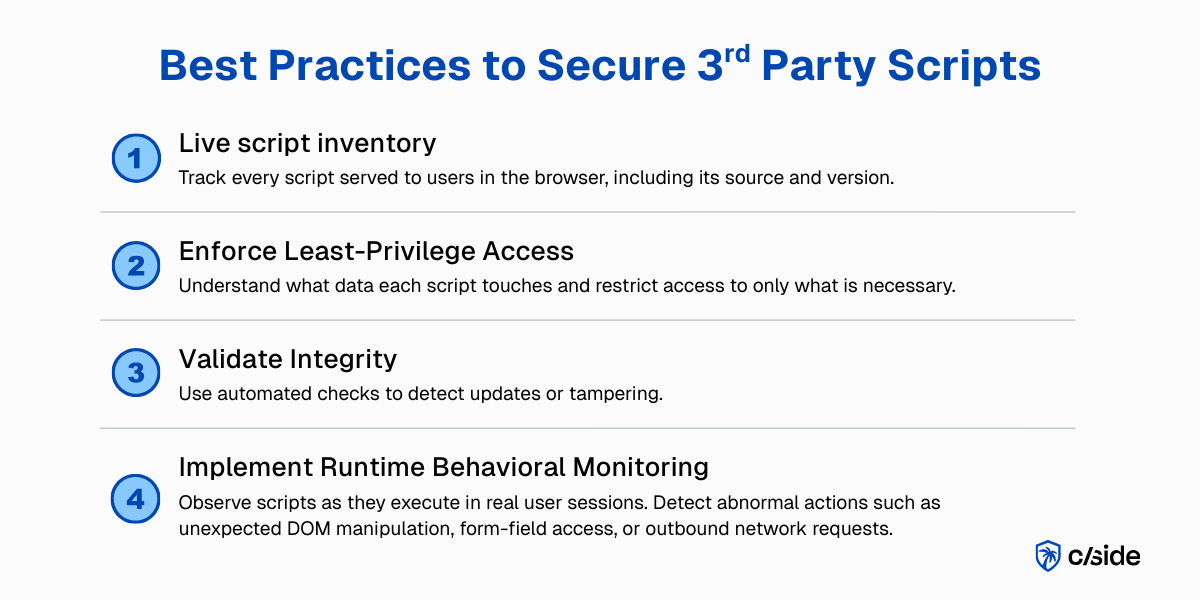
TL;DR: third-party script security best practices
- Everywhere, fully privileged: Third-party JavaScript is everywhere (median: 22 scripts per page) and runs with the same privileges as your own code.
- Vendor breach is your breach: If a vendor is compromised, so is your website: malicious scripts can access user data, form fields, cookies and session tokens.
- Four practices to apply: Best practices for third party script safety include: a live script inventory + least-privilege script access + integrity checks with change detection and alerts + continuous runtime monitoring
- Where a specialized tool fits: Some of these best practices can be implemented with browser controls like CSP or manual monitoring, but real protection and compliance with frameworks like GDPR & PCI DSS rely on a specialized vendor tool like cside.
Short on time? See cside's in-browser Magecart and skimmer blocking. It covers everything below in one deployment.
Best practices for securing third-party scripts on web pages
According to the HTTP Archive's 2024 Web Almanac overall, 92% of webpages use third-party resources. JavaScript files are the most common third-party resource type with roughly 30% of third-party requests. In 2024, themedian mobile page made 22 JavaScript requests per page. In the 90th percentile, that number rose to 68. On the desktop, the numbers are in the same range with 23 and 70 respectively.
Once allowed, scripts run freely. When a vendor gets compromised or a CDN is tampered with, malicious code can slip into the users' browser. In this post we look at practical best practices for third-party script security, without sacrificing speed or functionality, so you can secure the third-party JavaScript your site depends on.
1. Complete script inventory and visibility
A live "inventory" of every script served to users in the browser is a good start. The inventory should track where code loads from: a third-party vendor/library you picked, or some obscure fourth party?
no inventory = no visibility = no control
Payment pages are especially high risk. In a perfect world, there wouldn't be third-party scripts on payment pages. Zero risk. But that's not going to happen. Payment processors and other checkout tools require JavaScript for payment flow.
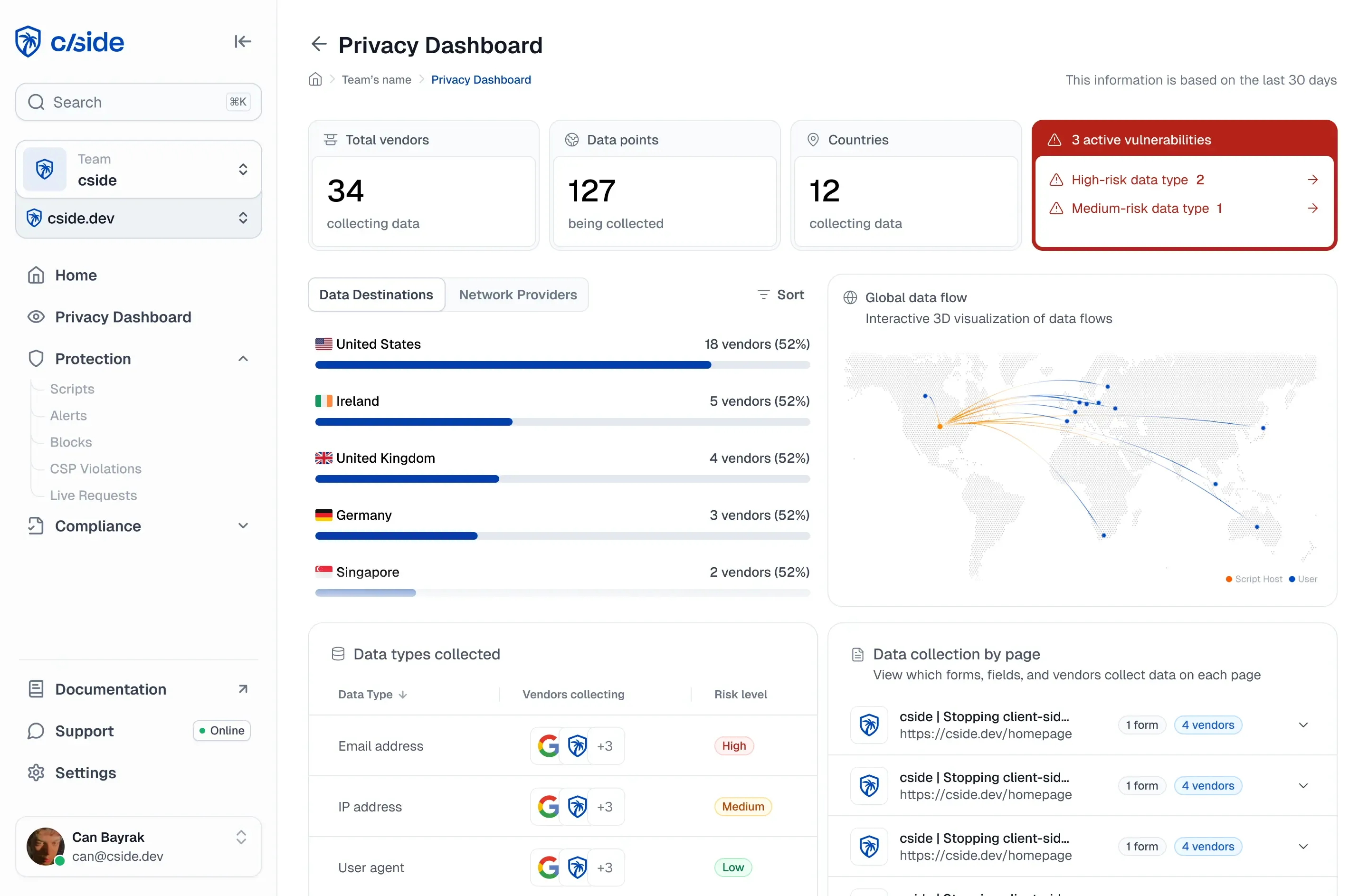
A client-side protection platform like cside removes manual work by generating and maintaining a real-time script inventory for you.
2. Least-privilege script access
For every script, verify what data they touch and ask yourself: why? Watch closely for scripts that access sensitive data such as form fields, cookies or session tokens. Not every script requires full privileges, but without controls in place scripts have a straightforward path to pulling sensitive info.
Why would an analytics script need access to payment data? Marketing pixels have no business reading logins and passwords, right?
CSP to restrict which scripts load
By default, browsers will run any script, including chained scripts. Restricting access to data is critical for your defense. A Content Security Policy (CSP) defines where code can load from: e.g. only your own servers and whitelisted third party sources. You set those rules in your HTTP headers or HTML, and the browser will enforce them.
CSP only checks where code loads from, but not what it does once it's running. Code is dynamic and gets updated. If malicious code loads from a trusted source, your CSP won't block it.
CSP is a starting point but is far from a full defense. CSPs are informed entirely by the source domain from where a script loads, and does not look at script behaviors.
You can set up policies that restrict script access by behavior with cside. That is, specified scripts can be allowed to read cookies or form inputs while all other scripts (including approved ones) are blocked from executing risky browser actions.
3. Check integrity, detect changes and set alerts
Your tracking mechanism should also keep an eye on changes and updates to scripts. A script may be healthy & safe one day only to have integrity compromised with an update.
A native browser control for this is Subresource Integrity (SRI). SRI adds a cryptographic hash to scripts or link tags. It acts as a guarantee for the integrity of the code. When the browser loads a script, it checks the hash. If one byte is different, the browser will not run the code. SRI works well to protect static third-party assets and catches CDN level modification. But SRI breaks down with dynamic scripts of which most modern websites rely on.
A vendor solution (such as cside) can be used to monitors the integrity of scripts through various layers of a detection engine. Security teams are automatically alerted when there is a behavioral anomaly or known compromise of a vendor in the supply chain.
4. Use runtime monitoring that looks at script behavior
"Remote scanners" are easy to implement but have limited visibility. Research from ISACA concludes that these security testing tools miss threats where code is loaded conditionally to avoid such scans. "Scanner" solutions are also restricted to detection with little capability for blocking malicious code.
Reviewing third-party code before deployment to production has limitations as well. Many scripts are approved once, rarely reviewed, but frequently change. A script may pass review before being published only to have malicious code placed inside months down the road.
Runtime monitoring catches compromised scripts from trusted sources. When a script suddenly starts reading form fields or making network requests, check your inventory and block it. Runtime monitoring is watching scripts in action. Even aspects like DOM manipulation can be tracked with runtime monitoring.
Carrying this out through internally built tooling quickly becomes unfeasible. You end up creating your own anti-virus and invest heavy resources into a project that isn't part of your core business. Plenty of turnkey solutions exist, such as cside, that execute runtime monitoring automatically on your pages and organize data into clean dashboards & alerts.
For teams managing scripts across many properties, third-party script monitoring across 100 or more domains covers multi-domain detection patterns in practice. For a comparison of dedicated script monitoring platforms, including how they handle runtime behavioral baselining and supply-chain compromise detection, see the vendor comparison guide. Organizations evaluating provider options can also compare approaches directly: cside vs Akamai Page Integrity Manager and cside vs Cloudflare client-side security cover the major differences in real-time monitoring depth and PCI DSS 4.0.1 evidence generation.
5. Compliance alignment
Compliance has a reputation for time consuming paperwork. Client-side controls are required by a growing list of frameworks including GDPR, PCI DSS, and CCPA/CPRA.
Healthcare organizations also face HIPAA website tracking compliance obligations when third-party pixels run on patient-facing pages, and US state privacy laws such as the Texas Data Privacy and Security Act require script-level data transparency for businesses serving Texas residents.
Make sure that your third-party script processing activities are in line with the expectations of these frameworks: Transparency, purpose limitation, and data protection. That means you need to understand exactly how third party scripts behave, so that you can accurately disclose them in your privacy notices. By default, scripts should only collect necessary data (linking back to least-privilege access) and security safeguards must shield users from client-side data exfiltration.
A starting point as a best practice is to understand the DPAs of each 3rd party vendor that you add to your site. These will outline how they intend to process data collected from your users. To ensure their actual activity matches those expectations, deploy a third-party script monitoring tool like cside.
What is fourth-party risk?
Fourth-party risk is the security and compliance exposure created by scripts, pixels, and services loaded by your third-party vendors, the dependencies of your dependencies. When you embed a tag management platform, it may load additional scripts from analytics providers, ad networks, and optimization tools. Those fourth-party scripts receive the same access to your DOM, forms, and user data as directly included code, but fall entirely outside most vendor risk management programs and CSP inventories.
The practical problem: you audit your first-party code. You review third-party vendors before adding them. But when your tag manager loads a marketing pixel, and that pixel loads a retargeting script, and that script loads an optimization SDK, you have three layers of code executing in your users' browsers that you never approved and may not know exist.
Why CSP does not catch it: a Content Security Policy allowlists domains, not code. If your tag manager is on the allowlist, everything that tag manager loads is permitted by your CSP, including fourth-party scripts the vendor added to their own platform without notifying you. Catching fourth-party risk requires runtime inventory: observing what each script actually loads in real sessions, not checking source domains against a static list.
cside's script inventory captures every script in the execution chain, first, third, and fourth party, on every real session. Any script not in the approved inventory triggers an alert before it can access form fields or exfiltrate data.
Why websites rely on third-party JavaScript
It's good business practice for builders not to make their own bricks, but to rely on experts for materials and engineering. The same goes for web developers: they use third-party tools for analytics, online payments, widgets and other features that make websites dynamic and interactive.
There's no need to reinvent solutions that already exist. Specialized tools get the job done so web teams can focus on core business instead of on user interface, A/B testing, online payment flows, analytics, location tracking and so on.
Why third-party scripts are a major risk for client-side security
The privilege problem of third-party scripts
Here's the issue: in the browser, all JavaScript is treated equally.
The DOM doesn't distinguish between your code and a vendor's code. Third-party scripts get equal access to user data and form fields as your own first party code. They can read form fields, access cookies, modify page content, and make network requests.
That is precisely the vulnerability that bad actors are looking for. When a compromised third-party script reads what a user types into a payment or login form before it is submitted, the attack is called formjacking. The most studied variant of this class of attack is Magecart, in which skimming JavaScript is silently injected onto checkout pages to steal card data in real time. Understanding client-side security as a discipline, rather than treating script governance as a one-off audit task, is the foundation for addressing this threat systematically.
The supply chain problem of third-party scripts
That means that if a vendor's infrastructure is compromised, malicious scripts can be injected directly into your website.
At the median, 21% of scripts on mobile pages are injected dynamically. At the 90th percentile, the number of scripts is even as high as 70%. On the desktop, the numbers are comparable.
Injected scripts can create a security blind spot because they are not in the perimeter of traditional web security tools. It also implies dynamically injected third-party scripts can even inject additional scripts you never approved of.
a breach at one of your vendors = a breach of your application
Even worse: a compromised script can cascade across every website using the script. A single weakness of a widely used script can turn into a large-scale supply chain attack.
Related reading: the third-party script security cluster
Use this post as your starting point, then go deeper on the specific parts of third-party script security that matter to your team:
- A third-party script risk management framework turns these best practices into a repeatable governance process.
- What is JavaScript injection? explains the attack technique that lets a compromised script execute unapproved code in the browser.
- Magecart attacks explained: web skimming covers the most common way third-party scripts are weaponized against checkout and payment pages.
- cside client-side security shows how one first-party JavaScript snippet delivers the inventory, least-privilege controls, integrity checks, and runtime monitoring in a single deployment.
- PCI DSS compliance with cside maps third-party script security to the PCI DSS 6.4.3 and 11.6.1 evidence requirements for payment pages.