
TL;DR: best practices voor third-party scriptbeveiliging
- Overal, volledig geprivilegieerd: Third-party JavaScript is overal aanwezig (mediaan: 22 scripts per pagina) en wordt uitgevoerd met dezelfde rechten als je eigen code.
- Leverancierbreach is jouw breach: Als een leverancier wordt gecompromitteerd, geldt dat ook voor jouw website: kwaadaardige scripts kunnen gebruikersgegevens, formuliervelden, cookies en sessietokens benaderen.
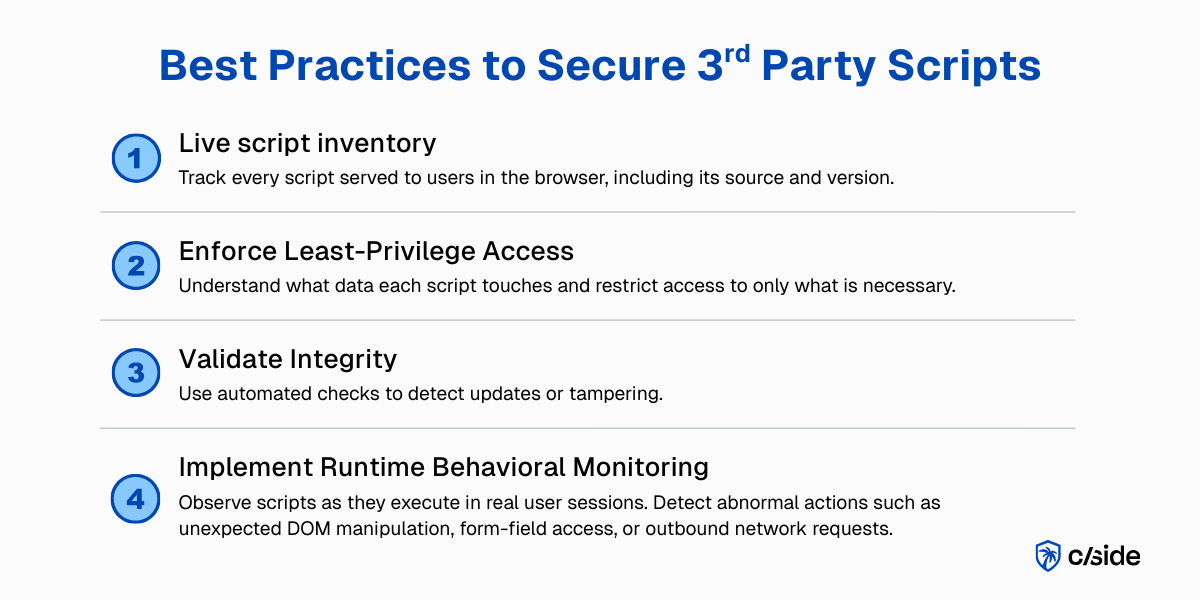
- Vier toe te passen best practices: Best practices voor de beveiliging van third-party scripts zijn: een actuele scriptinventaris + minimale scriptrechten + integriteitscontroles met wijzigingsdetectie en meldingen + continue runtime-monitoring
- Waar een gespecialiseerde tool past: Sommige van deze best practices kunnen worden geïmplementeerd met browsercontroles zoals CSP of handmatige monitoring, maar echte bescherming en naleving van frameworks zoals GDPR en PCI DSS vereisen een gespecialiseerde leverancierstool zoals cside.
Weinig tijd? Bekijk cside's in-browser Magecart- en skimmerblokkering. Dit dekt alles hieronder in één deployment.
Best practices voor het beveiligen van third-party scripts op webpagina's
Volgens het HTTP Archive Web Almanac 2024 maakt 92% van de webpagina's gebruik van third-party resources. JavaScript-bestanden zijn het meest voorkomende type third-party resource, goed voor ongeveer 30% van alle third-party verzoeken. In 2024 deed de mediane mobiele pagina 22 JavaScript-verzoeken per pagina. In het 90e percentiel liep dat aantal op tot 68. Op desktop liggen de cijfers in dezelfde orde van grootte: respectievelijk 23 en 70.
Eenmaal toegelaten, draaien scripts vrijelijk. Wanneer een leverancier wordt gecompromitteerd of een CDN wordt gemanipuleerd, kan kwaadaardige code de browser van de gebruiker binnensluipen. In dit artikel bekijken we praktische best practices voor third-party scriptbeveiliging, zonder in te leveren op snelheid of functionaliteit, zodat je de third-party JavaScript waarvan je site afhankelijk is kunt beveiligen.
1. Volledige scriptinventaris en zichtbaarheid
Een actuele "inventaris" van elk script dat in de browser aan gebruikers wordt aangeboden, is een goed startpunt. De inventaris moet bijhouden waar code vandaan wordt geladen: een third-party leverancier of bibliotheek die je zelf hebt gekozen, of een obscure fourth party?
geen inventaris = geen zichtbaarheid = geen controle
Betaalpagina's zijn bijzonder risicovol. In een ideale wereld zouden er geen third-party scripts op betaalpagina's staan. Nul risico. Maar dat is niet realistisch. Betaalverwerkers en andere checkout-tools vereisen JavaScript voor de betaalflow.
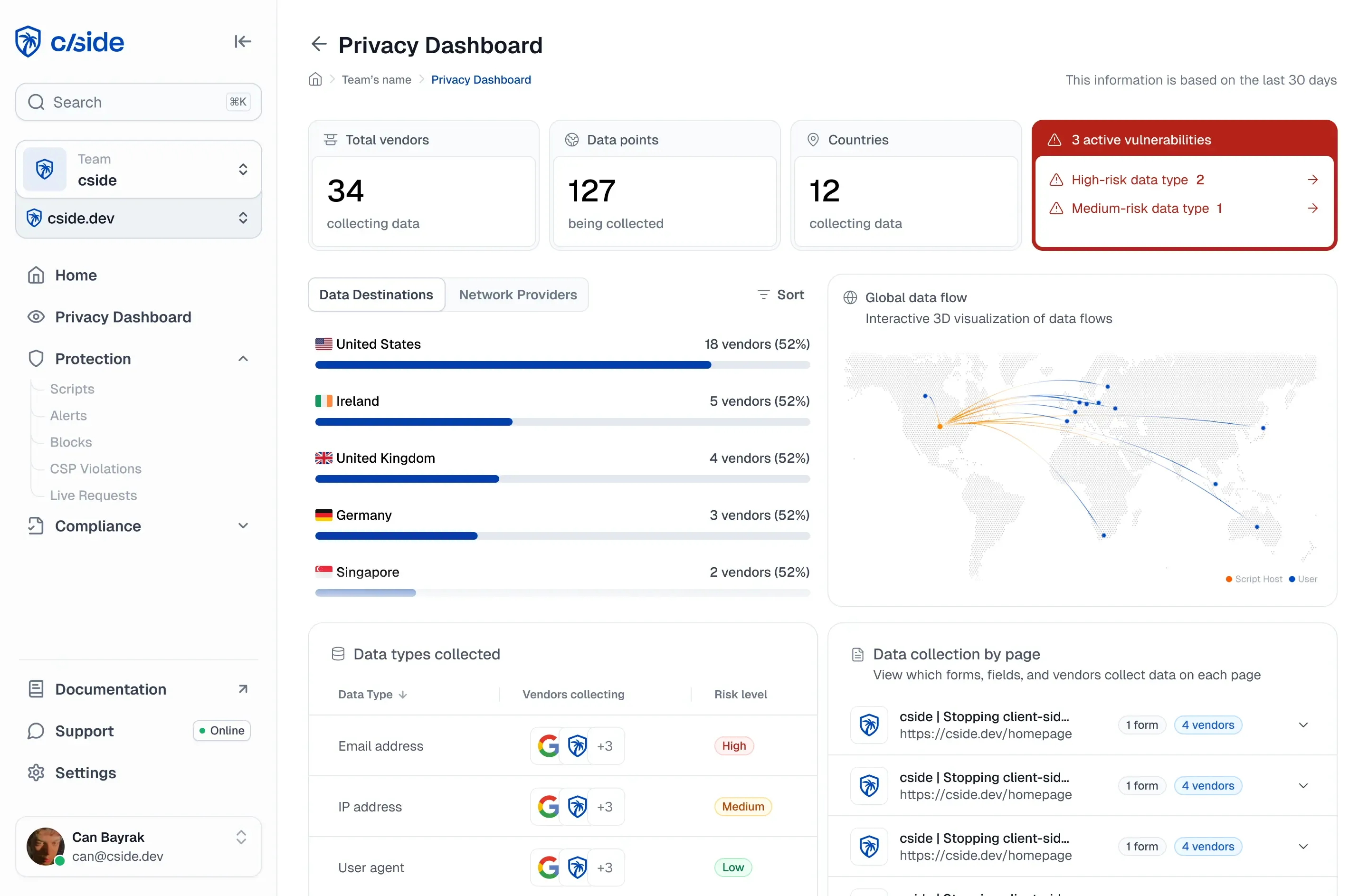
Een client-side beveiligingsplatform zoals cside neemt het handmatige werk uit handen door automatisch een realtime scriptinventaris voor je aan te maken en bij te houden.
2. Minimale scriptrechten
Controleer voor elk script welke gegevens het benadert en vraag jezelf af: waarom? Let goed op scripts die toegang hebben tot gevoelige gegevens zoals formuliervelden, cookies of sessietokens. Niet elk script heeft volledige rechten nodig, maar zonder maatregelen hebben scripts een rechtstreekse weg naar gevoelige informatie.
Waarom zou een analytics-script toegang nodig hebben tot betaalgegevens? Marketingpixels hebben niets te zoeken bij inloggegevens en wachtwoorden, toch?
CSP om te beperken welke scripts worden geladen
Standaard voert een browser elk script uit, inclusief geketende scripts. Het beperken van toegang tot gegevens is cruciaal voor je verdediging. Een Content Security Policy (CSP) bepaalt waar code vandaan mag worden geladen: bijvoorbeeld alleen je eigen servers en goedgekeurde third-party bronnen. Je stelt die regels in via je HTTP-headers of HTML, en de browser handhaaft ze.
CSP controleert alleen waar code vandaan wordt geladen, niet wat die code doet zodra hij actief is. Code is dynamisch en wordt regelmatig bijgewerkt. Als kwaadaardige code wordt geladen vanuit een vertrouwde bron, blokkeert je CSP dat niet.
CSP is een beginpunt, maar biedt verre van een volledige verdediging. CSP's zijn volledig gebaseerd op het brondomein van waaruit een script wordt geladen en kijken niet naar scriptgedrag.
Met cside kun je beleid instellen dat scripttoegang op basis van gedrag beperkt. Dat wil zeggen: bepaalde scripts kunnen worden toegestaan om cookies of formulierinvoer te lezen, terwijl alle andere scripts (inclusief goedgekeurde) worden geblokkeerd bij het uitvoeren van risicovolle browseracties.
3. Controleer integriteit, detecteer wijzigingen en stel meldingen in
Je bewakingsmechanisme moet ook wijzigingen en updates van scripts in de gaten houden. Een script kan op een dag gezond en veilig zijn, maar door een update kan de integriteit worden aangetast.
Een native browsercontrole hiervoor is Subresource Integrity (SRI). SRI voegt een cryptografische hash toe aan scripts of link-tags. Het fungeert als garantie voor de integriteit van de code. Wanneer de browser een script laadt, controleert het de hash. Als er ook maar één byte verschilt, voert de browser de code niet uit. SRI werkt goed voor het beschermen van statische third-party assets en detecteert wijzigingen op CDN-niveau. Maar SRI schiet tekort bij dynamische scripts, waar de meeste moderne websites op vertrouwen.
Een leveranciersoplossing (zoals cside) kan worden ingezet om de integriteit van scripts te bewaken via meerdere lagen van een detectie-engine. Beveiligingsteams worden automatisch gewaarschuwd bij een gedragsafwijking of een bekende compromittering van een leverancier in de supply chain.
4. Gebruik runtime-monitoring die kijkt naar scriptgedrag
"Remote scanners" zijn eenvoudig te implementeren, maar hebben beperkte zichtbaarheid. Onderzoek van ISACA concludeert dat deze beveiligingstesttools bedreigingen missen waarbij code conditioneel wordt geladen om dergelijke scans te omzeilen. "Scanner"-oplossingen zijn ook beperkt tot detectie, met weinig mogelijkheden om kwaadaardige code te blokkeren.
Het beoordelen van third-party code vóór uitrol naar productie heeft ook beperkingen. Veel scripts worden eenmalig goedgekeurd, zelden opnieuw beoordeeld, maar veranderen regelmatig. Een script kan de beoordeling doorstaan vóór publicatie, terwijl er maanden later kwaadaardige code in wordt geplaatst.
Runtime-monitoring detecteert gecompromitteerde scripts van vertrouwde bronnen. Wanneer een script plotseling formuliervelden begint te lezen of netwerkverzoeken doet, controleer je inventaris en blokkeer het. Runtime-monitoring houdt scripts in actie in de gaten. Zelfs aspecten zoals DOM-manipulatie kunnen worden gevolgd met runtime-monitoring.
Dit uitvoeren via intern gebouwde tooling wordt al snel onhaalbaar. Je eindigt met het bouwen van je eigen antivirussoftware en investeert veel middelen in een project dat niet aansluit bij je kernactiviteiten. Er zijn genoeg kant-en-klare oplossingen beschikbaar, zoals cside, die runtime-monitoring automatisch uitvoeren op je pagina's en gegevens overzichtelijk presenteren in dashboards en meldingen.
Voor teams die scripts beheren over veel domeinen behandelt monitoring van third-party scripts op 100 of meer domeinen praktische multi-domein detectiepatronen.
5. Naleving van regelgeving
Compliance heeft de reputatie tijdrovend papierwerk met zich mee te brengen. Client-side maatregelen worden vereist door een groeiend aantal frameworks, waaronder GDPR, PCI DSS en CCPA/CPRA.
Zorgorganisaties krijgen ook te maken met verplichtingen rond HIPAA-naleving voor website-tracking wanneer pixels van derden op patiëntgerichte pagina's draaien, en Amerikaanse staatsprivacywetten zoals de Texas Data Privacy and Security Act vereisen transparantie op scriptniveau voor bedrijven die inwoners van Texas bedienen.
Zorg ervoor dat de verwerkingsactiviteiten van je third-party scripts in lijn zijn met de verwachtingen van deze frameworks: transparantie, doelbinding en gegevensbescherming. Dat betekent dat je precies moet begrijpen hoe third-party scripts zich gedragen, zodat je ze nauwkeurig kunt vermelden in je privacyverklaringen. Standaard mogen scripts alleen noodzakelijke gegevens verzamelen (teruggrijpend op het principe van minimale rechten) en moeten beveiligingsmaatregelen gebruikers beschermen tegen client-side gegevensexfiltratie.
Een goed startpunt is het doornemen van de DPA's van elke third-party leverancier die je aan je site toevoegt. Daarin staat beschreven hoe zij van plan zijn de gegevens van jouw gebruikers te verwerken. Om te controleren of hun daadwerkelijke activiteiten overeenkomen met de verwachtingen, kan een tool voor het monitoren van third-party scripts zoals cside worden ingezet.
Wat is fourth-party risico?
Fourth-party risico is de beveiligings- en compliance-blootstelling die ontstaat door scripts, pixels en diensten die worden geladen door je third-party leveranciers, oftewel de afhankelijkheden van je afhankelijkheden. Wanneer je een tag management platform inbedt, kan dat aanvullende scripts laden van analyticsproviders, advertentienetwerken en optimalisatietools. Die fourth-party scripts krijgen dezelfde toegang tot je DOM, formulieren en gebruikersgegevens als rechtstreeks ingesloten code, maar vallen volledig buiten de meeste programma's voor leveranciersrisicobeheer en CSP-inventarissen.
Het praktische probleem: je auditeert je first-party code. Je beoordeelt third-party leveranciers voordat je ze toevoegt. Maar wanneer je tag manager een marketingpixel laadt, en die pixel een retargetingscript laadt, en dat script een optimalisatie-SDK laadt, heb je drie lagen code die in de browsers van je gebruikers worden uitgevoerd zonder dat je die ooit hebt goedgekeurd of misschien zelfs weet dat ze bestaan.
Waarom CSP dit niet opvangt: een Content Security Policy staat domeinen toe, geen code. Als je tag manager op de allowlist staat, is alles wat die tag manager laadt toegestaan door je CSP, inclusief fourth-party scripts die de leverancier aan zijn eigen platform heeft toegevoegd zonder je daarvan op de hoogte te stellen. Om fourth-party risico op te vangen, is een runtime-inventaris nodig: het observeren van wat elk script daadwerkelijk laadt in echte sessies, in plaats van brondomeinen te controleren tegen een statische lijst.
De scriptinventaris van cside legt elk script in de uitvoeringsketen vast, first-, third- en fourth-party, in elke echte sessie. Elk script dat niet in de goedgekeurde inventaris staat, activeert een melding voordat het toegang krijgt tot formuliervelden of gegevens kan exfiltreren.
Waarom websites afhankelijk zijn van third-party JavaScript
Het is een goede zakelijke praktijk voor bouwers om niet zelf stenen te maken, maar te vertrouwen op experts voor materialen en engineering. Hetzelfde geldt voor webontwikkelaars: zij gebruiken third-party tools voor analytics, online betalingen, widgets en andere functies die websites dynamisch en interactief maken.
Er is geen reden om oplossingen opnieuw uit te vinden die al bestaan. Gespecialiseerde tools doen het werk zodat webteams zich kunnen richten op de kernactiviteiten in plaats van op gebruikersinterfaces, A/B-testen, online betaalflows, analytics, locatietracking enzovoort.
Waarom third-party scripts een groot risico vormen voor client-side beveiliging
Het rechtenprobleem van third-party scripts
Dit is het probleem: in de browser wordt alle JavaScript gelijk behandeld.
De DOM maakt geen onderscheid tussen jouw code en de code van een leverancier. Third-party scripts krijgen dezelfde toegang tot gebruikersgegevens en formuliervelden als je eigen first-party code. Ze kunnen formuliervelden uitlezen, cookies benaderen, pagina-inhoud aanpassen en netwerkverzoeken doen.
Dat is precies de kwetsbaarheid waar kwaadwillenden naar op zoek zijn.
Het supply-chain-probleem van third-party scripts
Dat betekent dat als de infrastructuur van een leverancier wordt gecompromitteerd, kwaadaardige scripts rechtstreeks in jouw website kunnen worden geïnjecteerd.
Bij de mediaan wordt 21% van de scripts op mobiele pagina's dynamisch geïnjecteerd. In het 90e percentiel loopt het aantal scripts zelfs op tot 70%. Op desktop zijn de cijfers vergelijkbaar.
Geïnjecteerde scripts kunnen een beveiligingsblinde vlek creëren omdat ze buiten het bereik vallen van traditionele webbeveiligingstools. Het impliceert ook dat dynamisch geïnjecteerde third-party scripts zelfs aanvullende scripts kunnen injecteren die je nooit hebt goedgekeurd.
een datalek bij een van je leveranciers = een datalek in jouw applicatie
Nog erger: een gecompromitteerd script kan zich als een kettingreactie verspreiden over elke website die het script gebruikt. Eén zwakke plek in een veelgebruikt script kan uitgroeien tot een grootschalige supply-chain-aanval.
Verder lezen: het cluster third-party scriptbeveiliging
Gebruik dit artikel als startpunt en verdiep je vervolgens in de specifieke onderdelen van third-party scriptbeveiliging die voor jouw team het belangrijkst zijn:
- Een raamwerk voor risicobeheer van third-party scripts maakt van deze best practices een herhaalbaar governanceproces.
- Wat is JavaScript-injectie? legt de aanvalstechniek uit waarmee een gecompromitteerd script niet-goedgekeurde code in de browser kan uitvoeren.
- Magecart-aanvallen uitgelegd: web skimming behandelt de meest voorkomende manier waarop third-party scripts als wapen worden ingezet tegen checkout- en betaalpagina's.
- Client-side security van cside laat zien hoe één first-party JavaScript-snippet de inventaris, minimale-privilege-controls, integriteitscontroles en runtime-monitoring in één deployment levert.
- PCI DSS-naleving met cside koppelt third-party scriptbeveiliging aan de bewijsvereisten 6.4.3 en 11.6.1 van PCI DSS voor betaalpagina's.