PCI DSS Compliance Software: Automate 6.4.3 & 11.6.1
Monitor scripts in real time and capture evidence for PCI DSS 6.4.3 and 11.6.1.
Records anonymous session events for conversion attribution
 cside AI
Fires conversion pixels on completed checkouts
cside AIVerified hash matches the previous approved version
cside AILoads support chat widget after user interaction
cside AIFirst-party telemetry agent, managed by cside
cside AI★★★★★“A simple PCI DSS solution backed by outstanding support”
 SourceForge Top Performer
 G2 4.8 / 5
 Validated by VikingCloud
Why PCI DSS v4.0.1 matters
01 Client-side attacks are on the rise
Skimming and formjacking attacks are growing fast. They target the scripts in your customers' browsers, not your servers
02 New PCI rules demand visibility
6.4.3 and 11.6.1 now mandate a script inventory, real-time monitoring, and alerts for unauthorized changes.
03 Legacy solutions are outdated
CSPs, crawlers, and agents might tick the compliance box, but attackers easily slip past them.
- Reduce audit prep time with weekly PDF reports
- Monitor scripts on payment pages with 100% coverage for 6.4.3
- Continuous header checks fulfill 11.6.1 without burning IT resources
- Protect users from e-skimming, Magecart attacks, and other client-side attacks
How PCI Shield works
Script Inventory
Full script visibility on all pages (including payment pages for 6.4.3)
Tamper Detection
Instant alerts for unauthorized changes (11.6.1) and script modifications
Script Security
Visibility into code execution with built-in blocking for malicious scripts
Weekly Reports
Automated compliance reports to your inbox.
Choose your security approach
Select the method that best fits your security needs and technical requirements.
Script Method
We check script behaviors in the browser and fetch the scripts on our side for analysis. Your site traffic is never routed through cside.
- Easy to implement
- No performance impact
- Able to block malicious scripts
- Deep security coverage for common client-side attacks
- Install a lightweight script on the pages you want to protect.
Scan Method
cside scans your website with an external crawler. Your scripts are compared against threat intel feeds gathered by thousands of other websites to identify compromised vendors or vulnerabilities.
- Lowest cost
- No-code setup without installation into your codebase
- - Static scans have very limited security coverage
- - Some QSAs may not accept scanners as a valid control for 6.4.3 & 11.6.1 as they do not have the ability to block scripts.
- Input a list of your domains and schedule your scans.

Designed for Teams Facing PCI Challenges
eCommerce
protect every checkout and maintain great acquirer relationships.
ExplorePayment Service Providers
offer compliant, value-add security to thousands of merchants.
ExploreAirlines & Transit
Complex booking flows and high-value tickets increase attack risk.
ExploreHospitality
Credit cards used for travel are prime targets due to higher limits.
ExploreWhy cside PCI DSS Compliance Software outperforms Alternatives
cside delivers advantages traditional tools can't match.
| vs. Scanner Based Solutions | vs. Content-Security Policy (CSP) | vs. Client-Side Agents |
|---|---|---|
| Sees real user behavior, not sanitized crawler views | Monitors script behavior, not just sources | Multi-layer security to prevent JS detection bypassing |
| Catches attacks aimed at specific segments | Detects breaches at trusted third-party providers | Script contents fetched afterwards for deep inspection |
| Detects threats between periodic scans | Handles dynamic scripts CSPs can't control | Future-proof against evolving techniques |
Trusted by leading QSAs
cside & BARR Advisory: What Auditors Expect to See for PCI 6.4.3 & 11.6.1
During the Q&A we addressed:
- What can I do if I have less than 30 days to set up my deployment?
- I'm using a scanner that monitors my site, no code or installation required. Am I covered?
- Do these PCI mandates require us to block attacks, or simply detect and alert on them?
cside & MegaplanIT: Q&A with a QSA on PCI DSS Requirements 6.4.3 & 11.6.1
During the Q&A we addressed:
- How do I confirm I'm "not susceptible to attacks" as an SAQ A-EP?
- How will AI agents impact payment page protection
- What will my QSA ask me during the evidence gathering interview for these requirements?
cside & VikingCloud: PCI Compliance 4.0.1, A Practical Implementation Guide
During the session we touched on:
- Why compliance ≠ security
- I use Stripe. Am I safe?
- Could we have suffered a client-side attack without knowing it?
- SAQ A merchants are not exempt from real risks
How to Comply with PCI DSS 4.0.1 Requirements 6.4.3 & 11.6.1
This article goes in depth into:
- 6.4.3 & 11.6.1 requirements
- The cost of building internally
- Is CSP + SRI enough? What counts as sufficient controls?
- How do I make sure I'm "not susceptible to attacks"?
How to Be a PCI DSS SAQ A Company (6.4.3 & 11.6.1)
This article goes in depth into:
- What SAQ A eligibility really requires
- Whether 6.4.3 and 11.6.1 apply to your setup
- Non-qualifying examples where SAQ A is not allowed
Comparing Tools for PCI DSS 6.4.3 & 11.6.1: Features, Pricing
This article goes in depth into:
- cside, Feroot, Cloudflare, and Reflectiz side by side
- Buy vs. DIY from an expert's perspective
- What the requirements mean for tool selection
Deeper dives into PCI compliance
Reduce PCI DSS compliance work with AI
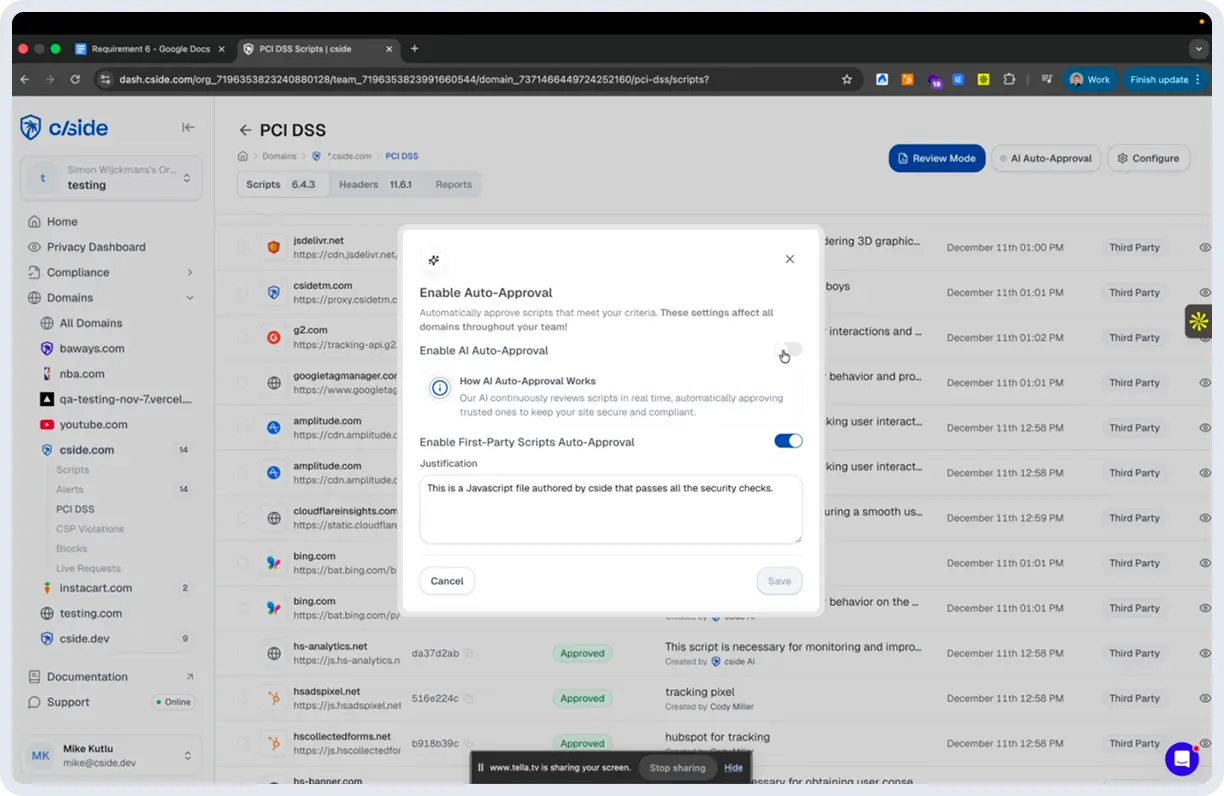
cside was the first client-side security platform to integrate AI directly into the PCI DSS 6.4.3 & 11.6.1 compliance workflow. Our AI: automatically generates justifications that you can review or override, continuously monitors script changes to pre-classify risk for faster alerts to your team, and uses an agentic scanner to reduce the manual effort required for testing.
Why we use a multi-layer security approach
Unlike modern operating systems, browsers do not have native support for 3rd party security vendors. CSP and SRI only cover a limited surface. No single technique catches every client-side threat. That's why cside layers browser-level script monitoring, scanners, CSP controls, AI JavaScript analysis and more to create overlapping lines of defense that detect everything from simple tag injections to sophisticated supply chain attacks (for example, how the Polyfill attack connected to a sanctioned CDN operator). By combining the detections in the browser with detections on our own proprietary engine we balance detection ability with ease of use.
3 easy steps to get started with cside
Getting started takes three steps: Sign up, add your domains, add the cside script to your site (and configure CSPs if necessary). Then you have an instant PCI DSS dashboard that you can tweak to your reporting requirements. The entire setup is self-service and can be done within a day for small environments. For enterprise environments our team can support you through the staging and production setup.
Does cside offer a free plan for PCI Shield?
Yes. cside's free plan lets you onboard your site, explore the dashboard, and see how scripts are monitored and classified before committing to a paid tier. Paid plans with full PCI compliance reporting and automated evidence generation start at $99/month. No "free tool" will give you full PCI DSS 6.4.3 and 11.6.1 coverage. We've seen many teams start with a promise of a free tool, only to switch later when they realize key PCI controls aren't fully covered or that reporting requires significant manual cleanup to meet audit standards.
Why customers choose cside over competitors
You can read our reviews to see for yourself (see G2 reviews or our SourceForge profile, which includes native SourceForge reviews and verified third-party ratings surfaced there). What comes up again and again in reviews is hands-on support, a dashboard that QSAs already trust, and unlimited websites & domains on all pricing plans (other solutions may surprise you with additional costs for staging domains or multi-language sites).
Start free, scale when ready
No credit card required. Free plan stays free.
Free
Up to 2,000 pageviews. PCI DSS 6.4.3 and 11.6.1 included. No credit card required.
- Up to 2,000 pageviews/month
- Unlimited domains
- 7-day script history retention
- PCI DSS 6.4.3 and 11.6.1 dashboard
Business
For up to 100,000 payment page views and beyond. Full PCI DSS 4.0.1 compliance automation. 14-day free trial.
- Unlimited domains
- Full PCI DSS 6.4.3 and 11.6.1 compliance dashboard
- 30-day script history retention
- Dependency graph & vendor load chain
- Granular per-vendor permissions control
Enterprise
For high-volume payment pages and organisations that need custom SLA, SSO, and dedicated support.
- Custom payment page view limits
- 90-day script history retention
- 99.9% uptime SLA
- SSO and multi-team org layer
- Dedicated account manager
Need more? See the full pricing breakdown.
View all plansQuestions, answered
01 What are PCI DSS requirements 6.4.3 and 11.6.1 specifically asking me to do?
Payment page script management is the focus of 6.4.3. It requires you to authorize every script, ensure script integrity, and keep a complete inventory with a written justification for why each script is important. 11.6.1 mandates you to have continuous monitoring to detect unauthorized changes to HTTP headers and payment page content, including alerts sent to personnel and weekly evaluations.
02 What is PCI DSS 4.0.1 and why do I need to comply with it?
It is the latest version of the Payment Card Industry Data Security Standard with the aim of protecting cardholder data via strict security monitoring requirements. As long as your business processes, stores, or transmits credit card data, you must comply with these regulations to avoid hefty fines, higher insurance rates, and potential business disruption. This standard is applicable to all merchants, processors, acquirers, and service providers handling payment card data. Depending on your transaction volume and the severity of any breaches, failure to comply can result in fines ranging from thousands to millions of dollars.
03 How often do I need to monitor my payment pages for PCI DSS compliance?
Active and constant monitoring is required for 6.4.3, while a weekly monitoring, or at the frequency defined in your organization's targeted risk analysis, is required for 11.6.1. But, since cyberattacks happen in real-time at any moment, continuous monitoring is the best solution.
04 How much does PCI DSS 4.0.1 non-compliance cost my business?
Penalties vary, but range from $5,000 to $500,000 per incident. This is based on your payment processor and transaction volume. Aside from fines, you may also face increased transaction fees, higher insurance premiums, loss of payment processing privileges, and high costs from data breach remediation and lawsuits. A payment card data breach exceeds $4 million on average when you include forensic investigations, legal fees, customer notifications, and business disruption.
05 Does cside route traffic through a proxy or reverse proxy?
No. cside deploys via a single JavaScript snippet added to your page. No traffic is routed through cside infrastructure, there is no reverse proxy, no CDN dependency, and no changes to your DNS configuration. The snippet runs directly in your visitors' browsers, which is how cside achieves full session visibility with zero latency impact and no single point of failure in your traffic path. If you have seen cside described as a proxy-based tool elsewhere, that description is inaccurate.
06 Does the cside script slow down my website?
No. The cside script is no slower than any other analytics script you may already be running. Downloading the script takes around 20-40 ms, while execution takes approximately 10-12 ms (the blink of an eye is 300 ms). Because this happens in parallel with other render-blocking resources such as stylesheets, the impact on page load is virtually imperceptible.
Didn't find what you were looking for?
Talk to our PCI teamPass your next PCI audit with confidence
Set up in a day. Get a PCI dashboard QSAs already trust.