

TL;DR: block GPTBot with policy scope per page, not one site-wide switch
- Site-wide block backfires: The reflex is to add
Disallow: /under GPTBot and consider the problem closed. That decision also removes your product docs, comparison pages, and expertise content from ChatGPT training and ChatGPT search citations at the same time. - Path-level rules: GPTBot uses the
GPTBot/1.1user-agent, OpenAI publishes its IP ranges, and it is designed to respect robots.txt; path-level rules let you keep public content in training while excluding/account/,/checkout/, or proprietary sections that should not be in a model. - The decision: If your pricing pages and product marketing are how you get found in ChatGPT answers, allow GPTBot on those paths and disallow the rest. If your business is subscription content or proprietary research,
Disallow: /is the correct call and you accept the citation loss.
Short on time? See cside's AI-agent detection. It covers everything below in one deployment.
GPTBot is OpenAI's training crawler. It visits public web pages, collects content, and uses that content to train future versions of ChatGPT and other OpenAI models. It is distinct from OpenAI Operator (which transacts) and OAI-SearchBot (which powers ChatGPT's live browsing). Understanding which OpenAI system is visiting your site determines the right response.
Blocking GPTBot with robots.txt is straightforward and widely documented. The more important question is whether blocking the crawler changes what OpenAI's agents can do on your site, and the answer, for transacting agents like Operator, is no. For the broader pattern across AI scrapers, see our guide to blocking AI agent content-scraping bots.
What Is GPTBot?
Quick answer: GPTBot is a declared web crawler operated by OpenAI. Its purpose is to collect publicly available web content for use in training AI models. It identifies itself with a known user-agent string and operates from published IP ranges. OpenAI states that GPTBot respects
robots.txtdirectives.
GPTBot's user-agent string:
Mozilla/5.0 AppleWebKit/537.36 (KHTML, like Gecko; compatible; GPTBot/1.1; +https://openai.com/gptbot)
OpenAI publishes GPTBot's current IP ranges in its bot documentation. The crawler visits pages, reads text content, and does not execute JavaScript in the same way a real browser does. It is a traditional HTTP crawler, not an interactive agent.
How to Block GPTBot with robots.txt
Quick answer: Add GPTBot to your
robots.txtwith aDisallow: /directive to block it from your entire site. OpenAI states it respects these directives. For path-level control, use specificDisallowrules to restrict access to sensitive sections while allowing GPTBot on public content.
To block GPTBot from your entire site:
User-agent: GPTBot
Disallow: /
To block GPTBot from specific paths only:
User-agent: GPTBot
Disallow: /private/
Disallow: /checkout/
Disallow: /account/
Allow: /blog/
Allow: /products/
OpenAI honours these directives for the declared GPTBot crawler. There is no technical enforcement mechanism; robots.txt is a declaration that compliant crawlers choose to follow. But GPTBot has a strong compliance record compared to some other AI crawlers that have been publicly criticised for ignoring robots.txt directives. The same robots.txt approach works for other declared crawlers, including CCBot.
IP-Level Blocking for GPTBot
Quick answer: OpenAI publishes GPTBot's IP ranges, which you can deny at your firewall or CDN. This provides an enforcement layer beyond
robots.txt. It does not require the crawler to self-identify, which makes it more reliable than user-agent matching alone.
If you need hard enforcement rather than a declaration, add GPTBot's published IP ranges to your blocklist at the infrastructure level. This is the more reliable approach for high-value content because:
- It does not depend on the crawler honouring
robots.txt - It catches misconfigured or older GPTBot versions that may not read your
robots.txtcorrectly - It provides a server-level log you can audit
OpenAI's published IP ranges change periodically, so this blocklist requires maintenance. Check OpenAI's bot documentation for the current list.
Why Blocking GPTBot Is Not Enough
Quick answer: GPTBot is OpenAI's training crawler. Blocking it does not affect OpenAI Operator (the transacting agent), OAI-SearchBot (the live browsing assistant), or any future OpenAI agentic system. Each operates independently with different user-agents, IP ranges, and behavioural profiles.
A site owner who blocks GPTBot typically believes they have addressed "OpenAI's access to their content." They have addressed one OpenAI system out of several. Operator, ChatGPT's live browsing, and future agentic products are separate systems that GPTBot blocking does not touch.
The deeper issue is that GPTBot is a cooperative, declared crawler. You can block it because OpenAI tells you what it looks like. The more disruptive agents (undeclared, browser-based, transacting) are the ones that don't identify themselves and don't respect robots.txt in any meaningful sense. Blocking GPTBot addresses the visible, cooperative threat while leaving the invisible, uncooperative ones unaddressed. The same structural gap applies to other agentic systems, including OpenAI Operator, and the equivalent split between ClaudeBot and Claude-powered agents.
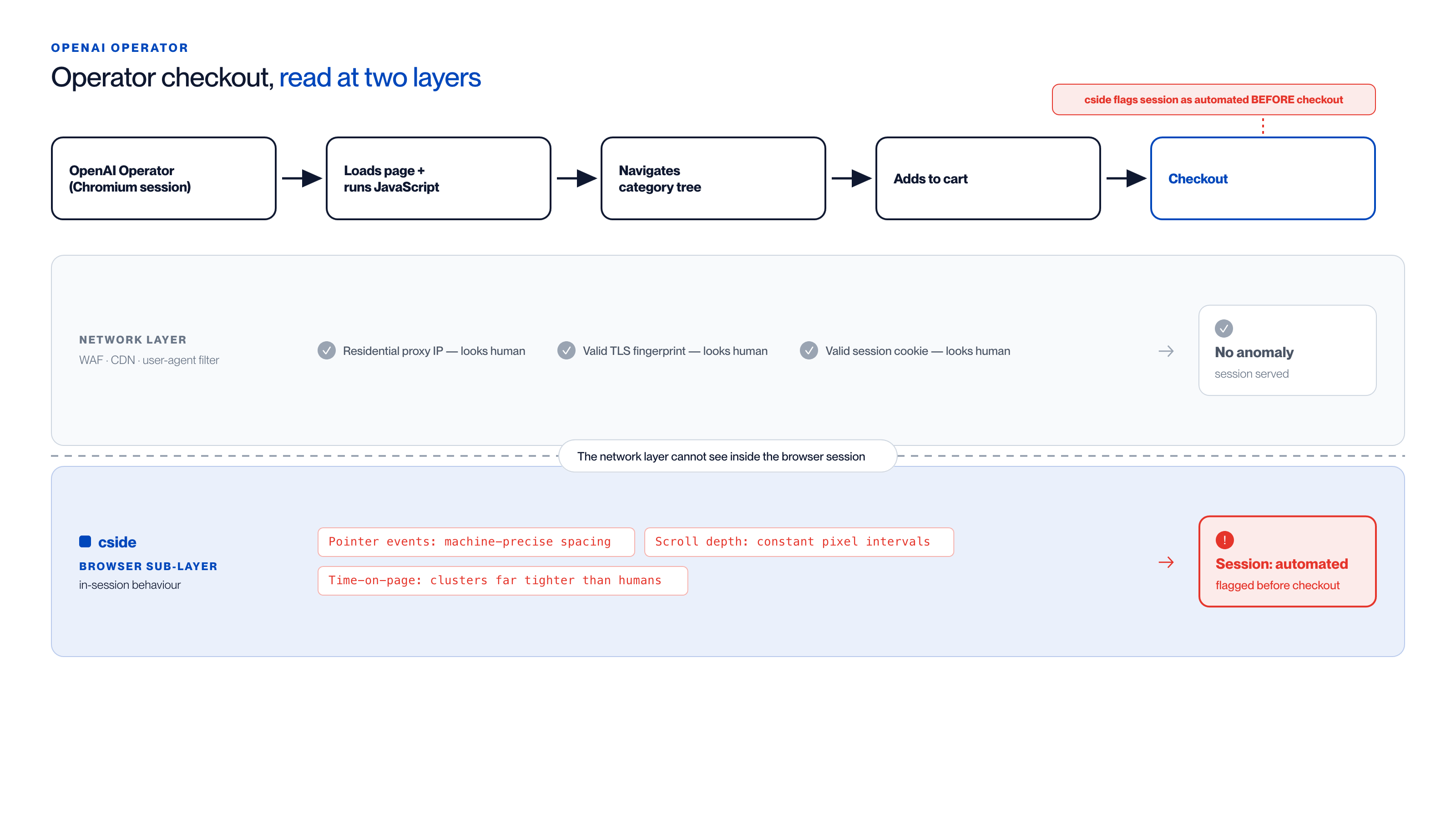
Where an Operator checkout session looks human vs. where it gives itself away:
| Layer | Signal observed | Verdict |
|---|---|---|
| Network (WAF / CDN / user-agent filter) | Residential-proxy IP, valid TLS fingerprint, valid session cookie | Looks like a logged-in human |
| Browser sub-layer (cside sensor) | Pointer events with machine-precise spacing | Automated |
| Browser sub-layer (cside sensor) | Scroll depth incrementing in constant pixel intervals | Automated |
| Browser sub-layer (cside sensor) | Time-on-page clustering far tighter than any human population | Automated |
cside surfaces the session as automated before checkout is reached; a WAF, CDN rule, or user-agent filter sees nothing out of the ordinary.
What Browser-Layer Detection Adds
Quick answer: GPTBot itself doesn't require browser-layer detection, it's visible at the network layer. But the agents that follow GPTBot's work (ChatGPT Operator, agentic shopping agents) are not. Browser-layer detection closes the gap between the crawlers you can see and the agents you cannot.
cside is not primarily needed to detect GPTBot. You can block it with two lines of robots.txt. cside addresses the agents that operate inside real browser sessions: the ones that execute JavaScript, interact with your UI, and create sessions that look identical to legitimate human users at the network layer.
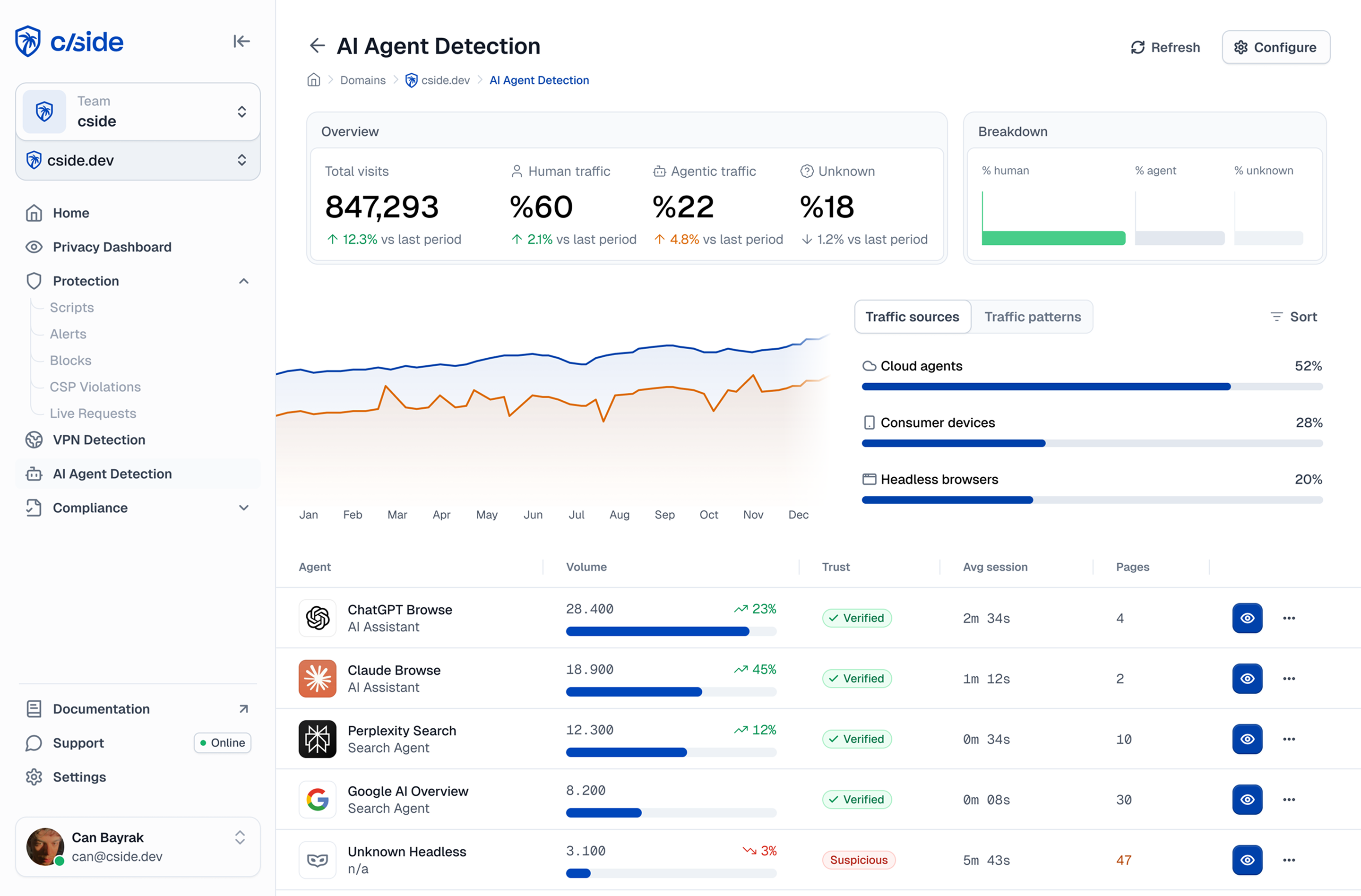
The signals cside observes (interaction timing, fingerprint consistency, navigation patterns, behavioural cadence) are irrelevant for a simple HTTP crawler like GPTBot. They are essential for detecting Operator, agentic shoppers, and the undeclared automated sessions that robots.txt cannot stop. In cside's controlled testing, traditional tools missed AI agents operating inside real browser sessions in 81 out of 100 scenarios.
Consider what this looks like in practice. An OpenAI Operator session targeting a retail site does not announce itself in any header. It launches a Chromium-based browser, loads the page with full JavaScript execution, accepts cookies, navigates the category tree at a plausible reading pace, adds items to the cart, and proceeds to checkout. At the network layer, every signal looks like a logged-in customer: the IP belongs to a residential proxy pool, the TLS fingerprint matches a current browser version, and the session cookie is valid.
What changes is the sub-layer behaviour: pointer events arrive with machine-precise spacing, scroll depth increments in consistent pixel intervals, and the time-on-page distribution for each product page clusters at a value far tighter than any human browsing population produces. cside's browser-layer instrumentation captures those signals and surfaces the session as automated before checkout is reached. A WAF, CDN rule, or user-agent filter sees nothing out of the ordinary. The same approach applies to undeclared AI content scrapers and other crawlers that mimic real browsers.
Should You Block GPTBot?
Quick answer: That depends on your relationship with OpenAI's products. Blocking GPTBot prevents your content from being used in training future models. It does not prevent ChatGPT from referencing your site via live browsing, and it does not prevent Operator from transacting on your site. Consider what you're actually trying to achieve before deciding.
Reasons to block GPTBot:
- You don't want your proprietary content in OpenAI's training datasets
- You have competitive concerns about your content being surfaced through ChatGPT answers
- Your terms of service explicitly restrict automated data collection for AI training
Reasons not to block it (or to think carefully first):
- Your content already benefits from ChatGPT citations in search results and AI answers
- You want your brand and products to be well-represented in ChatGPT's knowledge base
- Future agentic shopping systems trained on your product data may generate referral traffic
The SEO and GEO implications of blocking AI crawlers are still being worked out by the industry. A site that blocks all AI training crawlers today may find its products absent from AI-driven recommendation systems tomorrow.



