

TL;DR: stealth scraper detection via navigation and scroll patterns
- Rate limits fall short: Rate limiting, IP blocks, and CAPTCHA feel like the scraper answer. Modern AI scrapers pace requests at 12-second intervals, ride residential IPs, and use Playwright and Puppeteer that execute JavaScript exactly like Chrome. cside controlled tests missed 81 out of 100 AI agents at the network layer.
- One scraper session: One pricing-intelligence session: 471 page views across 94 minutes, alphabetical URL traversal, one smooth scroll per page, zero filter or sort interactions. cside flags navigation graph regularity, scroll uniformity outside human variance, and zero non-data UI touches, then rate-limits the fingerprint cluster.
- Per-content policy: For public catalogues, rate-limit traversal and require authentication for bulk access. For pricing data, serve session-specific prices to detected scraping sessions. For premium content, authenticate the wall. For high-confidence scraping, block at checkout or form submission.
Short on time? See cside's AI-agent detection. It covers everything below in one deployment.
Content scraping has been around for years, but AI-powered scrapers are now significantly better at evading detection, collecting more structured data per session, and operating at a scale that was previously too expensive or slow. The combination of cheap cloud compute, widely available browser automation frameworks, and LLM-powered data extraction has made sophisticated content scraping accessible to anyone with a use case and a small budget.
The spectrum runs from declared AI training crawlers (easy to block, cooperative) to stealth competitive intelligence systems (hard to detect, adversarial) and everything in between. For a deeper walk-through of the adversarial end, see the guide to blocking AI agent content scraping bots.
The Content Scraping Spectrum
Quick answer: AI content scrapers range from cooperative declared crawlers (GPTBot, ClaudeBot) to stealth competitive intelligence systems that deliberately avoid detection. The detection approach changes significantly across this spectrum. Cooperative crawlers are blocked with
robots.txt. Stealth scrapers require browser-layer behavioural detection.
| Scraper type | Self-declares | robots.txt compliance | Detection approach |
|---|---|---|---|
| AI training crawlers (GPTBot, ClaudeBot, CCBot) | Yes | Designed to comply | robots.txt + IP blocking |
| Aggressive crawlers (Bytespider, some PerplexityBot) | Yes, but selectively | Inconsistent | robots.txt + IP blocking |
| Gray-zone commercial scrapers | No | Ignores it | Browser-layer behavioural signals |
| Stealth competitive intelligence tools | No | Ignores it | Browser-layer behavioural signals |
| Malicious AI scraping (pricing, inventory attacks) | No | N/A | Browser-layer behavioural signals |
The guidance for cooperative crawlers is covered in the individual posts on blocking ClaudeBot and CCBot, and the broader case for why robots.txt is not enough to block AI agents applies here too. This post focuses on the harder categories: scrapers that don't cooperate.
What AI Scrapers Are After
Quick answer: The most valuable scraping targets are pricing and promotional data, product catalogue structure, inventory depth, and proprietary content. Each of these has distinct commercial value that drives scraping activity across different industries.
Pricing and promotional data Your prices, discount rules, and promotional availability are real-time competitive intelligence. A competitor running automated pricing surveillance can use your price points to undercut you consistently or match you in real-time. AI-powered scrapers can extract structured pricing data from complex, JavaScript-rendered product pages that traditional scrapers could not reliably parse.
Product catalogue and content Your product descriptions, images, specifications, and category structures are a significant content investment. AI-powered scrapers can ingest this data at scale and use LLMs to restructure it for use in competing catalogues, comparison sites, or training datasets.
Inventory signals Repeated monitoring of product availability and stock levels reveals your inventory depth, supply chain patterns, and demand signals. This is commercially valuable for competitor analysis and supply chain intelligence.
Proprietary research and content For publishers, research firms, and content businesses, AI scrapers harvest paywalled or premium content for redistribution, training data use, or competitive summarization products.
Why Traditional Defenses Fall Short
Quick answer: Rate limiting, IP blocking, and user-agent filtering were built for simple HTTP scrapers that move fast and identify themselves. AI scrapers mimic human session behaviour, rotate IPs, and use real browsers that execute JavaScript. The detection approaches that worked against earlier generations of scrapers require re-architecting for AI-powered systems.
The specific failures:
- Rate limiting catches scrapers that make many requests quickly. AI scrapers operate at human-speed intervals, staying well below standard rate limits while still extracting data efficiently.
- User-agent filtering catches scrapers that identify themselves. AI scrapers use standard browser user-agents indistinguishable from real Chrome or Safari traffic.
- IP blocking catches scrapers using known bad IP ranges. AI scrapers use residential proxies or cloud infrastructure with clean IP reputations.
- CAPTCHA stops automated systems that cannot interpret visual challenges. AI scrapers increasingly use CAPTCHA-solving services or AI models capable of solving standard CAPTCHA challenges, which is why CAPTCHAs are no longer reliable bot defense.
- JavaScript rendering requirements stops scrapers that can only process static HTML. AI scrapers use full browser automation (Playwright, Puppeteer, Selenium) that executes JavaScript exactly as a real browser does.
In cside's controlled testing, traditional tools missed AI agents operating inside real browser sessions in 81 out of 100 scenarios. The gap is architectural, and it is the same reason legacy bot detection misses AI agents: these tools inspect requests, not behaviour inside an executing browser session.
The Detection Signal Stack for AI Scrapers
Quick answer: Browser-layer detection reveals AI scraper sessions through behavioural signals that real browser automation cannot fully suppress: navigation efficiency, interaction pattern regularity, fingerprint characteristics, and request sequencing. These signals are observable inside the session and invisible at the network layer.
Navigation efficiency Human users navigate inefficiently: they browse categories, follow tangents, revisit pages. AI scrapers navigate with task efficiency: systematic traversal of category trees, direct paths from page to page, no backtracking or unnecessary navigation. The navigation graph of a scraping session looks structurally different from a shopping session.
Interaction regularity Human interaction with page elements has natural variability. Scroll speed varies. Click timing is imprecise. Hover paths are irregular. AI scrapers execute interactions with consistency that is non-human: regular scroll intervals, precise click timing, linear hover paths. This regularity shows up in event timing data inside the session.
Content extraction patterns Scrapers interact with pages primarily to extract content: they load the page, collect the data, and move on. They do not engage with interactive elements (filters, sort options, recommendation rails) in the way a shopping user would. Their interaction profile is extraction-focused, not discovery-focused.
Session volume patterns A scraping session that traverses your entire product catalogue produces a session-level request volume that is high relative to time-per-page. Even at human-speed intervals, systematic catalogue traversal generates more pages per session than any single human visitor would produce.
Fingerprint state Fresh, clean fingerprints appearing at scale are a scraping signal. Automated systems presenting as new sessions systematically produce fingerprint profiles that match automation framework defaults rather than the diverse, history-rich fingerprints of real consumer devices.
These are the same signals that give away AI agents and stealth browsers: cside observes them inside the browser session and surfaces them in a real-time dashboard, so the team can see exactly which behaviour flagged a session before deciding how to respond.
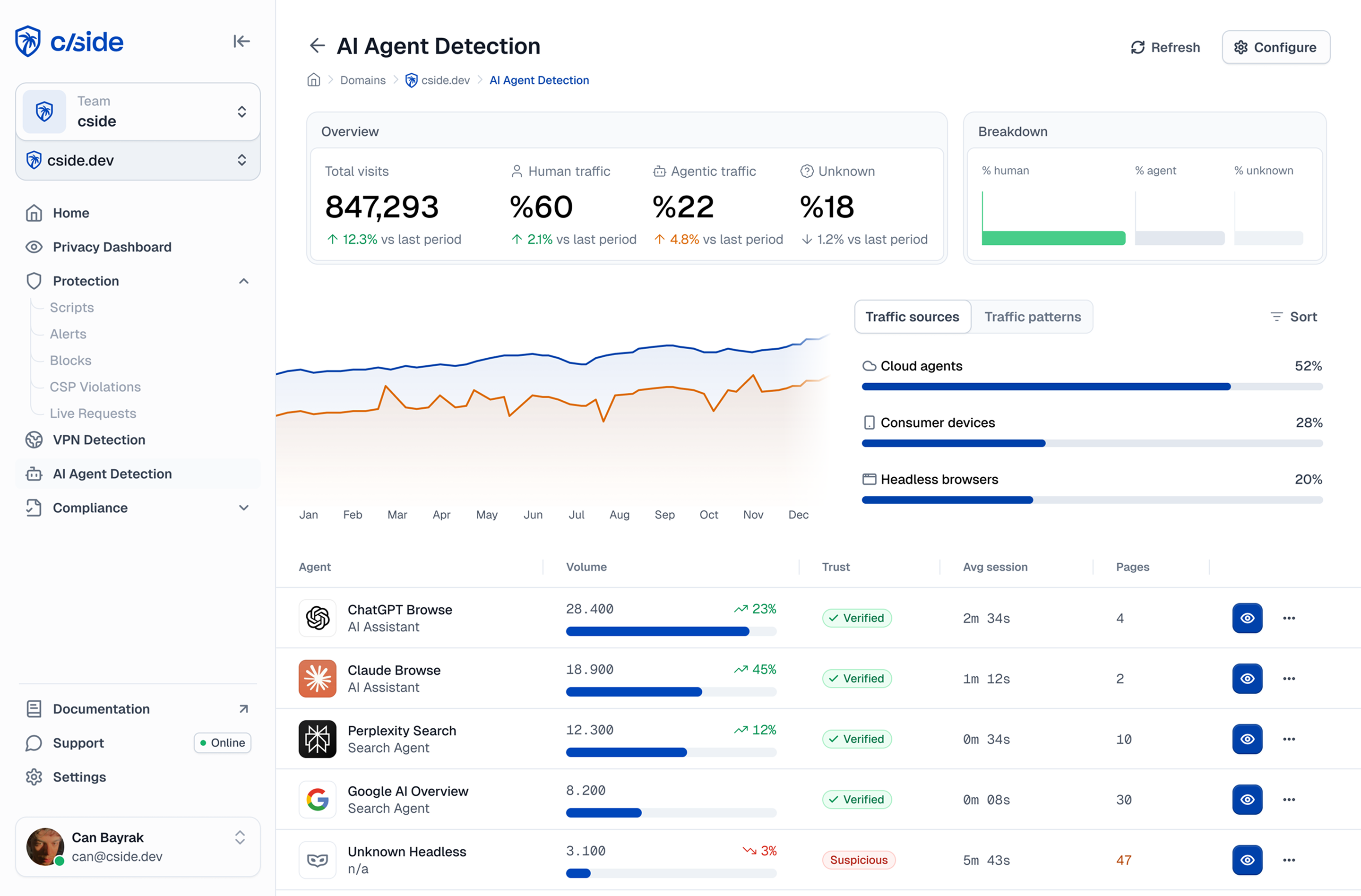
What cside Catches That Rate Limiting Misses: A Concrete Scenario
Quick answer: A competitor's automated pricing surveillance tool visits an online retailer's catalogue every two hours. It runs inside a real Chromium browser, uses a residential IP, and requests pages at 12-second intervals, well below any rate limit threshold. Here is the session breakdown, and the signals visible only at the browser layer.
The agent enters the site at the top-level category page and immediately begins iterating through subcategory URLs in alphabetical order. Each page loads, waits 12 seconds, then the agent reads the price and stock fields using JavaScript DOM queries. There are no hover events, no add-to-basket interactions, no use of sort or filter controls. Scroll events fire once per page in a single smooth sweep. Session duration across the full catalogue traversal is 94 minutes, generating 471 page views from one session.
cside flags three converging signals: navigation graph showing pure sequential URL traversal with no branching, scroll event uniformity outside human variance, and zero interaction with any non-data UI element across the entire session. The IP is clean and the rate is human-plausible. Only browser-layer observation reveals the systematic extraction pattern. cside classifies the session as a pricing scraper and applies rate limiting on catalogue traversal for the fingerprint cluster.
Response Options
Quick answer: Responses to AI content scraping range from blocking to friction to data protection. The right mix depends on the type of content being scraped and whether blocking the scraper risks blocking legitimate users in the same traffic segment.
| Content type | Recommended approach |
|---|---|
| Public product catalogue | Rate-limit catalogue traversal per session; require authentication for bulk access |
| Pricing data | Serve personalized or session-specific prices to make bulk extraction less useful |
| Proprietary research or premium content | Authentication walls; require account creation before access |
| High-value competitive content | Challenge sessions with elevated scraping signals before serving content |
| Any content | Block high-confidence scraping sessions at checkout or form submission; monitor and rate-limit for lower-confidence signals |
One underused approach is data degradation: serving subtly altered data to detected scraping sessions. This makes bulk-extracted data unreliable without alerting the scraper that it has been detected. This requires application-layer integration but is highly effective for pricing and product data.



