

TL;DR: block CCBot with the downstream Common Crawl multiplier in mind
- The downstream multiplier: Everyone treats CCBot like just another AI crawler, but Common Crawl is a 501(c)(3) nonprofit whose petabyte archive trained GPT-3, BLOOM, LLaMA, and dozens of other models. One line of robots.txt reaches every downstream project that draws from that dataset.
- The robots.txt block: CCBot identifies itself as
CCBot/2.0 (https://commoncrawl.org/faq/), respects robots.txt reliably per Common Crawl's own documentation, and aDisallow: /under its user-agent removes your site from future snapshots without touching Googlebot or Bingbot rankings. - The decision: If your goal is maximum control over AI training data, block CCBot first because the multiplier is real. If you want your expertise cited across ChatGPT, Claude, and LLaMA-based products for GEO reasons, leaving CCBot allowed does the opposite work for you.
Short on time? See cside's AI-agent detection. It covers everything below in one deployment.
CCBot is operated by Common Crawl, a nonprofit organisation that maintains a petabyte-scale archive of web content and makes it freely available as a public dataset. The Common Crawl dataset has been used to train GPT-3, BLOOM, LLaMA, and dozens of other major AI models. Blocking CCBot has broader downstream effects than blocking any individual company's crawler.
This is also one of the few AI crawlers where the blocking decision involves a straightforward tradeoff: your content out of AI training datasets entirely versus your content contributing to foundation models that power a wide range of AI products. If you are working through the wider set of AI crawlers, our guide to blocking AI agent content-scraping bots covers the rest.
What is CCBot and why does it matter?
Quick answer: CCBot is the crawler operated by Common Crawl, a nonprofit that builds a free, open web archive. The archive is publicly available and widely used for AI model training. Major models including GPT-3, BLOOM (BigScience), and Meta's LLaMA were trained on datasets derived from Common Crawl. Blocking CCBot removes your content from this pipeline upstream of many specific AI systems.
Common Crawl crawls the web approximately monthly, building a corpus of billions of pages. This data is hosted on Amazon Web Services and available freely to researchers, companies, and organisations building AI systems. Because it is a shared public resource rather than proprietary to any one company, a block on CCBot reaches further than blocking GPTBot or ClaudeBot: it affects any AI project using Common Crawl as a training source.
The nonprofit framing is also relevant: Common Crawl is not a commercial data broker. Its mission is to democratize web data for AI research. That context shapes the ethical framing of the blocking decision differently than it does for crawlers run by commercial AI companies building proprietary products.
How to block CCBot with robots.txt
Quick answer: Add
CCBotto yourrobots.txt. Common Crawl documents the process explicitly and states that CCBot respectsrobots.txtdirectives. Compliance rates are generally considered reliable for CCBot compared to some commercial AI crawlers.
To block CCBot from your entire site:
User-agent: CCBot
Disallow: /
For path-level control:
User-agent: CCBot
Disallow: /proprietary/
Disallow: /licensed/
Allow: /public/
CCBot's user-agent is CCBot/2.0 (https://commoncrawl.org/faq/). Common Crawl documents this clearly and provides explicit guidance for site owners who want to opt out.
The downstream effect of blocking CCBot
Quick answer: Blocking CCBot removes your content from Common Crawl's public dataset. Because many AI models are trained on Common Crawl data, this single block has wider reach than blocking any individual company's crawler. Your content becomes less represented in the foundation models that power ChatGPT, Claude, LLaMA-based products, and dozens of other AI systems.
This has both privacy and GEO implications. For organisations that want maximum control over AI training data, blocking CCBot is high-leverage because of this multiplier effect. For organisations that want their content well-represented in AI systems for discovery, recommendation, or search purposes, blocking CCBot works in the opposite direction.
The GEO consideration: AI systems trained on more of your content are more likely to accurately summarize, cite, and recommend your products, services, or expertise in AI-generated responses. This is an early-stage dynamic and its magnitude is not definitively established, but it is a real consideration that should inform the blocking decision.
Who should block CCBot?
Quick answer: Organisations with strong data protection requirements, licensed or proprietary content, or explicit policies about AI training data use have the clearest reasons to block CCBot. Organisations that benefit from AI-driven content discovery may have reasons to allow it. Most should start with monitoring and a clear understanding of what blocking achieves.
Strong reasons to block CCBot:
- Licensed content that cannot legally be included in third-party training datasets
- Proprietary research, reports, or data that you want to protect from public AI training pipelines
- Explicit organisational policy against AI training data collection
- Legal or regulatory requirements that restrict automated data collection
Reasons to proceed carefully before blocking:
- Blocking CCBot removes your content from foundation model training broadly, not just from one product
- Content that is well-represented in AI training data tends to be better-referenced in AI search and recommendation systems
- The nonprofit, open-research nature of Common Crawl is different from commercial data extraction
IP-level blocking
Quick answer: Common Crawl publishes CCBot's IP ranges. For strict enforcement, add these ranges to your firewall or CDN deny list. CCBot's compliance record is good, so
robots.txtis generally sufficient, though IP blocking is available as a complement for high-assurance requirements.
Common Crawl's documentation and public information lists the IP ranges used by CCBot. For organisations that need enforcement independent of the crawler's self-identification, adding these ranges to a firewall deny list provides that layer.
Browser-layer detection and the AI scraping ecosystem
Quick answer: CCBot is the cooperative end of the AI data collection spectrum. Blocking it is straightforward because Common Crawl operates transparently and respects
robots.txt. The harder end of the spectrum is the undeclared AI scraper operating in a real browser session, collecting the same data, invisible to every network-layer tool you have.
Common Crawl's open dataset trains the foundation models that power many commercial AI scrapers. Organisations that block CCBot for content protection reasons often also face undeclared scraping agents that use real browsers, rotate through residential proxies, and operate at human-speed intervals. Those sessions produce no user-agent signal, no IP match, and no robots.txt relevance. Commercial crawlers such as ClaudeBot and Bytespider sit between these two ends; if you want to handle the declared commercial crawlers as well, see our guides on how to block ClaudeBot and how to block Bytespider.
cside's browser-layer monitoring reveals these sessions through behavioural signals: navigation efficiency patterns, interaction regularity, fingerprint state, and content extraction sequencing. In cside's controlled testing, traditional detection tools missed AI agents operating inside real browser sessions in 81 out of 100 scenarios.
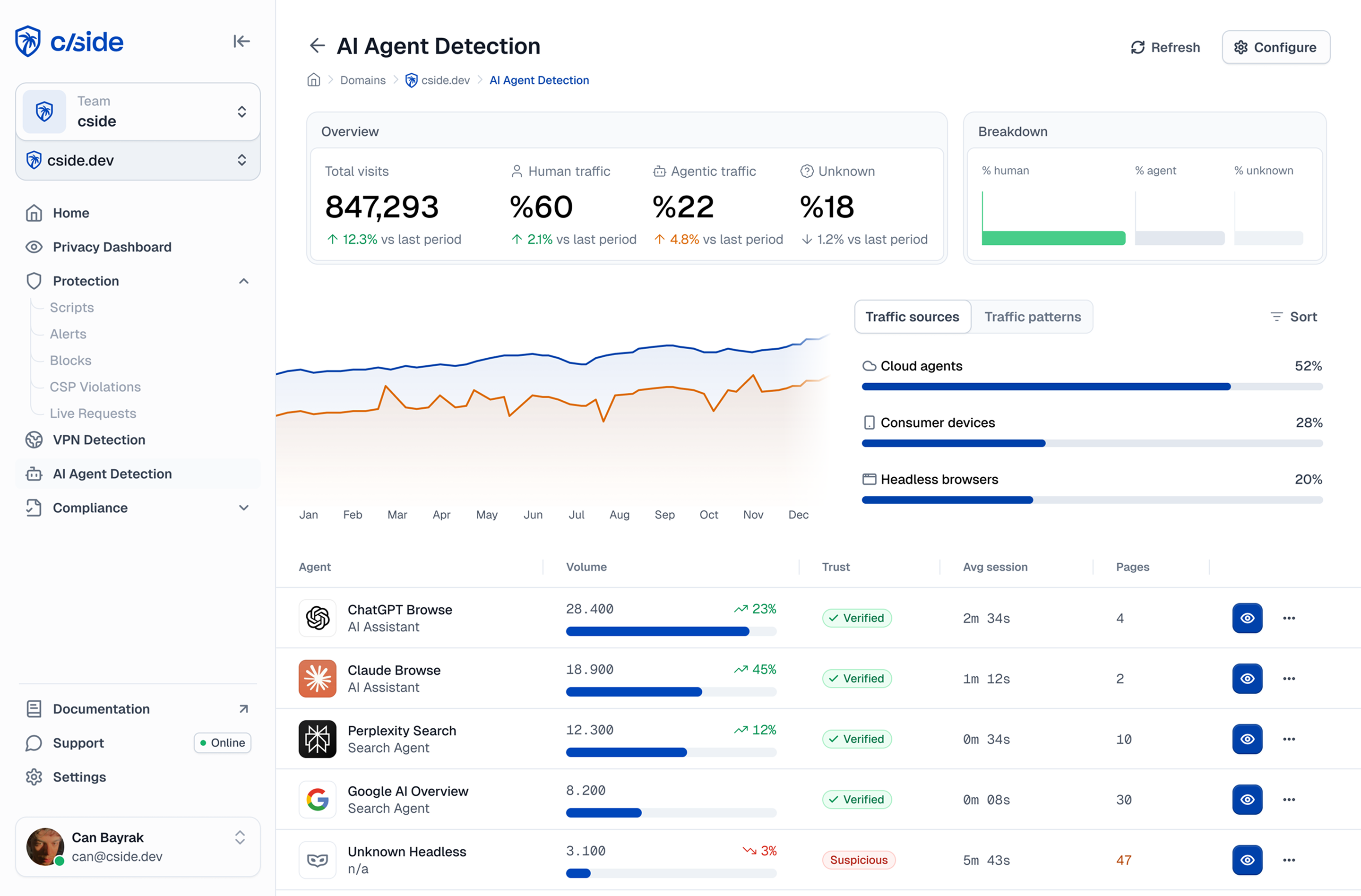
What that looks like in practice: an undeclared content-scraping agent targeting a media publisher loads the homepage in a real Chromium session, accepts the cookie consent banner, navigates to the archive section, and opens articles in sequence. The session IP is residential, the browser fingerprint is consistent and current, and from a WAF or CDN perspective the session is indistinguishable from a subscriber catching up on reading.
What differs is the behavioural layer: scroll events complete to the exact bottom of each article within a fixed time window, navigation between pieces follows a consistent inter-page interval, and zero sidebar links are ever followed, because the agent's goal is the article text, not exploratory browsing. cside's instrumentation captures the regularity of these interaction patterns and classifies the session as automated. For organisations that have handled cooperative crawlers with robots.txt and want to address the rest of the scraping spectrum, browser-layer detection is the next step.



