

TL;DR: canvas cadence and cursor signals for AI agent blocking
- Three defenses, all bypassed: Every stack ships with a WAF, a CDN bot manager, and a CAPTCHA. OpenAI Operator, Claude for Chrome, Playwright, and Puppeteer sail through all three because they run inside a real browser engine and solve JavaScript challenges at human speed.
- Four browser-only signals: Four browser-only signals expose them: canvas fingerprint entropy, session cadence, cursor geometry, and font plus WebGL fingerprint. cside collects them from a single tag, analyzes 250+ signals per session, names the automation framework, and returns a verdict before the login or checkout submits.
- Per-page policy: For login and checkout pages, hard-block sessions named as Playwright, Puppeteer, or Selenium. For ambiguous automated sessions, inject a challenge. For known crawlers you want indexed, allow. The cside free plan of 1,000 API calls per month is enough to size real agent volume first.
Short on time? See cside's AI-agent detection. It covers everything below in one deployment.
To block AI agents on your website, you have to detect them first, and that detection has to happen inside the browser. Automated agents now run inside real browser engines, so the network-layer checks most teams rely on never see them. This guide covers the signals that expose an agent and how to turn a verdict into a block, a challenge, or an allow.
Blocking AI agents on a website starts with understanding why the tools most teams already have cannot do it. WAFs block known malicious IPs and request patterns. CDN bot managers filter non-browser traffic. CAPTCHA challenges block requests that cannot execute JavaScript. Tools like OpenAI Operator, Claude for Chrome, Playwright, and Puppeteer pass all of these controls, because they run inside real browser engines, execute JavaScript, solve CAPTCHAs, and operate at human speeds. The signals that reveal them exist only at the browser layer.
Step 1: Understand what signals actually identify AI agents
Four signal categories reliably distinguish AI agents from human users. All four require a script running inside the browser to observe them.
Canvas fingerprint entropy. Every real device renders browser canvas differently based on its GPU hardware, operating system, and font rendering engine. Real devices produce high-entropy canvas fingerprints because of the variation in hardware configurations across users. AI agents running in minimal or virtualized environments produce lower entropy because the rendering environment is less varied. That difference is measurable in the canvas output.
Session cadence. Human users type, click, and navigate with natural timing variation. These are small, organic irregularities produced by attention, familiarity, and motor control. AI agents execute browser events at mechanically precise intervals. A form field filled with a fixed interval between each character, repeated consistently across multiple interactions, is not a human pattern.
Cursor geometry. Human mouse paths are curved, they accelerate and decelerate, and they include micro-corrections before landing on a target. AI agents produce geometrically straight cursor paths, or no cursor movement at all between interactions. Real users almost never produce straight-line cursor paths.
Font and WebGL fingerprint. Real user devices have a full system font set installed and a GPU that produces consistent WebGL output. AI agents running in minimal environments have a restricted font set and virtualized or absent GPU hardware. The combination of missing fonts and an anomalous WebGL signature is a strong discriminator.
Step 2: Deploy a browser-layer detection script
The detection script must load with the page and begin collecting signals before the user interacts with any element. This timing matters: the signals are observable throughout the session, and early data points establish the behavioral baseline against which subsequent events are compared.
A browser-layer script from cside AI agent detection loads with the page, collects all four signal categories passively, and is ready to return an API verdict by the time the user reaches a login form, checkout, or any other flow you want to protect.
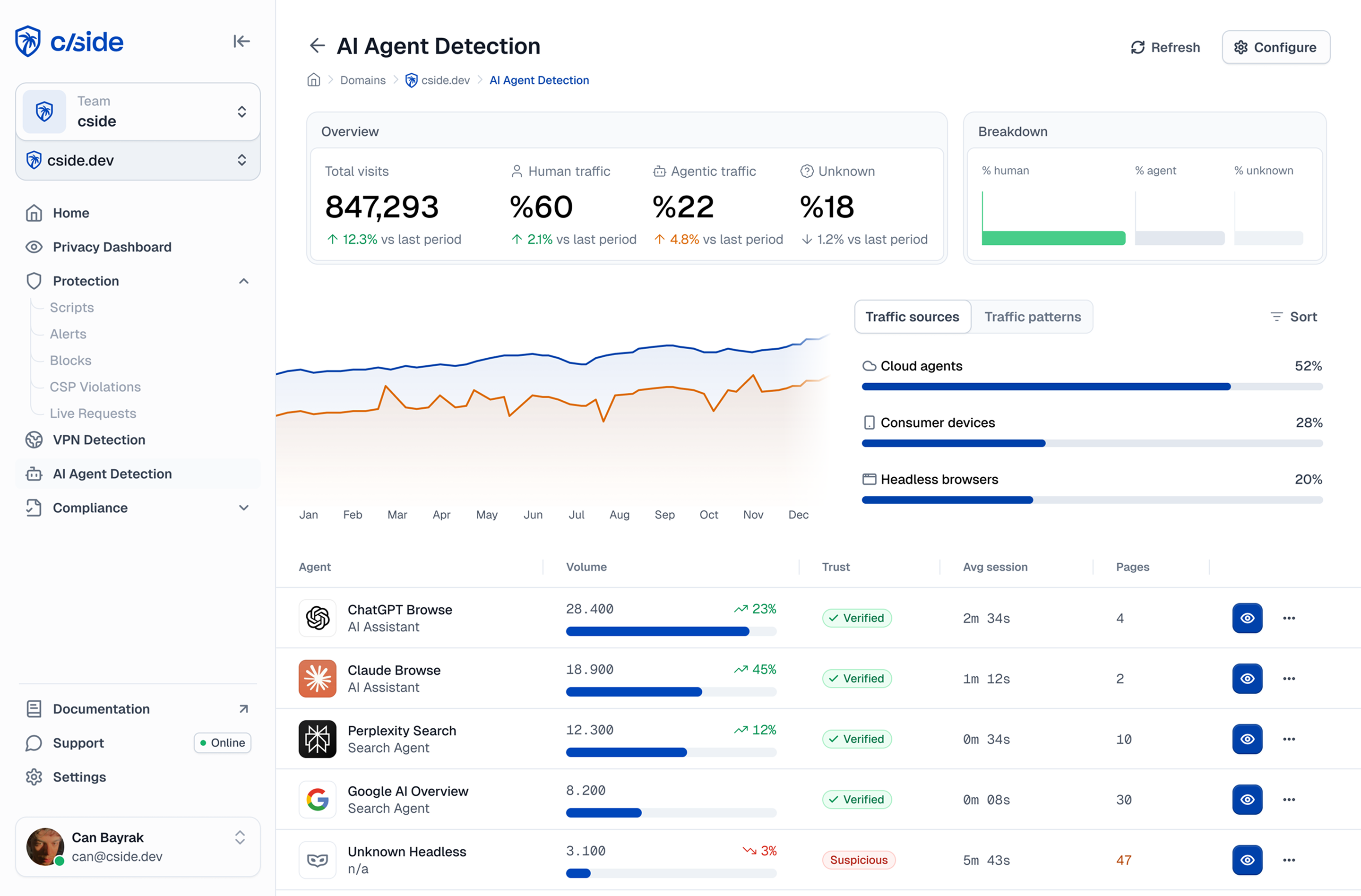
The script integrates as a single tag in the page head. No server-side SDK changes are required.
Step 3: Call the API and read the verdict
Once the script has collected signals, a single API call returns a real-time verdict for the session. cside analyzes 250+ signals per session and combines them into a risk score, flagging AI-agent and automated sessions and identifying named automation such as OpenAI Operator, Claude for Chrome, Playwright, Puppeteer, and Selenium where possible. The response also indicates whether the connection is routed through a VPN or proxy, and returns a stable device identifier for the session.
The verdict is available before the form submission or the critical action fires, so your application can decide what to do while the session is still open.
Step 4: Define your response by session type
Blocking every detected AI-agent session is not always the right response. The correct action depends on who you think the agent is.
Block: Sessions where the verdict names a known abuse tool (Playwright, Puppeteer, Selenium) on a login or checkout flow. These tools have no legitimate user-facing use case on those pages.
Challenge: Sessions flagged as automated where the agent type is ambiguous. Inject a challenge to confirm human presence before allowing the interaction to continue.
Allow: Sessions from crawlers you recognize and permit, such as your own monitoring tools, search engine crawlers operating on pages they should index, or legitimate API integrations you have authorized. These produce automation signals but warrant no action.
Log and monitor: Sessions on non-critical pages where blocking is not warranted but visibility is useful. The device identifier and agent type let you build a picture of automated activity across your site without taking disruptive action.
Step 5: Apply response actions in your application
Once the verdict arrives, your application enforces the response. Typical implementations:
For login flows: check the agent verdict before processing the authentication request. If the session is flagged as a known abuse tool, return a 403 before validating the credentials. No password validation occurs, which reduces database load from credential stuffing as well as blocking the session.
For checkout flows: check the agent verdict and the session risk score before displaying the payment form. High-risk automated sessions should not reach the payment field stage.
For registration flows: check the device identifier against known linked accounts before completing account creation. This addresses multi-accounting as well as AI-agent-driven account creation and fake signups.
Where blocking fits in your stack
Browser-layer detection does not replace your WAF or CDN bot manager. It sits alongside them and covers the gap they cannot reach: automated traffic that arrives inside a genuine browser session. Keep the network-layer controls for the volumetric and non-browser traffic they handle well, and add browser-layer verdicts for the agents that clear those controls. The two layers together give you a per-session decision on login, checkout, and registration flows without over-blocking the crawlers you want to keep.
Related reading
- AI agent detection: how cside scores agent and automated sessions from a single script tag
- Account takeover: stopping automated login abuse and credential stuffing
- Multi-accounting: linking devices to catch agent-driven account creation



