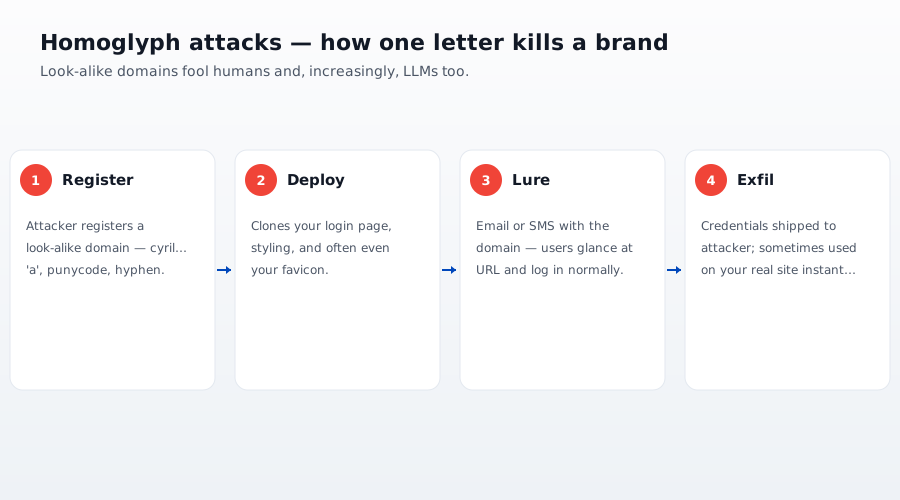
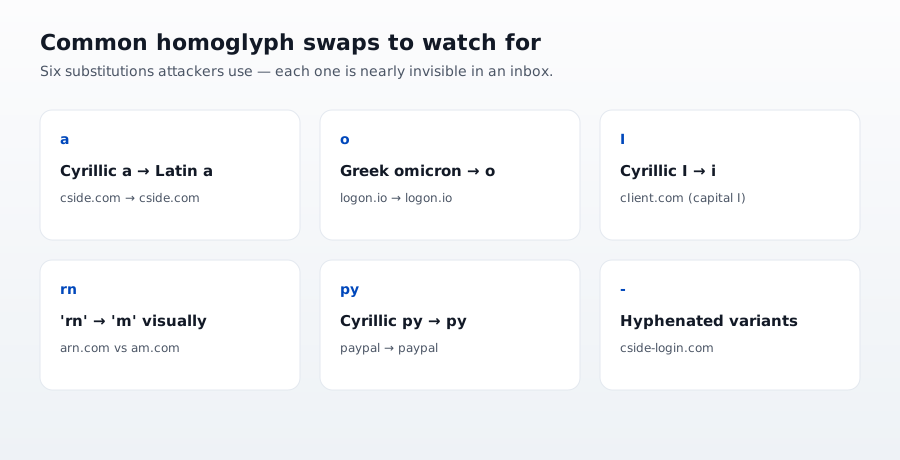
A homoglyph attack swaps characters in a domain or message for visually identical characters from another alphabet (Cyrillic а for Latin a), so аpple.com looks exactly like apple.com. DNS treats them as entirely different domains, which lets attackers register convincing lookalikes for phishing pages and malicious script delivery.
TL;DR: homoglyph attacks
- The lookalike: аpple.com is not apple.com. That first character is Cyrillic (U+0430). DNS treats them as separate domains. Every font renders them identically.
- Browser rendering: Punycode display rules are inconsistent across Chrome, Firefox, and Safari. A pure-Cyrillic lookalike can render as its target in all three.
- The hidden risk: The under-addressed case is compromised third-party scripts loading from lookalike CDNs. Static allowlists miss it because the bytes differ.
Short on time? See cside's account-takeover detection. It covers everything below in one deployment.
What "аpple.com is not apple.com" actually means
Type this into a URL bar and press Enter: https://аpple.com. If the first character looks like Latin a but is Cyrillic а (U+0430), you have just requested a completely different domain than Apple's. The two characters render identically in essentially every font, but the DNS resolver treats them as unrelated strings.
Internationalized Domain Names (IDN), the standard that lets non ASCII characters appear in domains, was ratified in 2003. The compatibility encoding is called Punycode. аpple.com (Cyrillic а) encodes as xn--pple-43d.com. That is what actually gets registered and served.
The attack is: register xn--pple-43d.com, run a phishing site there, drive traffic to the pretty display form аpple.com in emails and SMS. Users click. Users type their password. Users hand it over.
Why the browser is not saving you
In 2005, ICANN mandated that browsers should display IDNs as Punycode unless the domain used only characters "unlikely to be confusable with ASCII." Chrome, Firefox, and Safari each implemented their own version of this heuristic. None of them is complete, and each of them has known bypasses.
- Chrome shows Punycode when a domain mixes scripts within a single label, but not for a pure Cyrillic domain that mimics Latin.
аpple.com(all Cyrillic in the label) can render as Unicode.apрle.com(Latina,p,l,eplus Cyrillicр) renders as Punycode. - Firefox has a similar but different heuristic based on user locale. A Russian locale user might see Cyrillic Unicode rendering more permissively than an English locale user.
- Safari has its own rules that have shifted across major versions.
There is no unified defense at the browser level in 2026. A well constructed homoglyph domain can render as its target in all three major browsers.
Where homoglyph attacks actually happen
1. Phishing (obvious)
Register аpple.com, host a login clone, send phishing SMS. This is the classic case. Users see the browser address bar say аpple.com, believe they are on Apple, type their credentials, lose them.
This is the case CISO teams already know about. It is why phishing awareness training warns about the address bar.
2. JavaScript supply chain (under discussed)
Here is the case most defenders miss. Your site loads a legitimate third party script from cdn.legitimate-analytics.com. Your CSP source allowlist includes that domain. Your security review approved it.
An attacker registers cdn.lеgitimate-analytics.com (Cyrillic е). Then, through one of:
- A compromised update to the legitimate script (Polyfill.io class)
- A hijacked tag manager rule
- A compromised transitive dependency loaded by the legitimate script
The legitimate script fetches a resource from the homoglyph domain. Your CSP allowlist rejects it, right?
Wrong. Your CSP rule is script-src cdn.legitimate-analytics.com. The browser applies that rule character by character. If the fetch goes to cdn.lеgitimate-analytics.com (Cyrillic е), the browser treats it as a different origin. CSP might block it (good) or might allow it via a wildcard (bad).
The problem is your monitoring and your alerts. Your script inventory looks at rendered display strings and sees cdn.legitimate-analytics.com. Your ops team looks at request logs and sees cdn.legitimate-analytics.com. Nobody notices the substitution because nobody is looking at the Punycode form.
What real detection looks like
Homoglyph detection is a domain normalization step. It has to happen at two places:
1. At the DNS/CDN edge, on every domain your site references
- Normalize the domain to its Punycode form (
xn--...where applicable). - Compare the normalized form against a database of confusable pairs (Unicode publishes one in UAX #39, and IANA publishes IDN confusable tables per registry).
- Flag any domain that has a visually confusable Latin equivalent belonging to a different owner.
2. In the client side script inventory, on every script that actually loads
- Enumerate every script tag on your page and every resource fetched by those scripts.
- Normalize each hostname to Punycode.
- Alert on any hostname that renders identically to an allowed one but decodes to a different owner.
The first check catches lookalikes at registration or reference time. The second check catches lookalikes at execution time. Both are needed because the client side check is the only one that catches a script that dynamically constructs a URL string from user input or from a compromised remote configuration file.
Why static allowlists fail
Every client side security vendor sells you a CSP source allowlist. script-src 'self' cdn.mysite.com cdn.trusted-vendor.com. The list is human readable. The review is manual. The maintenance is manual.
A homoglyph attack defeats this class of control because the allowlist entry cdn.trusted-vendor.com matches only the exact byte sequence. A Cyrillic substitution creates a different byte sequence. The allowlist neither allows it (the browser blocks it, which the attacker plans around by not needing CSP to allow) nor flags it (because the entry does not include confusable equivalents).
The PCI DSS 4.0.1 §6.4.3 script inventory requirement does not save you here either, unless the inventory explicitly normalizes to Punycode. Most implementations do not. They store the display form of the hostname, so a homoglyph domain matches the inventory string and passes the "is this script authorized" check.
What cside actually does about it
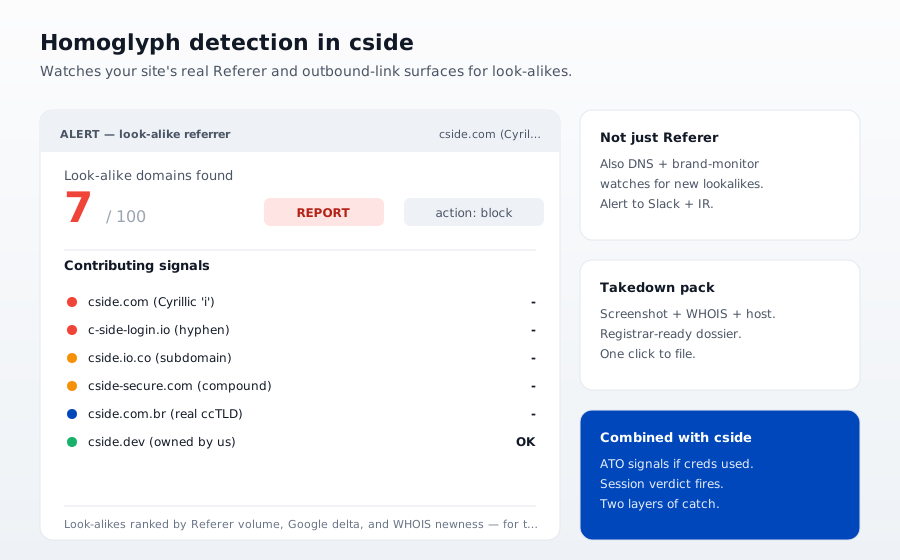
cside's client side security platform normalizes every hostname your site touches to Punycode at inventory time and at execution time. When a script loads from a domain that renders identically to an authorized source but decodes differently, we flag it as a homoglyph.
This catches:
- Compromised third party tags loading from lookalike CDNs
- Dynamically constructed URLs that substitute a Cyrillic character mid string
- Long tail dependencies of dependencies that pull from a subtly wrong hostname
We also compare against a public confusable pair database that we keep updated. If a new lookalike domain appears in the wild for a known brand target, our detection catches it the next time it tries to load on a monitored site.
The recommendation
If you rely on browser Punycode display heuristics as your homoglyph defense, you have no defense. The heuristics are inconsistent, bypassable, and getting worse as attackers publish more sophisticated lookalike domains.
The right defense is a domain normalization step in your script inventory, applied to every hostname your site references. Do it at registration time. Do it again at execution time in the browser. And do not trust visual display anywhere in the pipeline, because that is exactly where the attack lives.