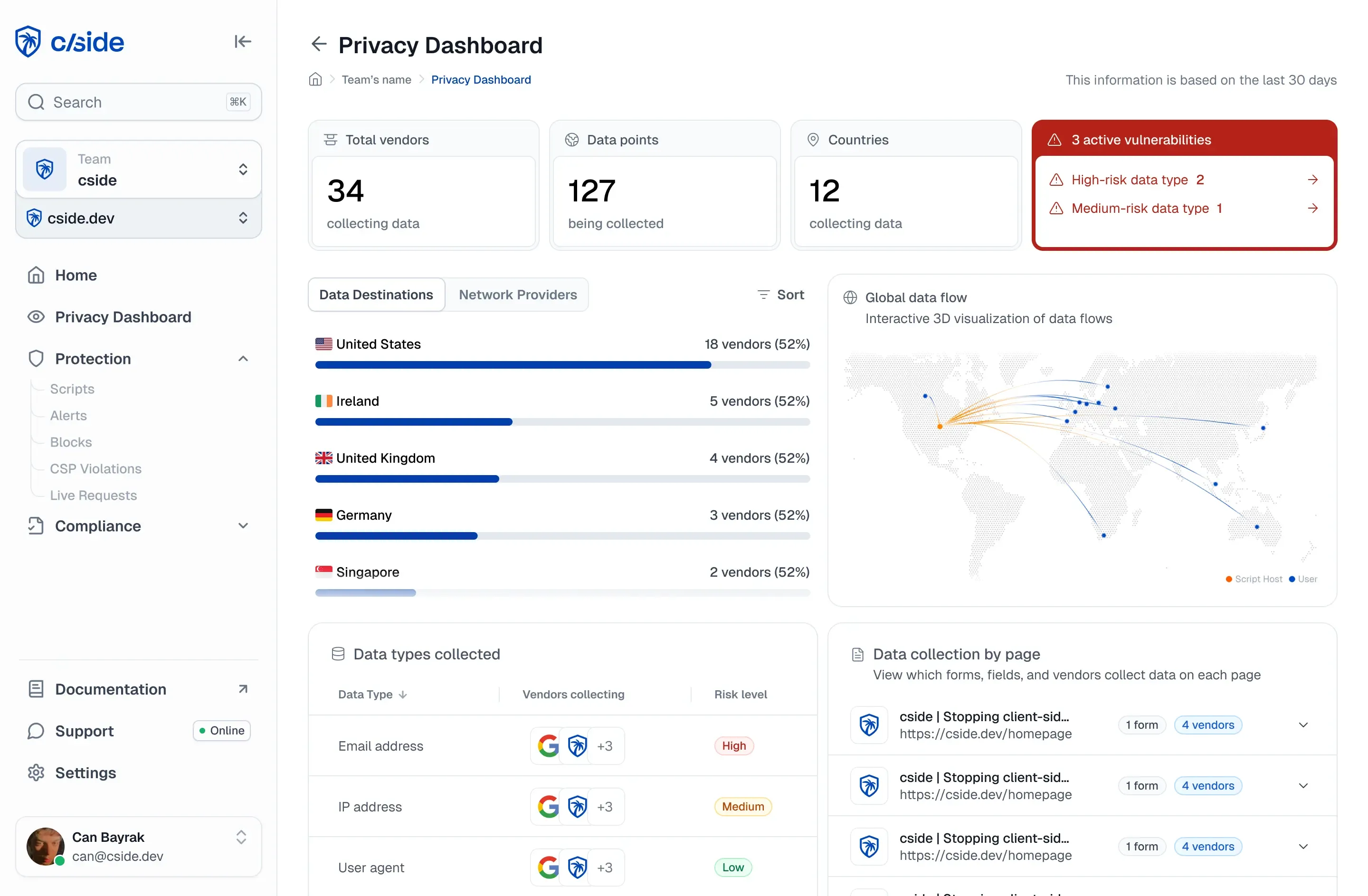
TL;DR: browser fingerprinting tools
The short answer: the best browser fingerprinting tools in 2026 are cside, Fingerprint Pro, and ThumbmarkJS. The right one depends on whether you need fraud signals with the ID, the highest identification accuracy, or a free library you host yourself.
How to pick: choose cside for a persistent device ID plus bot, AI agent, and VPN signals from one first-party script. Choose Fingerprint Pro for identification accuracy and generally available mobile SDKs. Choose ThumbmarkJS for a free, self-hosted fingerprint.
| Tool | Best for | Starting price |
|---|---|---|
| cside | Device ID plus bot, AI agent, and VPN signals | Free (1,000 API calls/month); Business $99/month for 50,000 calls |
| Fingerprint Pro | High-accuracy identification with mobile SDKs | Free (1,000 API calls/month); Pro Plus $99/month for 20,000 calls |
| ThumbmarkJS | Free, self-hosted browser fingerprinting | Free open-source library; API Pro €15/month for 15,000 calls |
Short on time? See cside device intelligence. It returns the device ID and the fraud signals from one first-party script.
The 10 best browser fingerprinting tools in 2026
The tools below fall into two groups: free, self-hosted libraries that produce an identifier, and platforms that pair identification with a fraud verdict. ThumbmarkJS, FingerprintJS, and ClientJS are the open-source libraries; the other seven are commercial.
Third-party prices and plan limits were checked against each vendor's own pricing page on 2026-10-05. They change often, so confirm them before you budget.
1. cside, a browser fingerprinting tool with fraud signals
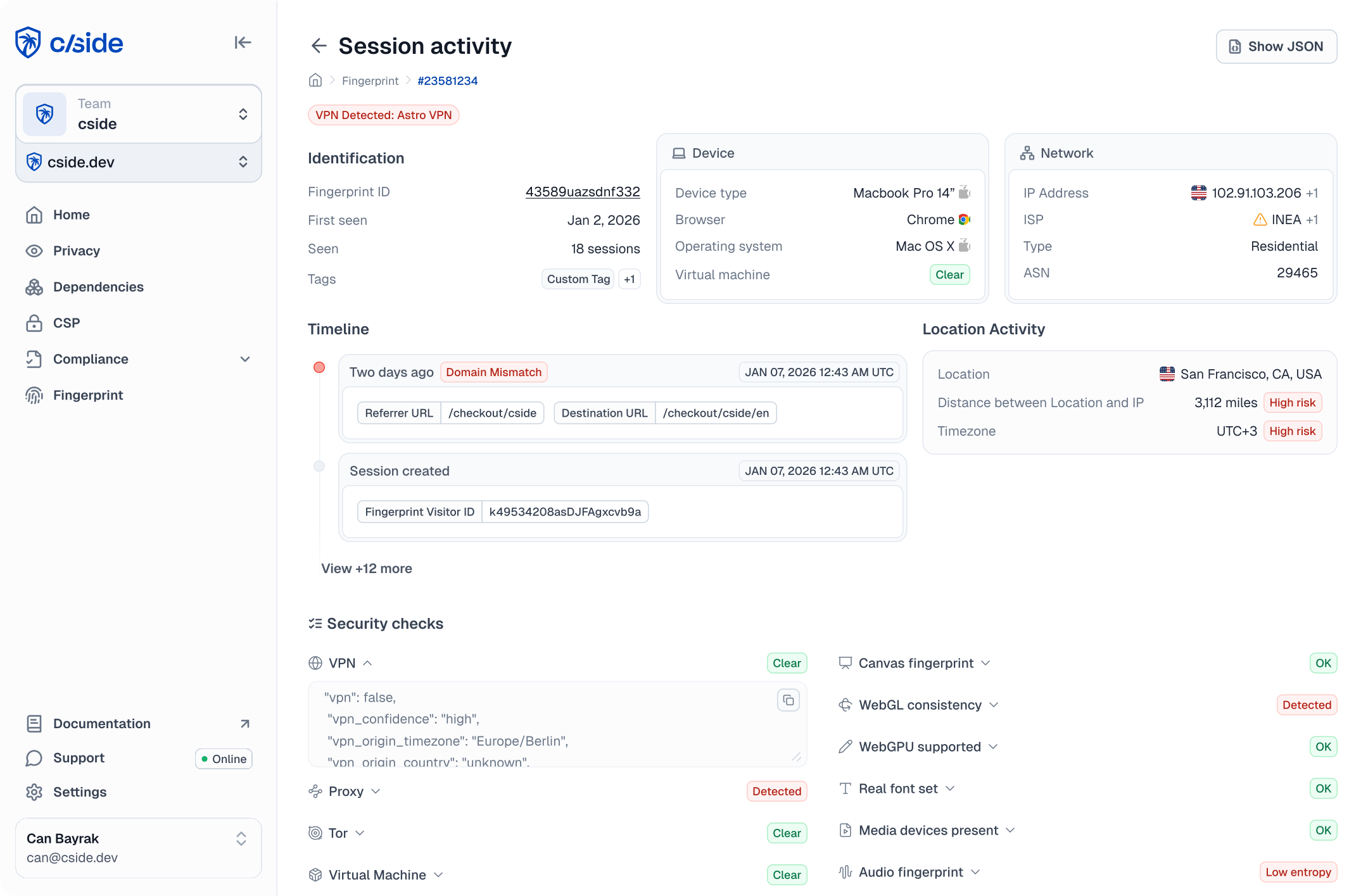
cside identifies devices from a single first-party JavaScript snippet running on your own domain. It collects 250+ device, network, and behavioral signals in the live session and combines them into a persistent visitor ID that holds when users clear storage, browse in incognito mode, or switch VPNs.
The difference between cside and a basic fingerprinting library is what happens after identification. cside uses the same signals for bot and AI agent detection, VPN and proxy detection, behavioral analysis, and fraud use cases such as account sharing and chargeback evidence. You can act on its verdicts or send the raw signals to your own rules engine through the API or webhooks.
Pros
- One first-party script on your own domain, with no DNS changes, and cside does not sit in front of your traffic
- Device intelligence, account fraud, AI agent detection, and chargeback evidence come from one vendor, so you can consolidate tools instead of buying a fingerprinting product in isolation
- Every customer, including those on the free plan, gets a shared Slack or Microsoft Teams channel with cside engineers
- The free tier is permanent, and the Business plan includes a 14-day free trial
Cons
- If you only need a lightweight browser identifier for analytics or basic visitor recognition, the fraud signals are more than you need
- The free tier returns the device ID with core signals; AI agent and VPN detection need the Business plan, and chargeback evidence sits on Enterprise
- The native iOS and Android SDKs are in beta, so teams that need generally available mobile SDKs today should look at Fingerprint or Castle
- Device signals can still count as personal data under GDPR, so you need a documented lawful basis (for fraud prevention, usually legitimate interest)
Pricing: free for up to 1,000 API calls per month. Business is $99/month for 50,000 calls, with a 14-day free trial, and Enterprise is custom. See cside pricing.
Best for: fraud and risk teams that need a persistent device ID plus bot, AI agent, and account-abuse signals from one first-party script.
2. ThumbmarkJS
ThumbmarkJS is an open-source JavaScript library for browser fingerprinting. It collects browser and device characteristics in the browser and combines them into a fingerprint, and you can self-host it instead of adopting a managed fraud platform.
Source: thumbmarkjs.com
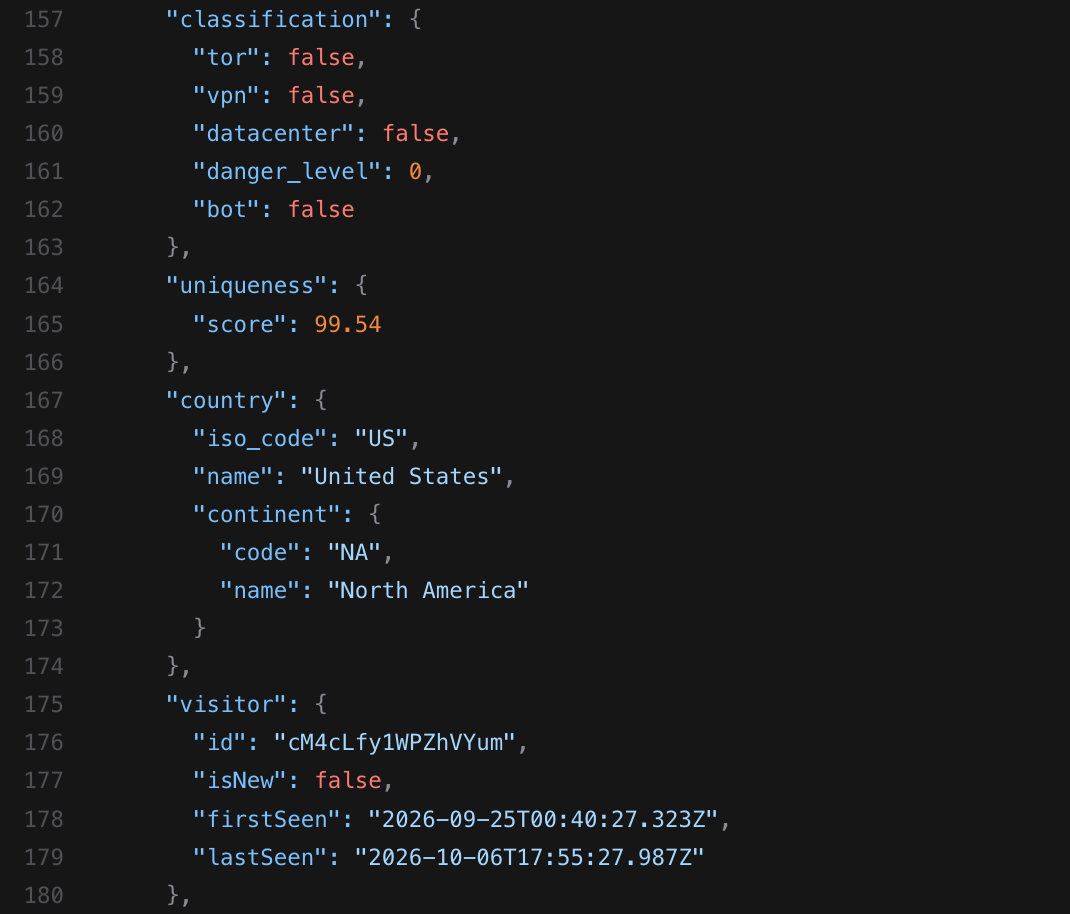
Its maker also sells an optional API that adds server-side analysis (TLS handshake details, HTTP headers, and connection data) to the client-side signals. That API is where the extra accuracy and the fraud flags come from.
Pros
- The MIT license allows free commercial use and forking
- The optional API raises uniqueness from about 80% for the library alone to about 99%
- The API adds bot, VPN, and datacenter detection, plus a threat level, to the visitor ID
Cons
- The free library is community-supported, mainly through Discord
- On its own, the library reaches only about 80% uniqueness
Pricing: the library is free. The API has a free tier of 1,000 calls per month, and Pro costs €15/month for 15,000 calls, then €1 per additional 1,000.
Best for: developers who want a free, self-hosted fingerprint and do not need fraud scoring or PCI DSS script monitoring bundled in. For the head-to-head, see cside vs ThumbmarkJS.
3. FingerprintJS (open source)
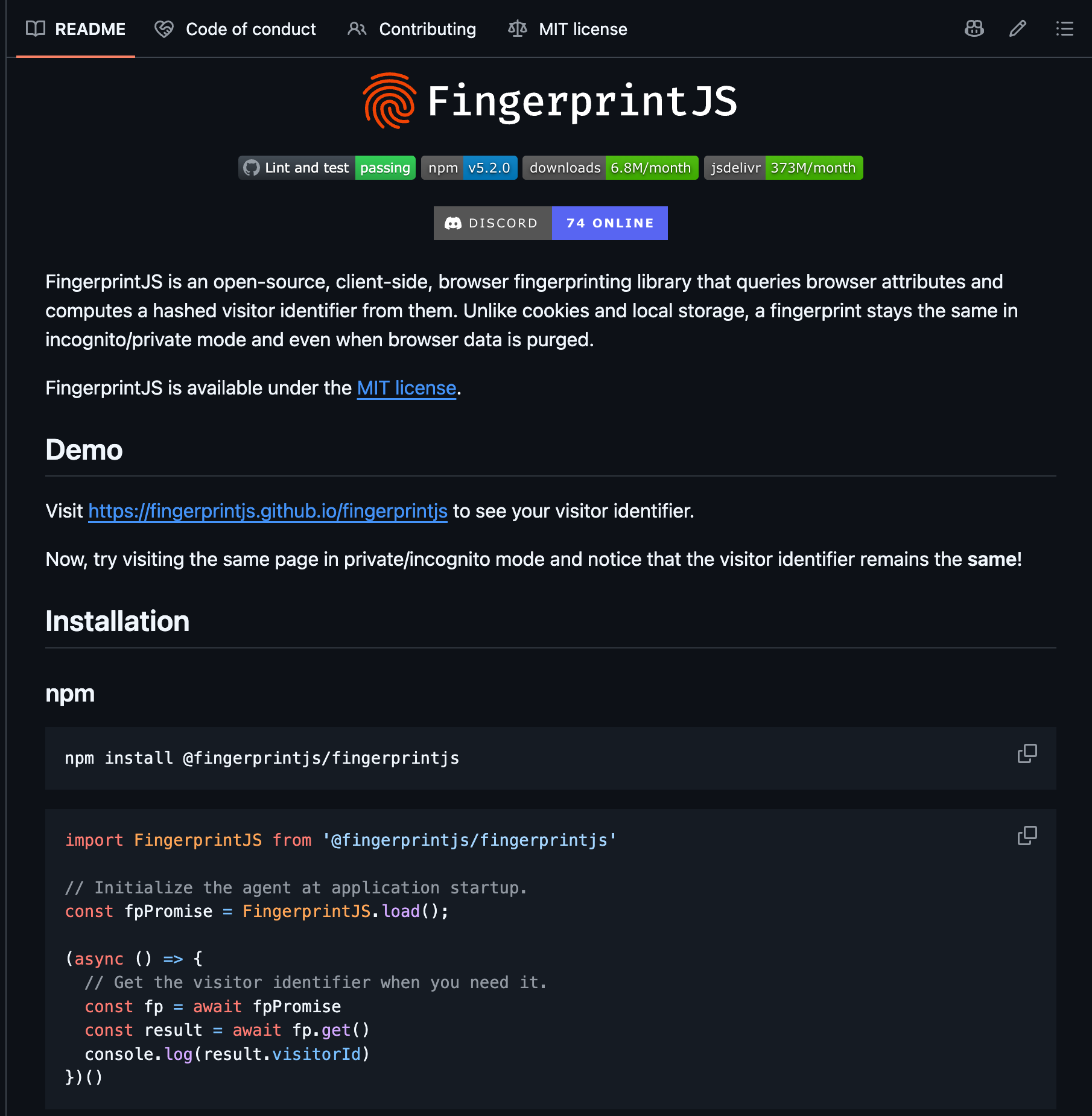
FingerprintJS is a client-side browser fingerprinting library that collects browser attributes and generates a hashed visitor identifier. You can integrate it directly into a web application without using Fingerprint's commercial platform.
Source: github.com
Licensing has moved over its life. Version 4 shipped under the Business Source License, and version 5.0.0 returned the library to the MIT license, so production and commercial use are free again.
Pros
- The MIT license (from version 5.0.0) allows free commercial use
- Reads canvas, audio, and installed-font signals, among others
- Installing it from npm and bundling it with your own code avoids the CDN import that ad blockers stop
Cons
- Fingerprint's own README says the library's accuracy is "significantly lower" than its commercial product
- Because fingerprints are generated and processed in the browser, they are open to spoofing and reverse engineering
Pricing: free and open source. For what the paid product costs, see our FingerprintJS pricing guide.
Best for: teams that need a free identifier and are not trying to solve bot detection or fraud scoring at the same time. If you are replacing it, see the FingerprintJS alternatives.
4. Fingerprint Pro
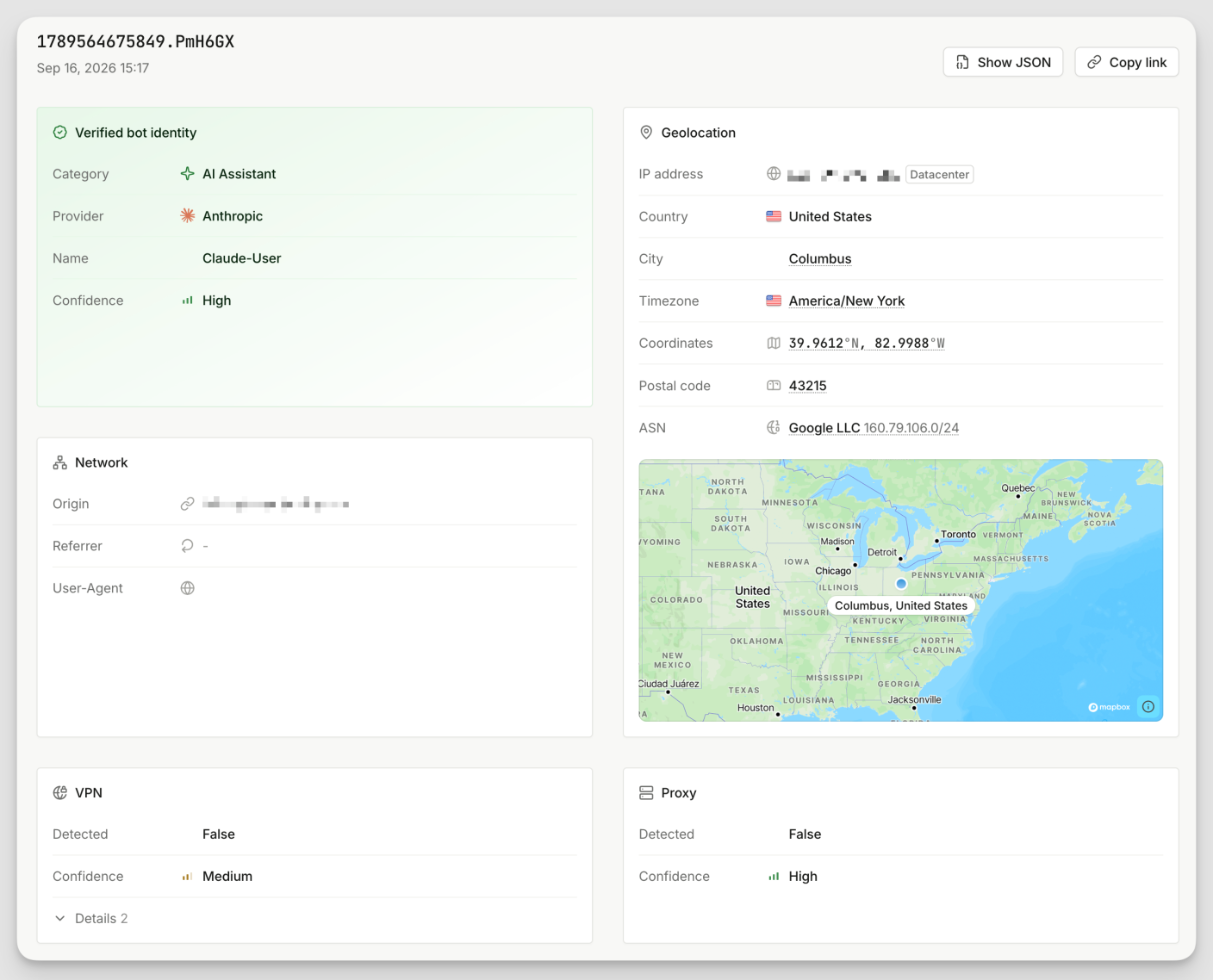
Fingerprint Pro, which Fingerprint now calls Fingerprint Identification, is the commercial device identification platform from the company behind FingerprintJS. Unlike the open-source library, it combines client-side signal collection with server-side processing and network-level data to produce a more stable visitor identifier. Fingerprint says its own product collects over 100 browser and device signals.
Source: docs.fingerprint.com
Pros
- Fingerprint says you are not charged for API calls made during a DDoS attack
- Request filtering lets you allowlist or blocklist origins and headers, so other sites cannot use your public API key
- Generally available mobile SDKs for Android, iOS, React Native, and Flutter
Cons
- Proxy integrations for Cloudflare, Amazon CloudFront, Fastly, and Akamai are Enterprise-only
- Data retention is 30 days on Free and Pro Plus; 90-day retention and enforced SAML SSO need the custom-priced Enterprise plan
Pricing: the Free plan covers up to 1,000 API calls per month and comes with a 14-day Pro Plus trial. Pro Plus costs $99/month for 20,000 API calls, then $4 per additional 1,000. Enterprise is custom-priced.
Best for: teams that need high identification accuracy and generally available mobile SDKs across more platforms. See cside vs Fingerprint for the head-to-head.
5. SEON
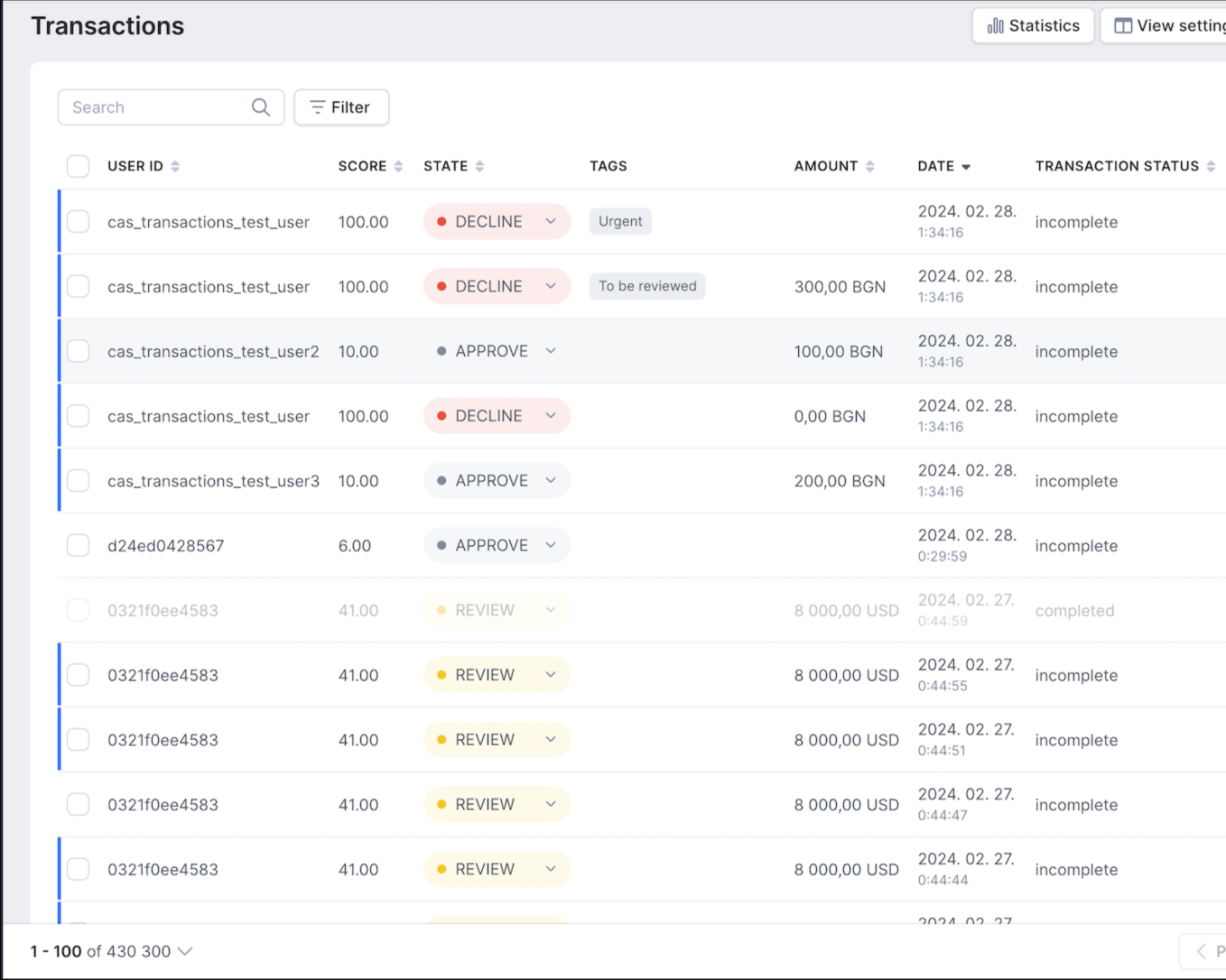
SEON combines device intelligence with a broader fraud prevention and AML platform. Its capabilities include device, IP, email, and phone intelligence, transaction risk scoring, case management, and AML compliance, with access through both the SEON platform and its API.
Source: docs.seon.io
Pros
- Custom rules let fraud teams tune scoring logic inside the platform
- An Explain view shows which signals pushed a risk score up or down
- Digital footprint checks look for online and social profiles linked to an email address or phone number
Cons
- The Starter plan caps usage at 2,500 fraud checks a month, with 10 users and 50 custom rules
- Case management and AML compliance sit on the custom-priced Premium tier
Pricing: the Starter plan costs $699/month and covers 2,500 fraud checks, 10 users, and 50 custom rules. Premium is custom-priced, and a free trial is available on request.
Best for: teams that want fingerprinting bundled with broader fraud prevention and AML screening in one platform.
6. Castle
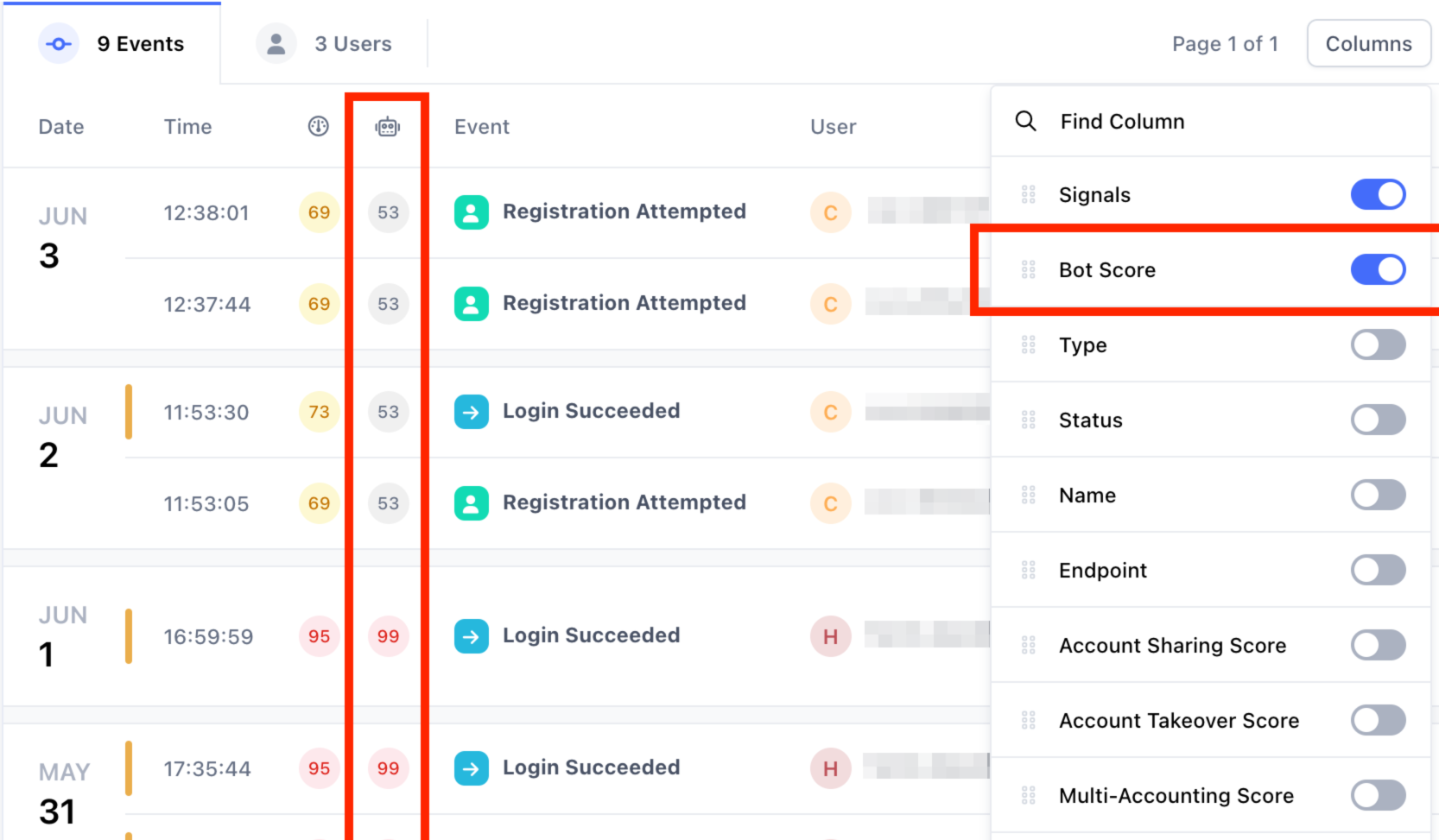
Castle combines device fingerprinting with behavioral, IP, and account-risk signals to detect fraud and abuse across the user journey. It collects device signals through client SDKs for web and mobile apps, and scores login, registration, and other account events through its server-side Risk API.
Source: docs.castle.io
Pros
- Generally available SDKs cover web and mobile applications
- A standalone IP Intelligence API supports single and batch lookups
- Emulator, jailbreak, tamper, and disposable email detection are included on every plan
Cons
- The Free and Pro plans keep only 3 and 7 days of data respectively
- Dedicated setup and integration support is available only on the Enterprise plan
Pricing: the Free plan includes $5 of usage (1,000 Risk and Filter requests). Pro costs $200/month, and Enterprise starts at $4,000/month.
Best for: teams whose real problem is account-lifecycle security rather than general-purpose fingerprinting.
7. Sardine
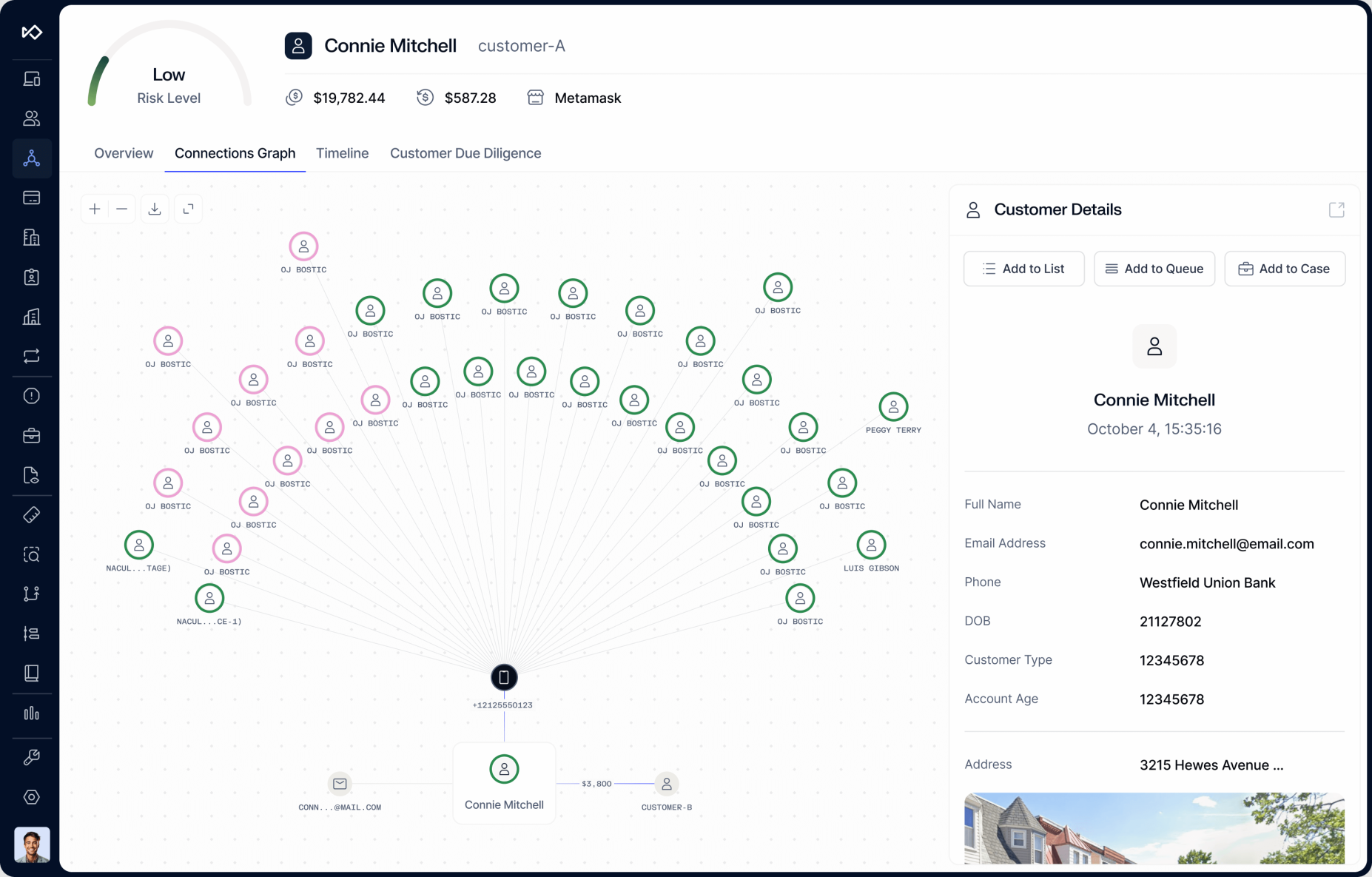
Sardine combines device intelligence and behavioral biometrics to assess risk across onboarding, account activity, and payments. Its device signals flag emulators, virtual machines, remote access tools, VPNs, proxies, and bots.
Source: sardine.ai
Pros
- Captures four device identifiers (Device ID, Device Fingerprint, Mobile User ID, and Account Device ID), which Sardine says survive factory resets and app reinstalls
- Remote access detection flags tools such as TeamViewer and AnyDesk that scammers use
- Link analysis connects accounts, devices, and payments to surface fraud rings
Cons
- No published pricing or self-serve plan
- G2 reviewers report a steep learning curve for new staff
Pricing: custom, quoted through sales.
Best for: fintechs and payment platforms that want device fingerprinting and behavioral intelligence inside a broader fraud and financial-crime platform.
8. IPQualityScore
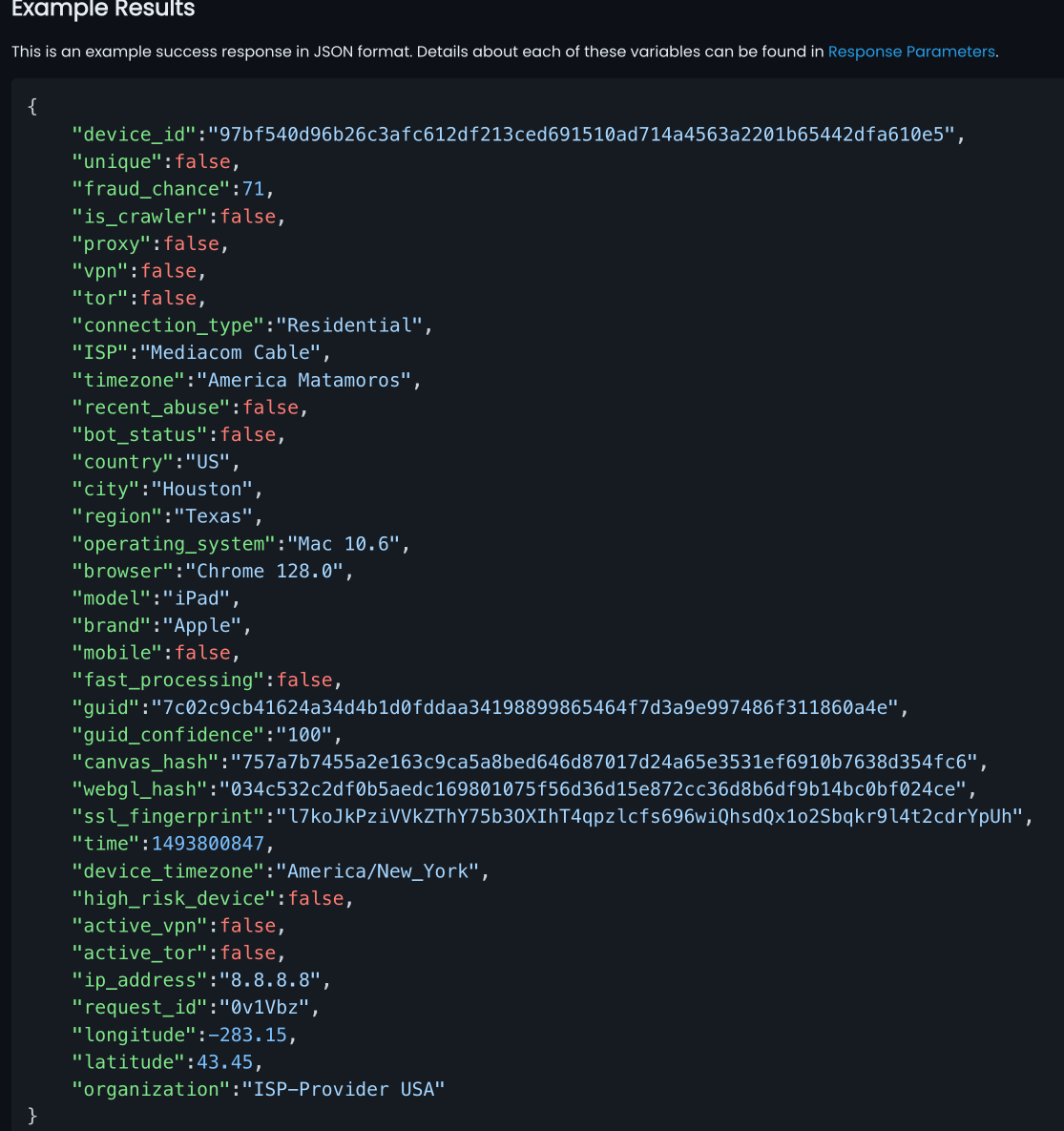
IPQualityScore (IPQS) combines device fingerprinting with IP, proxy, VPN, email, phone, and other fraud signals, returned as risk scores. Its device fingerprinting helps identify returning or duplicate devices on the web and in mobile apps.
Source: ipqualityscore.com
Pros
- Allowlist and blocklist APIs let you tune results to your own traffic
- A bulk CSV API scores an existing user list in one upload
- Device fingerprinting SDKs cover Android and iOS apps as well as websites
Cons
- The device fingerprint is one input among many, so treat the score as a wider risk signal rather than a standalone device identity
- Some Capterra reviewers find it pricey for simple email and phone validation
Pricing: a free plan offers 1,000 lookups per month. Paid plans are listed on the IPQS pricing page, so check which tier includes device fingerprinting before you budget.
Best for: teams that want fingerprinting alongside IP, email, phone, and fraud-enrichment signals through one API.
9. DataDome
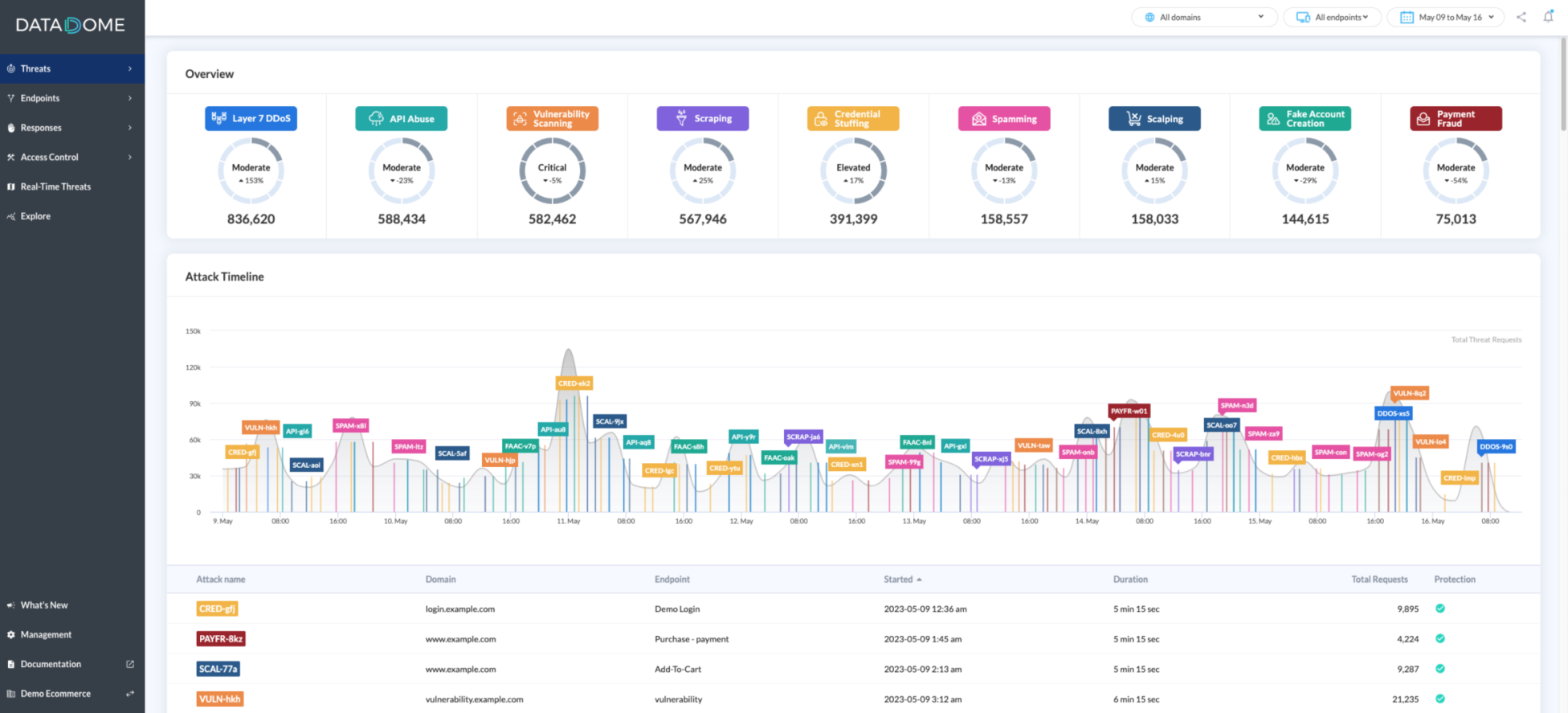
DataDome's fingerprinting feeds its broader bot and fraud detection platform. Its Device Check runs on the user's device in web browsers and mobile apps without any user interaction, working like a CAPTCHA that never shows a challenge, to identify automation and spoofed environments.
Source: docs.datadome.co
Pros
- Integrates with major CDNs and edge platforms, including Cloudflare, Fastly, Akamai, and Amazon CloudFront
- G2 reviewers describe the initial deployment as quick
- G2 reviewers praise its support team and an intuitive dashboard
Cons
- The entry Essentials plan starts at $3,830/month
- Some G2 reviewers report a month or two of tuning and early false positives
Pricing: the Essentials plan starts at $3,830/month, Advanced at $8,670/month, and Premium at $10,160/month. Enterprise pricing starts at $13,270/month.
Best for: enterprise teams that need fingerprinting as part of a larger bot-management program. See cside vs DataDome.
10. ClientJS
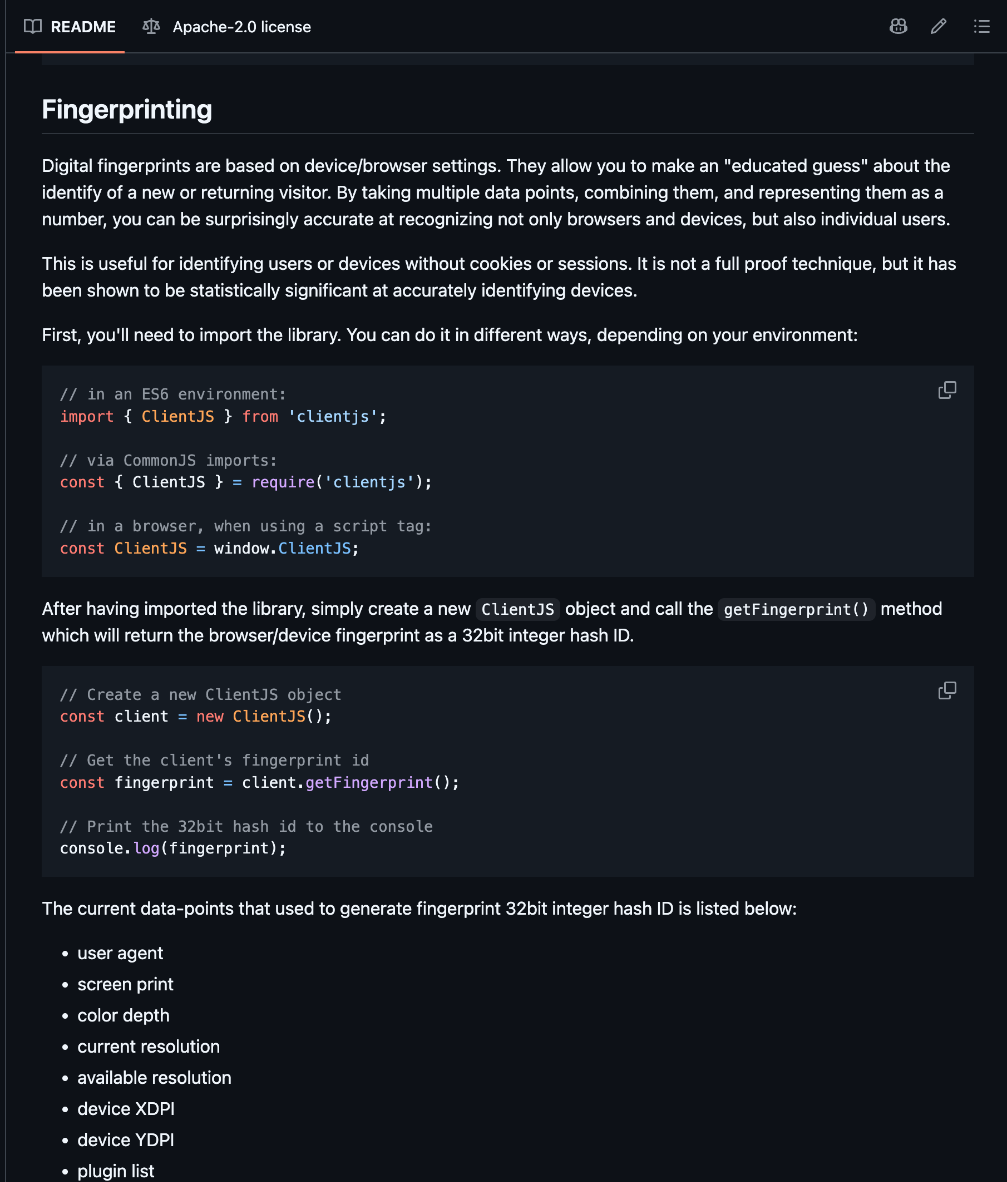
ClientJS is an open-source JavaScript library that generates browser fingerprints from client-side browser and device characteristics. It suits projects that need basic browser identification without adopting a managed device intelligence or fraud platform.
Source: github.com
Pros
- Exposes every raw data point it collects, alongside the 32-bit fingerprint
- Lightweight, at about 28 KB for the minimal bundle
- Returns a fingerprint with a single
getFingerprint()call
Cons
- No npm release since version 0.2.1 in October 2021
- The user agent string is part of the hash, so a browser update changes the ID
Pricing: free and open source under the Apache 2.0 license.
Best for: prototypes and low-stakes projects that need a simple, free fingerprint and do not need the broader signal coverage of commercial platforms.
10 browser fingerprinting tools at a glance
The table compares the tools by product type, core capabilities, and starting price.
| Tool | Type | Core capabilities | Starting price |
|---|---|---|---|
| cside | Commercial | Device ID plus bot, AI agent, and VPN signals | Free tier; Business $99/month |
| ThumbmarkJS | Open source plus API | Browser fingerprinting; API adds bot and VPN flags | Free; API Pro €15/month |
| FingerprintJS | Open source | Client-side fingerprinting | Free |
| Fingerprint Pro | Commercial | Identification plus Smart Signals | Free tier; Pro Plus $99/month |
| SEON | Commercial | Device intelligence, fraud prevention, AML | Starter $699/month |
| Castle | Commercial | Fingerprinting, account risk | Free tier; Pro $200/month |
| Sardine | Commercial | Device and behavioral intelligence | Custom, via sales |
| IPQualityScore | Commercial | Fingerprinting, IP, email, and phone signals | Free tier; paid plans published |
| DataDome | Commercial | Fingerprinting, bot and automated-traffic detection | Essentials $3,830/month |
| ClientJS | Open source | Basic browser fingerprinting only | Free |
How to choose the right browser fingerprinting tool
The right tool depends on what you need the fingerprint to do:
- Decide what the fingerprint has to do. Some teams only need to recognize a returning browser. Others need to stop fake signups, account sharing, or bots.
- Set the accuracy you can live with. Browser-only libraries are the weakest option: ThumbmarkJS puts its free library at about 80% uniqueness, and Fingerprint calls FingerprintJS "significantly" less accurate than its paid product. That is fine for analytics, and a problem when a wrong match locks out a real customer. Tools that add server-side processing, such as Fingerprint Pro and the ThumbmarkJS API, close much of that gap.
- List the signals you need beyond the ID. A visitor ID tells you who is back, not what they are doing. Check whether the tool flags bots, AI agents, VPNs, and emulators, and whether it gives you raw signals for your own rules.
- Match the tool to your wider stack. Decide whether fingerprinting is one piece of an AML or bot-management program, or a signal layer that feeds your existing rules engine.
- Check deployment and privacy. Ask how the script loads and where the data lives. A first-party script on your own domain needs no DNS change or traffic rerouting.
- Price it at your real volume. Compare how many API calls each plan includes and what overage costs, then check whether key signals, data retention, and support sit on higher tiers.
- Test against your own traffic. Run a free tier or trial before you sign anything. cside, Fingerprint, Castle, IPQualityScore, and the ThumbmarkJS API have free tiers, and SEON offers a free trial on request.
Get a fingerprint that comes with a fraud verdict
Device identification is where fraud work starts. cside combines a persistent device ID with the signals you need to judge what that device is doing.
Book a personalized demo to see:
- How a single first-party script produces an identifier and a fraud verdict together
- How the visitor ID stays stable across incognito sessions, cleared storage, and VPN changes
- How cside tells bots, AI agents, and VPN connections apart from real visitors in real time
- What migrating from an open-source fingerprinting library involves
Book a demo or start for free, and try Business with a 14-day free trial.