

TL;DR: browser fingerprinting for fraud prevention
- Stable device ID: 250+ browser, device, and network signals collected, with 40+ attributes hashed into a stable device ID that survives cookie clears, private windows, and IP changes.
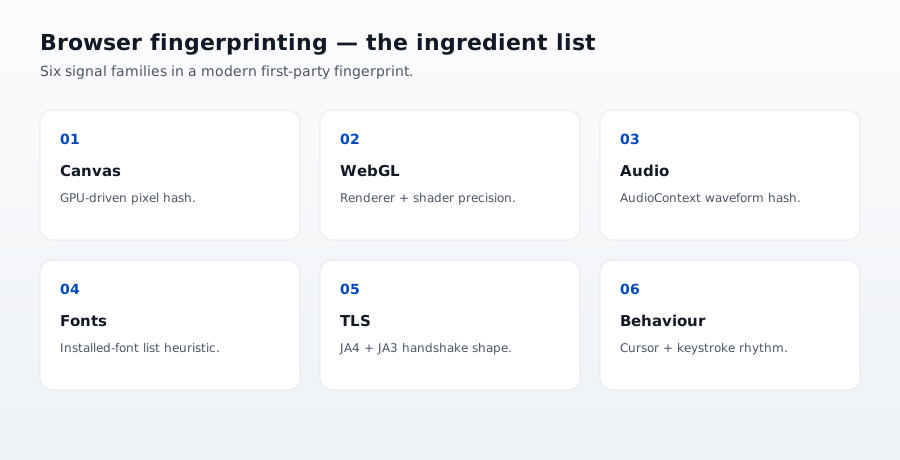
- The signals: canvas hash, WebGL params, font stack, GPU renderer, audio context, TLS fingerprint, behavioral cadence.
- Biggest 2026 use case: CE 3.0 evidence for chargeback disputes, proving device continuity across the disputed order and prior ones.
Short on time? See cside's AI-agent detection. It covers everything below in one deployment.
What browser fingerprinting actually measures
A browser fingerprint is derived from properties the browser exposes to JavaScript. The set of measurable properties has grown steadily since the technique was formalized in the early 2010s. A modern fingerprint typically combines:
- User agent string, browser version, OS version
- Screen resolution, color depth, pixel ratio, available screen area
- Installed fonts (via CSS or canvas measurement)
- Canvas rendering: draw a specific string and hash the pixel output
- WebGL rendering parameters and shader precision
- Audio context: AudioContext produces small variations across devices
- Hardware concurrency (CPU count)
- Device memory
- Time zone, language, platform
- Media capabilities (codecs, hardware acceleration)
- Touch capabilities, pointer types
- WebRTC IP disclosure
- HTTP header order and TLS handshake parameters
No single property is unique. Combined, the property set is unique or near-unique to a specific browser instance on a specific device. The hash of the property set is the fingerprint.
WebGL and Canvas Fingerprinting
WebGL and canvas fingerprinting render graphics using the GPU and extract the output as a unique identifier. Because GPU hardware, drivers, and OS configurations vary across devices, the rendered output differs enough to serve as a stable device signal. Fraud detection platforms combine WebGL and canvas fingerprints with font enumeration, AudioContext measurements, and browser API quirks to identify returning devices even after cookie deletion.
Canvas fingerprinting draws a specific string or image to an HTML5 canvas element and reads back the pixel output as a data URL. Rendering varies subtly across GPU drivers, anti-aliasing implementations, and font rendering stacks. The result is hashed into a value that identifies the browser-device combination. Two identical MacBook models with different GPU drivers produce different canvas fingerprints.
WebGL fingerprinting reads the GPU renderer string (UNMASKED_RENDERER_WEBGL), the vendor string, and the output of a 3D scene rendered through the WebGL API. The renderer string directly identifies the GPU model and driver. The 3D scene output captures rendering precision differences that vary across GPU architectures even when the renderer string is identical.
Both are resistant to casual evasion. Cookie clearing, private browsing, and user agent spoofing do not affect them. The signals come from hardware and drivers that do not change between sessions. Anti-detect browsers can spoof them, but doing so consistently while keeping other signals coherent is technically demanding at scale, which is why GPU renderer cross-checking is a useful detection layer in its own right.
Browser fingerprinting versus device fingerprinting
The two techniques are related but not identical.
| Browser fingerprint | Device fingerprint | |
|---|---|---|
| Scope | One browser instance on one device | Whole device across browsers |
| Persistence | Changes when browser updates significantly | More stable over time |
| Cross-browser identity | No | Yes |
| Incognito survival | Yes | Yes |
| Modern browser resistance | High for privacy-focused browsers | Lower |
| Best for | Session authenticity, agent detection | Device reputation, cross-session identity |
Modern fraud stacks combine both. See our DBSC versus device fingerprinting comparison for how device-bound session credentials interact with fingerprinting and where each fits.
What browser fingerprinting is used for
The technique has four broad use categories:
- Fraud prevention: identify returning attackers, detect stolen-credential reuse, catch account takeover, spot device-mismatch signals on transactions
- Chargeback evidence: establish that a specific browser was used to make a purchase, defending against friendly fraud disputes
- AI agent detection: separate real browsers from agent-driven browsers by combining fingerprint stability with behavioral scoring
- Ad targeting and analytics: controversial use, increasingly restricted by regulation and by browser vendors
For fraud prevention specifically, the technique earns its place because attackers can rotate almost anything (IPs, user agents, cookies, sessions), but they cannot easily rotate the combination of dozens of browser properties in a way that is internally consistent.
Where browser fingerprinting fits in the fraud stack
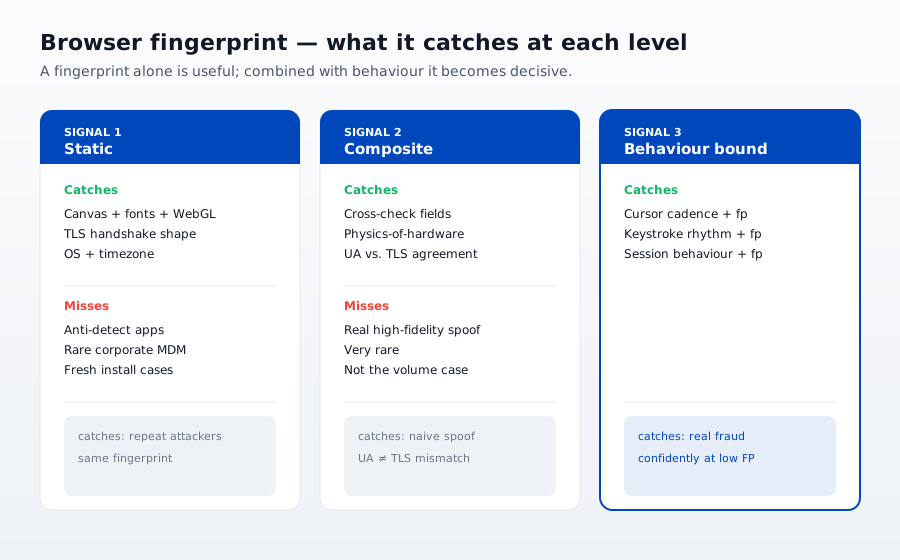
Fingerprinting alone does not stop fraud. It provides a strong identifier that other controls use. A complete fraud stack combines:
- Fingerprint: the stable identifier
- Behavioral scoring: how the visitor interacts with the page
- Device reputation: has this device been seen in fraud before
- Velocity signals: how many transactions from this identifier in what window
- Transaction risk model: combines all of the above with transaction-specific signals
Removing fingerprinting from that stack makes every other layer weaker because it removes the anchor identifier that ties events together across sessions.
If you are choosing the fingerprint layer itself, our ranking of the best browser fingerprinting tools compares 10 options, from free open-source libraries to platforms that return a fraud verdict with the ID.
The privacy dimension
Browser fingerprinting is a legitimate security technique, but privacy regulations increasingly require careful use:
- GDPR: treats fingerprinting as personal data processing needing a lawful basis (usually legitimate interest for fraud, with balancing test)
- CPRA: requires disclosure in privacy notice
- Brazil LGPD, Canada CPPA, and others: similar disclosure and retention rules
- Browser resistance: Safari, Firefox (with resistFingerprinting), Brave, and Tor Browser actively resist fingerprinting
Best practice: use fingerprinting inside a documented privacy program, disclose it clearly in the privacy notice, apply short retention windows, and offer users a way to request deletion for any purpose beyond core security. This is one area where over-collecting creates real regulatory exposure.
Where cside fits
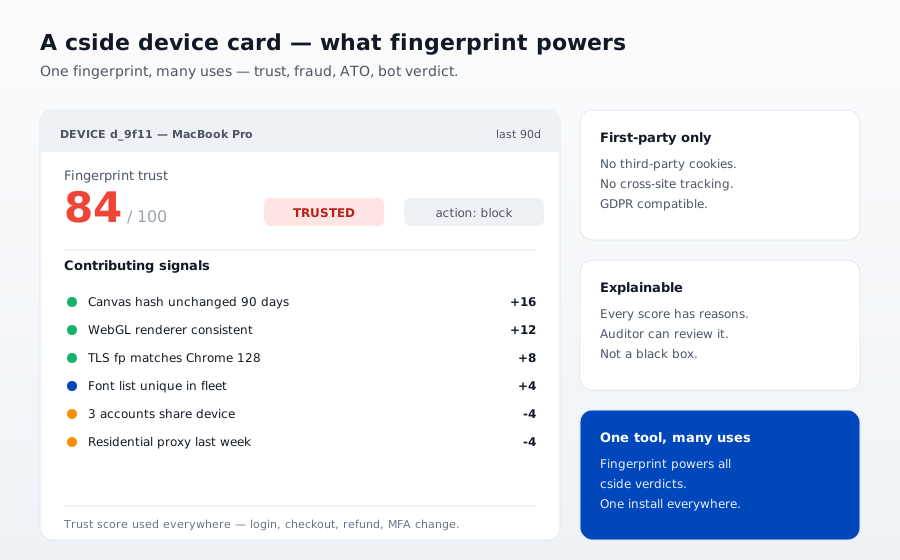
cside's fingerprinting works at the browser layer on every session and produces the stable identifier that anchors fraud detection, chargeback evidence, and AI agent detection. The fingerprint is combined with behavioral scoring and script activity monitoring, so the same infrastructure serves multiple downstream use cases without collecting extra data.
For the specific chargeback use case see device fingerprinting for compelling chargeback evidence and the Mastercard FPT device fingerprinting integration. For a broader look at how browser signals combine with network, behavioral, and history data into a single stable identifier, see what is device intelligence.
The practical takeaway
Browser fingerprinting is a fraud-prevention primitive, not a fraud-prevention product. It works best when it is one layer in a stack that includes behavioral scoring, device signals, and transaction risk modeling. Deployed carefully it is one of the highest-signal identifiers available. Deployed alone or without a privacy program it creates risk without capturing the full value.



