The General Data Protection Regulation (GDPR) is a European privacy law. Enforced in 2018, it regulates how you collect, store, and use personal data on your website.
If you study the most common GDPR fines regulators enforce every month, you will notice that most fines trace back to basic mistakes. Poor consent flows, hidden disclosures, and trackers that load too early are a recurrent pattern.
In this article, we will break down these common failures in GDPR compliance for websites and how you can solve them.
TL;DR: common GDPR compliance failures
- Scope: GDPR applies to your website if you target or monitor EU residents, even if your business is not based in the EU.
- Top failures: The majority of fines cite one of these failures: unlawful data processing, weak transparency, excessive data collection, and insufficient security measures.
- Penalties: If you violate GDPR, it can cost you up to €20 million or 4% of your global revenue.
- Client-side risk: Many violations start on the client-side, where third-party scripts and trackers collect data without anyone on your team noticing.
- Keep evidence: Regulators expect evidence. Activity logs, proof that security measures are in place, and a clear attempt to incorporate privacy into your architecture.
- How cside helps: cside Privacy Watch helps teams detect client-side privacy risks and control website data collection before it becomes a regulatory issue.
Short on time? See cside Privacy Watch. It covers everything below in one deployment.
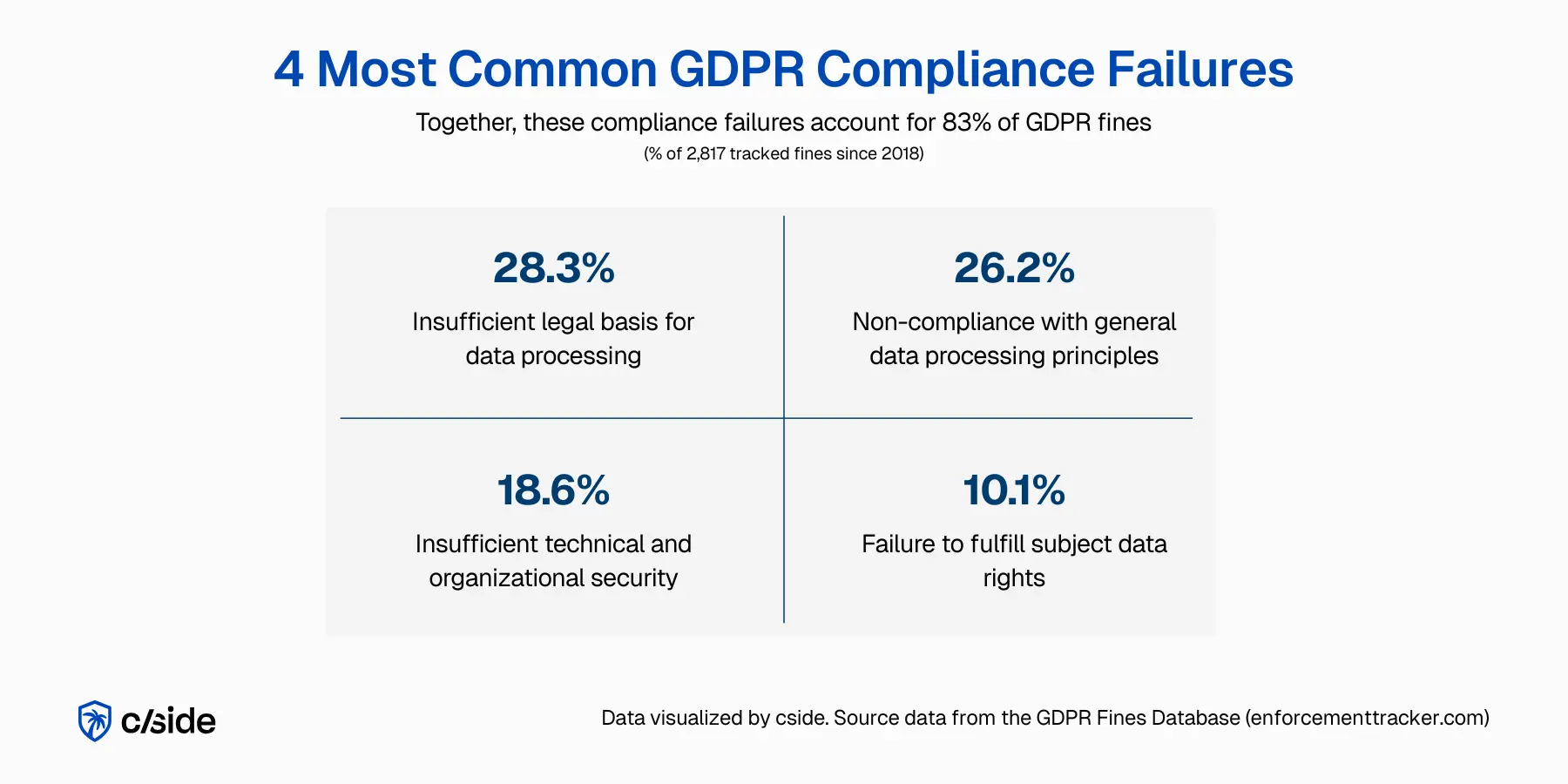
| Violation category | Number of fines | Percentage of all fines |
|---|---|---|
| Insufficient legal basis for data processing | 797 | 28.29% |
| Non-compliance with general data processing principles | 737 | 26.16% |
| Insufficient technical and organisational measures to ensure information security | 523 | 18.57% |
| Insufficient fulfilment of data subjects' rights | 284 | 10.08% |
| Insufficient fulfilment of information obligations | 202 | 7.17% |
| Insufficient cooperation with supervisory authority | 157 | 5.57% |
| Insufficient fulfilment of data breach notification obligations | 51 | 1.81% |
| Insufficient involvement of data protection officer | 25 | 0.89% |
| Unknown | 19 | 0.67% |
| Insufficient data processing agreement | 15 | 0.53% |
| Lack of appointment of data protection officer | 7 | 0.25% |
Does GDPR apply to your website?
GDPR compliance requirements apply to your website under a few conditions:
- If you offer goods or services to people in the EU or UK, even if those services are free.
- If you monitor how EU users behave on your site. That includes cookies, analytics, heatmaps, ads, or user profiling.
You don't need an EU office or team for it to apply. If your site targets EU users through language, pricing, shipping options, or tracking tools, GDPR applies.
10 common GDPR website compliance failures
GDPR penalties can go up to €20 million, or 4% of your company's total global revenue from the previous financial year, whichever amount is higher.
That's a lot of money, and your reputation will be on the line, too.
To avoid that, here are 10 common GDPR website compliance failures you should fix before they turn into expensive lawsuits.
1. Unlawful data collection before consent
If you use third-party tools on your website, they might contain malicious scripts. These can pull data without touching your backend. Even in the case of non-malicious scripts, third-party vendors can change code or expand scripts to pull data without your knowledge.
Misconfigured scripts make this worse. They may fire before consent and run on every page. When that happens, your site collects personal data without approval, and you stay responsible for that data flow, not the vendor.
To fix this problem:
- Use a GDPR compliance software to audit every third-party script
- Document what data it collects
- Limit where scripts can run and remove tools you no longer need
- Review vendor updates and changes regularly
2. Unmonitored third-party scripts and trackers
As your website keeps growing, so does your script list.
Old tools stay live long after you stop using them. New trackers get added for tests, campaigns, and plugins. No one checks what they collect and where the data goes. Data flows out of your site with no review. That puts user privacy at risk and makes GDPR compliance certification very challenging.
The solution is:
Related reading: our GDPR compliance tools comparison for 2026 · GDPR penalties explained
- Assign ownership for third-party tools and data flows
- Set approval rules before any new script goes live
- Review data collection after site changes or new feature launches
- Track script behavior in real time instead of manual checks
3. Inaccurate and outdated privacy disclosures
Your privacy policy often looks fine at a glance. The problem hides in the details.
With every update, data flows shift; new forms, pixels, and integrations go live. Basically, teams often ship features without flagging data changes. And when disclosures no longer match what your site actually does, you mislead users.
GDPR regulators treat that as a real violation. Good intent does not help if the information is wrong.
For a GDPR complaint website, you should:
- Update disclosures when data collection changes
- Match policy language to real site behavior
- Write in plain language that people can understand at a glance
- Link disclosures close to forms and consent points
4. Over-collecting data at the script level
Many websites collect more data than they need. Scripts grab full IP addresses, detailed device data, and long event logs for basic use cases. No one questions the defaults. This goes against GDPR compliance.
The law expects you to collect only what supports a clear purpose. Extra data increases risk and exposure with no real benefit.
To fix this,
- Turn off optional data fields in tracking tools
- Anonymize or mask personal data where possible
- Limit events to what supports real decisions
- Review script settings after updates
5. Inability to detect script changes or injections
Scripts on your website do not stay static. Vendors push updates. Plugins change behavior. New code can appear without a ticket or release note. It's easy to miss these changes, creating hidden risk.
Your website may start collecting and sharing personal data you never approved. So, proving compliance against any GDPR violation report becomes tricky.
Follow these tips to avoid such problems:
- Monitor website scripts for unexpected changes
- Set alerts for new or modified code that affect data processing
- Track script behavior, not just script domain names
- Review changes as part of regular site checks
6. Invalid or non-compliant consent mechanisms
Many consent banners look correct but fail in practice. They hide reject options and nudge users to accept. Some load tracking even after a user rejects cookies. Others bundle consent into vague language. This breaks GDPR rules.
The user must consent after understanding how and why you collect their data. If they feel pushed and confused, the consent does not count.
Rectify it by:
- Placing the accept and reject buttons side-by-side
- Letting users choose consent by purpose
- Respecting choices across pages and sessions
- Not tracking when consent is denied
7. Poor third-party vendor accountability
Your vendors collect data on your behalf, and many teams trust them without question. When vendors mishandle data, regulators still hold you responsible. This gap often goes unnoticed until a complaint or audit appears.
The solution is to be careful while choosing and implementing third-party tools for your website.
- Establish DPAs (Data Processing Agreements) with all third parties. These may come in the form of a standardized DPA or a custom DPA.
- Ask for proof, not just a GDPR compliance logo
- Set clear data limits and responsibilities
- Use a tool to monitor how vendor code executes on your site, ensuring data collection is within scope of your agreement.
8. Failure to secure client-side data flows
Bad actors target your website as it is often the least monitored part of the security posture. Website data skimming continues to rise according to research from Insikt Group and weak client-side security against those attacks lead to GDPR fines as exhibited in the British Airways £20 million fine. Under Article 32 GDPR regulators expect to see safeguards put in place against threats to data exposure.
For client-side security safeguards you should:
- Monitor for formjacking, malicious JavaScript injections, and DOM manipulation
- Review where browser data gets sent. If data is suddenly sent to China or Russia you might be experiencing a data exfiltration attack.
- Show auditors proof of implemented security measures such as client-side monitoring.
- Deploy a tool that keeps a live threat feed to alert you of supply chain breaches of website scripts present on your site (chatbots, analytics tools).
Be cautious of solutions that promise client-side security through no-code scanners. These tools are useful to audit the list of scripts on your site, but they leave a wide open door for real attacks to slip through.
9. Insufficient documentation for audits and investigations
When an audit or complaint comes up, many teams feel stuck. They can't clearly explain the data flows. Records sit incomplete or out of date. Regulators expect clear answers and proof. If you cannot explain what data you collect, where it goes, and when consent was given, problems follow. So,
- Maintain simple records of data flows and purposes
- Log consent choices and updates
- Track vendor roles and data access
- Update documents after site or tool changes
10. Overreliance on point-in-time compliance checks
Businesses often treat GDPR checks as a one-off task. They run a scan, fix a few issues, and move on. But your website keeps changing after that whenever you add a new tool or vendor updates.
You must review GDPR compliance as part of the regular workflow:
- Recheck consent and tracking after releases
- Set clear checkpoints for compliance reviews after marketing, product, and feature changes
- Use automated monitoring to flag new data collection as it happens, not weeks later
Non-Website GDPR Compliance Failures
Delays in Honoring DSARs
When a consumer submits a Data Subject Access Request, are you ready to show exactly how their data is processed and retained? For most companies this is an easy ethical decision but they lack the technicalinstruments to honor this request in a timely manner (typically within 30 days).
That's why it's a standard practice to use a DSAR tool:
- Centralize intake (web form + email), identity verification, and request tracking
- Maintain a data map so you can find personal data across apps and vendors
- Produce an audit trail for regulators on what you returned and why you withheld anything.
Employee Errors
GDPR failures aren't always malicious. They can be operational mistakes. An employee exports the wrong report, pastes customer data into the wrong ticket or misconfigures a share link. GDPR enforcement bodies are known to lighten the fine if they see clear evidence that privacy protection was in place, but violated through an honest mistake.
Make sure your team is regularly trained on:
- Handling sensitive data (health, biometrics, and financial identifiers)
- Safe handling of exports
- Security and access controls
Cost of non-compliance with GDPR
GDPR defines two fine levels according to the type of violation.
Lower-level fines apply to process failures. These include poor record keeping, weak security measures, or missing documentation. These can reach up to €10 million or 2% of your global annual revenue.
Higher-level fines apply to serious rights violations. These include unlawful data collection, invalid consent, and misuse of personal data. These can reach up to €20 million or 4% of global annual revenue.
Regulators also assess scope, duration, intent, and repeat behavior. So, fines scale with impact, not just your company's size.
Ensure your website's GDPR compliance with cside Privacy Watch
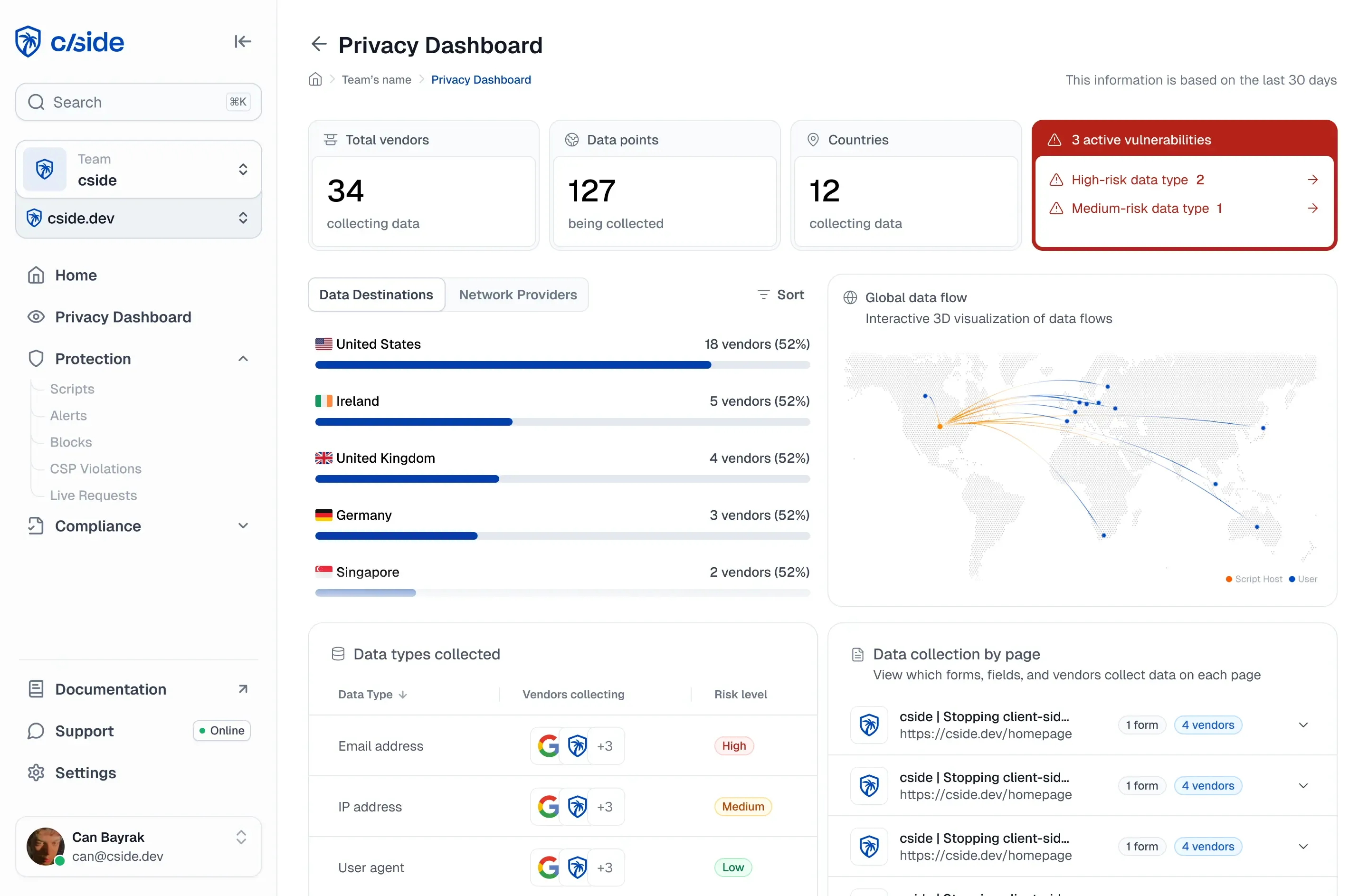
With Privacy Watch you get visibility into the client side, where privacy problems start and go unnoticed.
Unlike periodic audits or static scanners, cside monitors your website 24/7 and maintains clear audit trails showing how third-party scripts behave on your site. The automated reports are purpose made for GDPR, CCPA, and HIPAA required formats.
cside:
- Detects potential privacy violations across third- and fourth-party (sub-processor) scripts.
- Uses configurable security layers for you to protect your website, with the deepest client-side coverage through the Script method
- Analyzes threat potential of third party scripts on your website with AI enhanced risk scoring
- Speeds up compliance work with AI auto-generated documentation across multiple privacy frameworks
- Sends instant alerts when data collection patterns change
- Locks approved script versions so you can roll back to a safe release
- Monitors which data scripts access and where that data is sent
Organizations subject to NIS2 face overlapping supply chain monitoring obligations under Article 21(2)(d), with a stricter 24-hour incident notification deadline. See NIS2 directive website compliance and third-party script obligations for the specific requirements that apply to essential and important entities in scope.