TL;DR: AI agent definition and website policy framework
- Chatbot versus agent: People still mix up chatbots and AI agents. A chatbot outputs text. An AI agent uses an LLM to plan a goal, decompose sub-tasks, drive a real browser or API, observe results, and complete the outcome. Computer Use, Operator, Buy For Me, and Perplexity Shopper are already doing this in production.
- Why checks fail: Agents drive full browsers, so WebGL, canvas, and user-agent checks return 'real user' values, and rate limits never fire. cside runs at the browser layer to produce behavioral scoring and a device fingerprint that separates agents from humans on every session and names the framework.
- Three policy questions: Answer three policy questions before you write any code. Is agent traffic welcome on this surface? Do you need to differentiate it from human traffic? What action fires when the classifier flags an agent: block, throttle, price differently, require ID, or allow and observe?
Short on time? See cside's AI-agent detection. It covers everything below in one deployment.
An AI agent is a system built on a large language model that can plan and complete multi-step tasks autonomously, often by controlling a real browser or calling APIs. Unlike a chatbot that answers a question and stops, an agent takes a goal (for example, "book a flight from London to Lisbon under £150") and works through the steps to accomplish it. That capability is why agents are showing up on websites in growing volume in 2026, and why they matter to anyone running an e-commerce, financial, or content site.
The formal definition
An AI agent is a software system that:
- Uses an LLM as its reasoning engine
- Takes an open-ended goal from a user or another system
- Decomposes the goal into sub-tasks
- Executes those sub-tasks by using tools: a browser, an API, a code interpreter, a shell
- Observes results and adapts its plan
- Continues until the goal is met or blocked
The critical distinguishing capability is acting in the real world. Traditional chatbots produce text. Agents produce completed outcomes.
Concrete examples in 2026
Several agents are already in production or wide preview:
| Agent | Vendor | What it does |
|---|---|---|
| Computer Use | Anthropic (Claude) | Controls a full desktop or browser to complete tasks |
| Operator | OpenAI | Web-based agent that navigates sites and completes purchases |
| Buy For Me | Amazon | Assistant that completes purchases across the web on behalf of Amazon customers |
| Perplexity Shopper | Perplexity | Search-driven purchase assistant |
| Browser Use | Open-source | Framework for building browser-driving agents |
| ChatGPT Agents | OpenAI | Custom agents deployed through the OpenAI platform |
| Claude Skills | Anthropic | Task-specific capabilities within Claude |
Each of these interacts with websites the same way (loading pages, executing JavaScript, and interacting with forms) while looking to network-layer defenses like a normal visitor.
How agents differ from bots and scrapers
The bot detection playbook of the last decade assumes automation calls your endpoints directly or uses a headless browser. Agents break both assumptions:
- Agents drive full browsers, not headless environments. WebGL, canvas fingerprinting, and browser-property checks return "real user" values.
- Agents produce network traffic identical to humans. Rate limits, user-agent filters, and CAPTCHA-triggered flows do not fire.
- Agents complete tasks faster and more consistently than humans. That is the signal that separates them from real visitors.
Our earlier writing on how bots differ from AI agents and how legacy tools miss them covers the shift in detection strategy this requires.
Why agents matter for website security
Agents are being used for legitimate purposes such as shopping, research, and workflow automation, and for abuse. On the abuse side, agents are documented in the wild for:
- Account takeover: agents that log into stolen accounts and complete transactions
- Account creation abuse: agents that create thousands of accounts to abuse promotions, free trials, or referral programs
- Card testing: agents that iterate through card numbers on checkouts (see our guide on how to block AI credit card testing agents)
- Content scraping: agents that aggregate content for LLM training or downstream products
- Workflow manipulation: agents that exploit business logic edges, particularly in loyalty and pricing systems
The agentic AI website security risks post covers the specific abuse patterns in more depth.
The three-question policy framework
Before deciding what to do about agent traffic, every website operator needs to answer three questions:
- Is agent traffic welcome on this surface? Content: usually no. Ecommerce: it depends. Account creation: usually no. Support forms: usually yes.
- Do you need to differentiate agent traffic from human traffic? Pricing, analytics, and fraud all get worse if you cannot.
- What action do you take when you detect an agent? Block, throttle, price differently, require identification, or allow and observe.
The technical detection is the same regardless of the answer. What changes is what fires when the classifier detects an agent.
How agents are detected at the browser layer
Agents produce distinguishable behavioral signals even when the browser environment matches a human user:
- Cursor paths: scripted arcs from target to target rather than noisy human movement
- Typing rhythm: uniform inter-keystroke delays without natural pauses
- Task completion speed: page load to form submission in less time than a human could produce
- Form field order: deterministic, following DOM order rather than tab order
- Session shape: direct path to task, no exploratory browsing
- Device fingerprint stability: same environment across sessions even when the underlying user changes
Combined with device fingerprinting, these signals produce a strong classification. See our guides on detecting OpenAI Operator, Anthropic Computer Use, and Perplexity Shopper for agent-specific detection.
Where cside fits
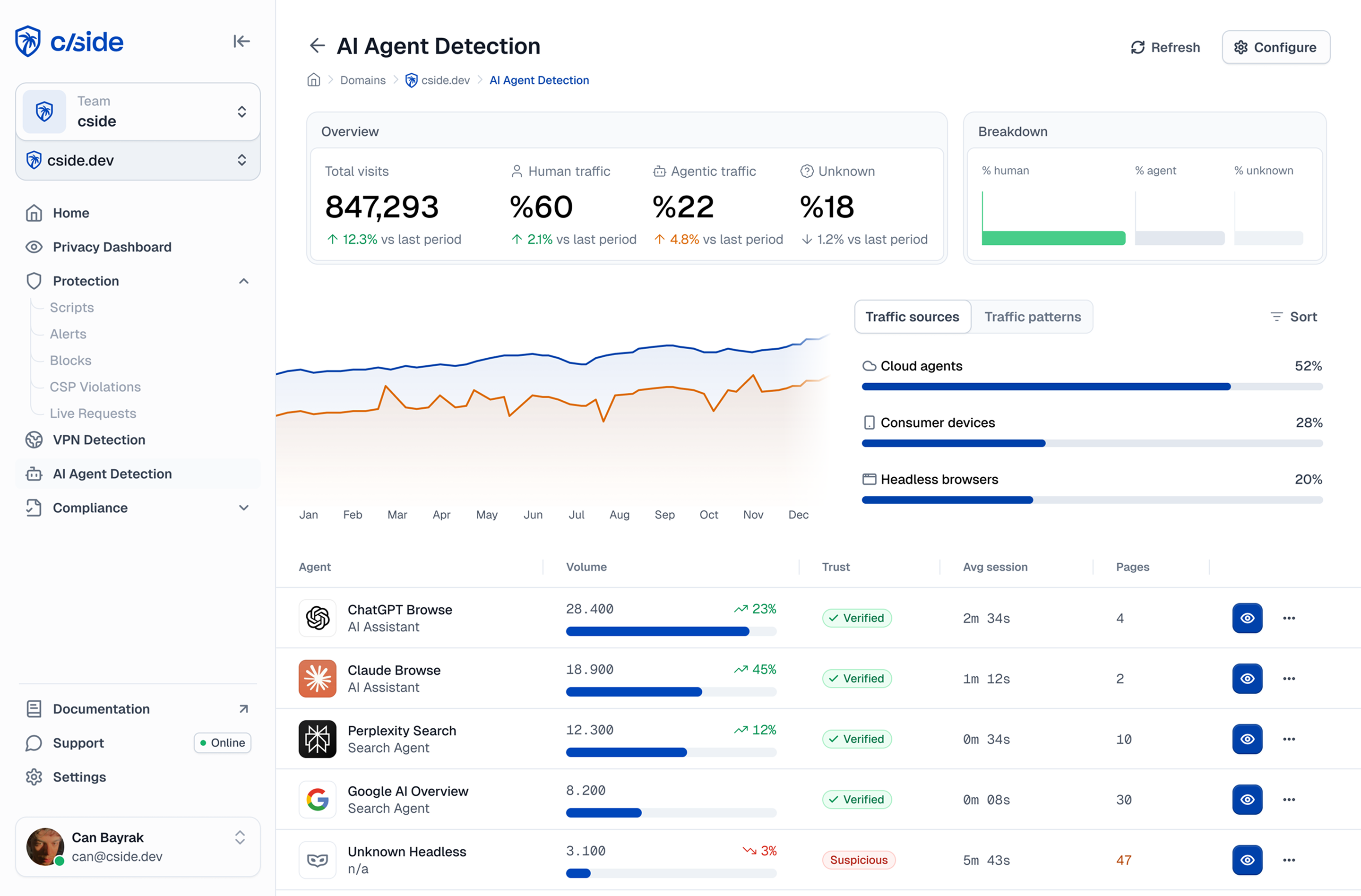
cside runs at the browser layer and produces the behavioral scoring and device fingerprint that separate agents from humans on every session. When an agent is detected, cside surfaces the classification in real time so the site can enforce whatever policy fits: block, throttle, price differently, or allow with observation.
For the broader picture of how to choose an agent detection solution, see how to choose an AI agent detection solution.
What's next for agents
Agent capability is compounding fast. In 2024 agents could complete simple tasks. In 2025 they got good at multi-step purchases and account operations. By 2026 they routinely complete workflows that took humans minutes. The consumer surface for agentic AI (Operator, Computer Use, Buy For Me) is expanding every quarter, and the enterprise surface is building alongside it.
Websites that treat agent traffic as a policy decision rather than an infrastructure problem will make it a competitive advantage. Websites that leave it unmanaged will absorb the abuse cases without capturing the legitimate demand.