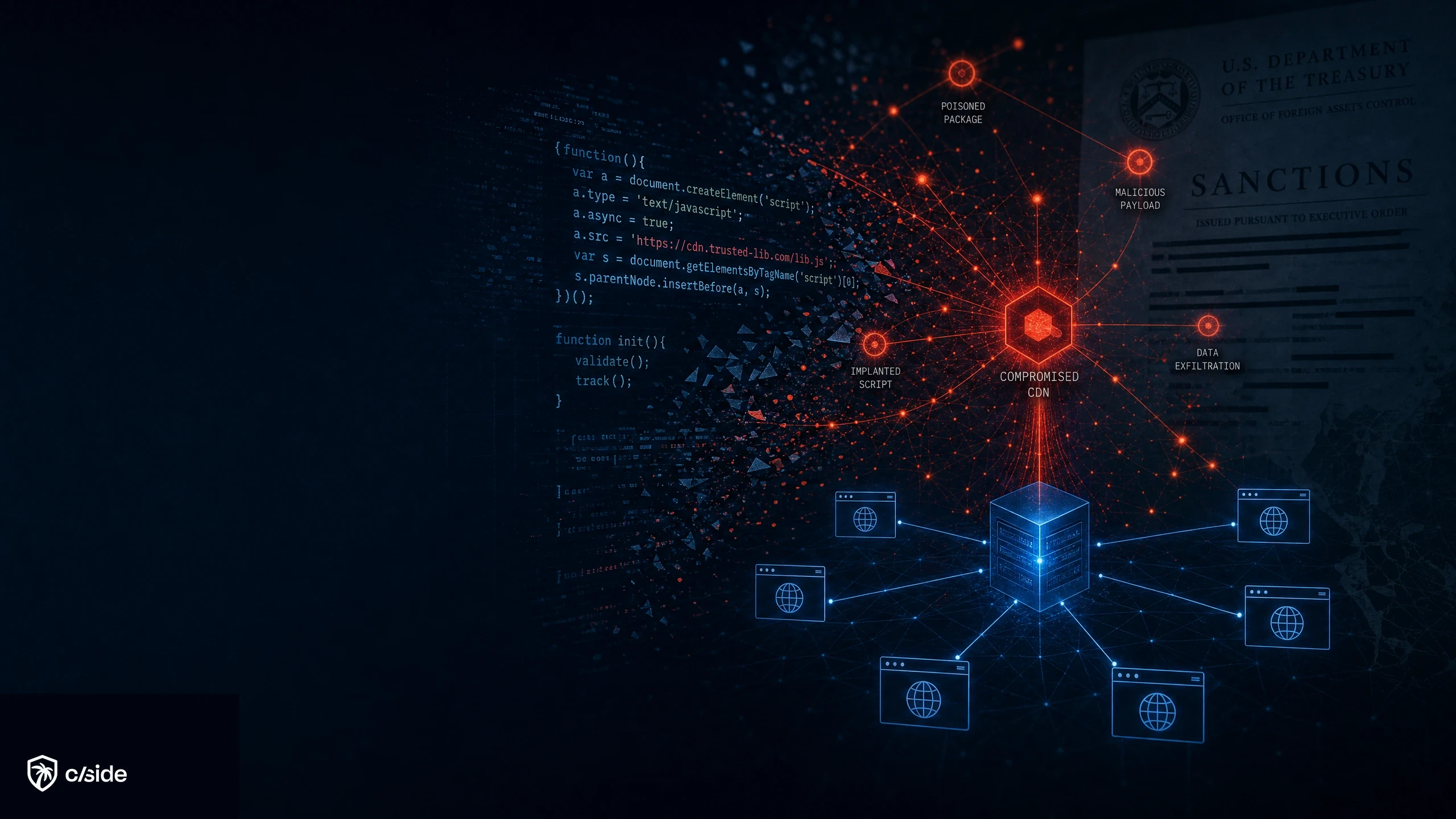

Client-side security definition
In the context of web security, ‘client-side security’ protects your users from having malicious code served to their browser from your website. Malicious code injections includes credit card skimmers, visual overlays that redirect users to phishing pages, or sophisticated fraud schemes like affiliate link fraud.
Websites don’t intentionally serve malicious code to their users. But ‘client-side attacks’ inject code through hidden entry points: third-party scripts from tools you integrate on your website (analytics tags, font libraries, open source tools, plugins) and first-party scripts where attackers place obfuscated code that your security team doesn’t catch.
‘Client-side security’ in different contexts
| Client-side security vector | Purpose | Protects against | Used by |
|---|---|---|---|
| 1. Installing a snippet of code onto your own website | Protect users from attacks like web skimming. Comply with frameworks like PCI DSS or GDPR. | Code injections that are served to user browsers from your website. | E-commerce sites, SaaS platforms, and any business that processes payments or collects personal data on the web. |
| 2. Installing software on an end user browser (browser extension) | Customer-facing: Warns consumers about phishing sites or unsafe downloads. Employee-facing: Enforces data loss prevention policies and controls what employees can share through the browser. | Threats the user encounters while browsing. Unauthorized data leakage from the browser. | Consumer security vendors offer safe browsing extensions. Enterprises deploy them to control employee browser activity and prevent data leakage. |
| 3. Installing software on an end user device | Customer-facing: Secures sessions by detecting malware present on the customer's device. Employee-facing: Monitors company-managed devices for malware. | Keyloggers, trojans, and other malware running locally on the user's device. | Banks offer customers free endpoint protection to secure online banking sessions from local malware. Employers deploy EDR agents on company devices to detect threats. |
When we attend cybersecurity conferences, bringing up ‘client-side security’ summons a different perception depending on what channel of security each person works in. The common denominator is that ‘client-side security’ focuses on monitoring an environment that runs on an end-users device. Not your own servers, APIs, or network traffic.
cside operates within the first client-side security vector in the table above. Merchants and software platforms implement a snippet of code onto their website which allows us to monitor the browser run time of visitor website sessions. As a simplified example, this works similarly to analytics tools that you install on your site. But we monitor for signs of security breaches and fraud rather than for marketing purposes.
Why secure the client-side?
At cside, our team is deeply committed to client-side security (the company name is derived from client-side). The company was founded because we saw that traditional web security tools had limited visibility into the browser runtime of users, leaving an enormous blindspot. As co-chairs of the W3C Anti-Fraud Browser Security community, our mission is to protect consumers and merchants from website fraud.
A lot of focus is placed on securing the supply chain. Developers scan NPM packages. Infrastructure is locked down. Firewalls and WAFs are treated as baseline. And cloud security has become an entire category. But one of the biggest and fastest-growing attack surfaces is still being overlooked: the client side. Mastercard pointed out that nearly three quarters of publicly disclosed breaches involves digital skimming.
Client-side security covers everything that runs inside your user’s browser. That includes third-party JavaScript, pixels, iFrames, forms, SDKs, and any code that gets fetched and executed after the page loads. This part of the stack is almost always ignored during audits, yet it’s responsible for some of the most damaging attacks.
Third-party scripts are loaded directly into the browser and executed with full access to the DOM. These scripts can scan forms, log user behavior, modify page content, and exfiltrate data without ever touching your server. This is where client side protection matters most. Not just monitoring where the scripts come from, but what they actually do.
And it goes wrong. Often. The Polyfill supply chain attack targeted over 490,000 websites by injecting malicious code into a previously trusted open-source library. Before that, Kaiser Permanente leaked the data of 13.4 million patients due to embedded client-side scripts sending data to unauthorized destinations.
If you’re not doing active client side scanning, you’re not protecting your users. Because when something does go wrong, the responsibility falls on you, not necessarily on the vendor who served the script.
Client side security is no longer optional. If your site processes payments, collects personal information, or requires users to log in, you’re a target. And the browser is where those attacks happen.
Client-Side Security Threats and Types of Attack
1. Broken Client-Side Access Control
Access control is often thought of as a server-side concern. But client-side access control failures are real, and they’re often overlooked. JavaScript in the browser can be used to manipulate the DOM and access data or functions that were never meant to be exposed. If a script is not properly isolated (or if tokens are left in memory, for example) it becomes easy for attackers to get access without triggering backend checks.
This is one of the more silent types of client side vulnerabilities. And since it happens in the browser, traditional logging misses it.
2. DOM-Based Cross-Site Scripting (XSS)
DOM-based XSS is a common and persistent attack. It happens when JavaScript reads untrusted input (like URL parameters for example) and writes it back into the page without sanitization. This form of injection doesn't rely on server responses, making it hard to catch with traditional web application firewalls.
Client side scanning tools are often the only way to detect this in real time. Without them, attackers can inject arbitrary scripts and fully compromise the user’s browser session.
3. Expired Domains
When a domain referenced in your code expires, anyone can buy it. If your JavaScript still points to that domain for a script, stylesheet, or even a hardcoded link, the new owner controls what gets served. Attackers actively scan for these opportunities because the domain already has a trust relationship with your site and your users.
Our security research team found an expired domain vulnerability on Oracle's website where a JavaScript file referenced a domain that had lapsed and was available for purchase.
4. Sensitive Data Leakage
Client-side data leakage is one of the most expensive risks in JavaScript security. It happens when scripts collect sensitive information (like names, emails, or credit card details for example) and transmit them to external domains. Sometimes it’s intentional. Often it isn’t.
When Kaiser Permanente leaked over 13.4 million records, it was because embedded client-side code sent data to third parties without user consent. Client side monitoring would have flagged the exfil attempts before the data ever left the page.
5. Vulnerable and Outdated Components
Outdated JavaScript libraries are one of the most exploited entry points in client side attacks. They’re often pulled from CDNs or third-party providers and never reviewed again. If that library has a known CVE and your site loads it, you're exposed.
This is exactly what made the Polyfill attack so effective. A widely used script was compromised at the source, and most businesses didn’t even know they were loading it. Client side protection needs to include library version tracking to stay ahead of these types of risks.
6. Lack of Third-Party Origin Control
Most client-side attacks don't start from your code. They come from a third-party origin you've trusted without verification. These scripts load with full permissions inside your browser environment, giving them access to everything the user sees and does.
When third-party JavaScript is allowed to execute freely, you give up control. Unless you're using a strong Content Security Policy (CSP) and real-time client side scanning, you have no idea what that script is doing. Without the real-time client side scanning, a CSP is more often than not inadequate of stopping it.
The AppsFlyer Web SDK supply-chain compromise is a recent example. Attackers hijacked DNS for a trusted marketing SDK and served a crypto-stealing payload to thousands of sites that had no idea their scripts had changed.
7. JavaScript Drift
JavaScript drift happens when a script’s content changes over time, but nobody notices. A script that was safe last week may now behave completely differently. Especially if it’s served from a remote source. Some attackers exploit this by introducing malicious behavior gradually to avoid detection.
At cside, we don’t just track the URL. We record and analyze the full payload of every script, every time. It’s how we detect new client side vulnerabilities before they become breaches.
8. Sensitive Data Stored Client-Side
When JavaScript stores data in localStorage, sessionStorage, or cookies, that data can be accessed by any script on the page, including third-party ones. This creates a massive attack surface for session hijacking, token theft, and cross-site leakage.
If you're storing anything sensitive on the client (see examples above), you need strict scoping, expiration logic, and real-time monitoring to catch abuse. Most websites skip this entirely.
9. Client-Side Logging and Monitoring Failures
You can’t secure what you don’t observe. Most organizations still treat logging as a server-side responsibility. But when scripts execute in the browser, and attacks happen in real time, you need client side monitoring too.
This includes visibility into form interactions, script behavior, unexpected outbound requests, and JavaScript errors. Without it, you’re flying blind.
10. Not Using Standard Browser Security Controls
Browser-native defenses exist. But many sites ignore them. Content Security Policy (CSP), Subresource Integrity (SRI), iframe sandboxing, ... these are all ways to reduce risk from rogue scripts and injected content. But most teams either misconfigure them or turn them off entirely to avoid breaking things.
If you want real client side security, start by enforcing the controls the browser already supports.
11. Including Proprietary Logic in the Client
Your frontend is visible to anyone. That includes business logic, pricing algorithms, internal routing rules, and anything else you ship to load in the browser. It’s common to find sensitive processes hardcoded into JavaScript where they can be reverse engineered or abused.
This isn’t just a privacy risk, it’s an IP risk too. If it runs client-side, it’s exposed. If it’s exposed, it should be monitored.
“Developers often say, ‘never trust the client side’—and yet, we routinely inject dozens of third-party client-side fetches. The reality is that the client side has become the primary surface for silent attacks. It’s where vulnerabilities thrive, precisely because it’s so easy to evade detection.”
— Simon Wijckmans, CEO of Cside
Why client side detections can’t rely on threat feeds alone
Most tools that claim to offer client side protection rely on two things:
- Allow-lists
- Precompiled threat intelligence feeds.
Attackers now design client-side payloads to evade these detection methods. They’ll change the script content dynamically. They’ll target only specific websites. They’ll serve malicious code only once.
If your detection method only watches for known domains or past attack signatures, you won’t see what’s coming. The script may already be compromised, but your tool doesn’t know because nobody reported it yet.
That’s why real-time JavaScript payload inspection is the only reliable approach to client side scanning.
Compliance frameworks that mandate client-side security controls
PCI DSS 4.0.1
PCI DSS 4.0.1 requires businesses to monitor and authorize all client-side scripts. Requirements 6.4.3 & 11.6.1 became mandatory in March 2025 and is now actively enforced. If your site processes payments, that means real-time visibility into what runs in the browser. Not just a static list of approved domains.
We have a guide on the exact client-side mechanisms that satisfies this mandate.
GDPR, CCPA, and other Privacy related frameworks
If personal data is being collected or transmitted via third-party scripts without consent or oversight, you’re exposed. It doesn’t matter if the script came from a trusted vendor. You’re still responsible.
GDPR articles 25, 28, 30, and 32 amongst others outline the need for client-side controls such as visibility into third party collection activity and safeguards against data leaks.
HIPAA, SOC 2, and DORA are moving in the same direction. Real client-side protection is no longer just a security issue. It’s a compliance one. And enforcement is ramping up.
Different approaches to client-side security
1. Content Security Policies (CSPs)
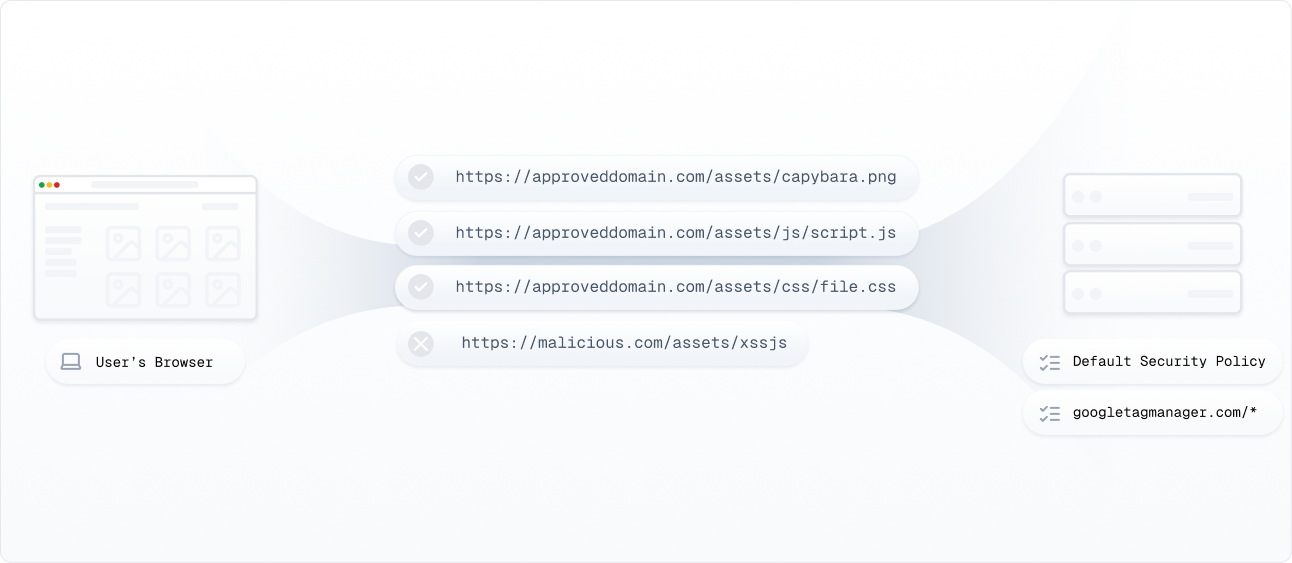
CSPs are browser-level controls that restrict which domains can serve scripts on your pages. They’re a good starting point, but they have real gaps:
- They only validate where a script comes from, not what it does once it runs.
- They can’t catch scripts that change their behavior based on the user, session, or geography.
- CSP violations generate console errors that lead developers to loosen policies or disable them entirely.
The Polyfill supply chain attack showed exactly what happens when you trust a source URL that gets compromised. The domain was allowed by CSP, and the malicious code executed freely.
2. Crawler-based or “scanner” approaches
Crawler tools visit your site on a schedule and check for malicious scripts. The problem is that detection is delayed and easy to avoid:
- Attackers can identify crawlers and serve them clean code while delivering malicious payloads to real users.
- Most crawlers sample a fraction of traffic, so attacks that target specific users or regions slip through.
- They never see the actual script a real user’s browser receives during a live session.
3. JS-based client-side detection
JavaScript-based tools run inside the browser to observe script activity in real time. But they come with significant weaknesses:
- They act as traps, but because they live in the same environment as the scripts they monitor, attackers can detect and avoid them.
- They have no historical context, so they can’t track how a script has changed over time or support forensic investigation after an incident.
With regulations like PCI DSS now requiring client-side script controls, these approaches are often used to check the compliance box quickly. But they don’t deliver real protection. They leave businesses exposed to attacks that adapt faster than these tools can keep up.
Read an in-depth comparison and selection guide here.
How cside secures the client side
We built cside to provide real-time client-side monitoring and JavaScript threat protection without slowing down your site.
- Payload Inspection: We capture and compare full script payloads on every fetch and load request, not just the domain or hash.
- Third-Party Script Management: Monitor, version, and lock third-party scripts from changing silently in production.
- Data Exposure Detection: We catch data being leaked to unexpected endpoints before it becomes a compliance issue.
- Compliance Readiness: Whether you're preparing for PCI DSS 4.0 or managing GDPR risk, we help you stay audit-ready.