Web tracking is the collection of data about visitors' identity and behavior on and across websites. It uses cookies, tracking pixels, browser fingerprinting, and session-recording scripts to recognize people and record what they do. Tracking powers analytics, advertising, and personalization, and it is what consent banners, GDPR, and the current wave of health-privacy enforcement exist to regulate.
TL;DR: how websites identify and follow visitors
- The techniques: Cookies, tracking pixels, browser fingerprinting, session recording, and server-side tagging each answer who a visitor is or what they do.
- Who tracks: The site itself, advertising platforms, ad exchanges and data brokers, and measurement panels, most loaded through a tag manager.
- The law: GDPR requires prior consent for non-essential tracking; US state laws grant opt-out rights, and health tracking has triggered HIPAA enforcement.
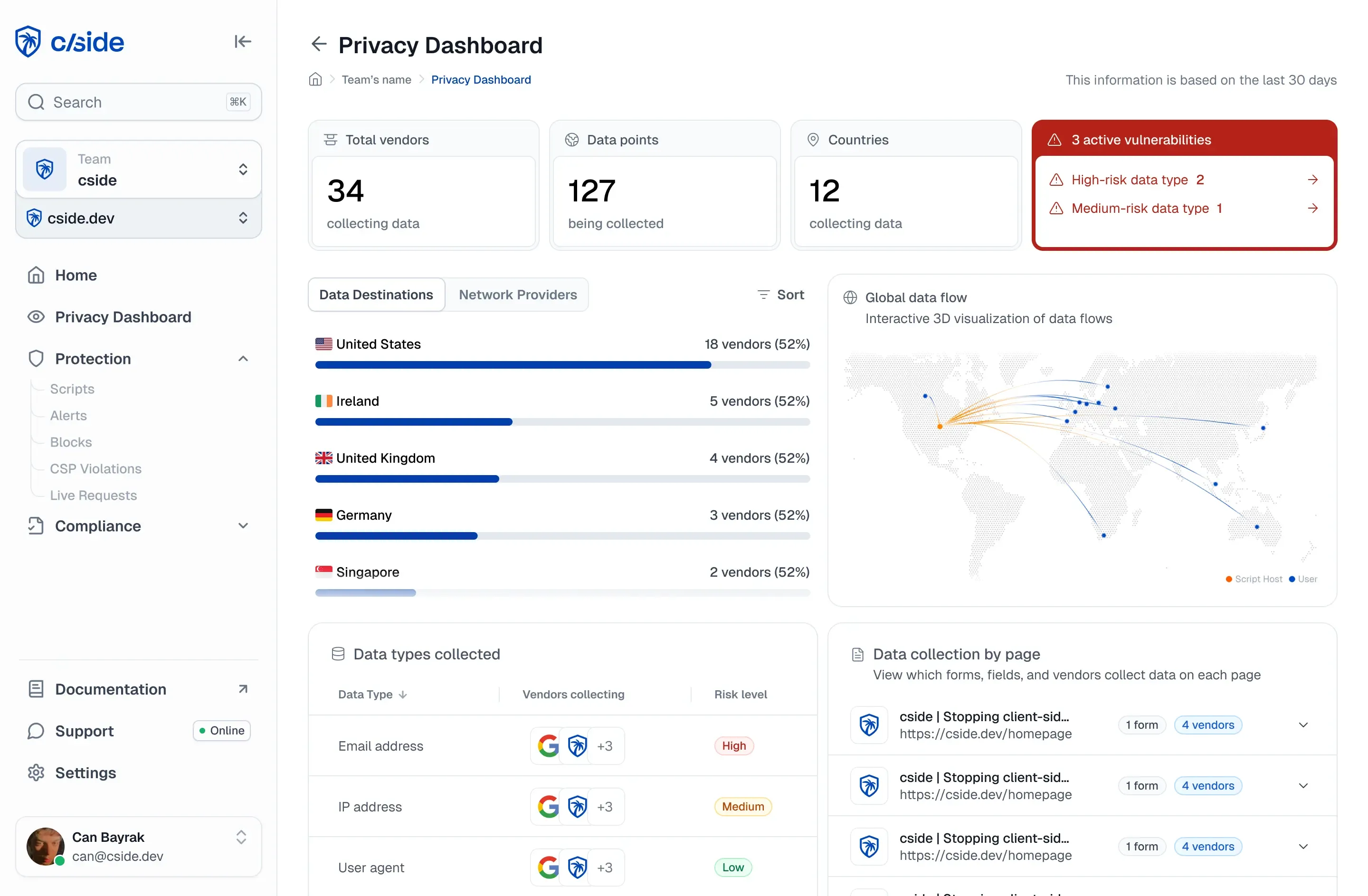
Short on time? See cside privacy monitoring. It inventories every script across your pages and flags when one starts sending data somewhere new.
How does web tracking work?
Every tracking technique answers one of two questions: who is this visitor and what are they doing. The main mechanisms:
| Technique | How it identifies you | Survives cookie clearing? |
|---|---|---|
| Cookies | An ID stored in the browser, sent with every request to the domain that set it | ✗ |
| Tracking pixels | A tiny image or beacon request that reports a page view or event to a third party | ✗ (relies on cookies) |
| Browser fingerprinting | Combines device and browser attributes (canvas, fonts, WebGL, hardware) into a stable identifier | ✓ |
| Session recording | Scripts that capture clicks, scrolls, and keystrokes for replay and heatmaps | n/a: records behavior, not identity |
| Server-side tagging | Moves the collection endpoint to the site's own domain, bypassing third-party blocking | ✓ (from the browser's view it is first-party) |
Most commercial sites run several of these at once, usually loaded through a tag manager, and often through scripts that load other scripts, which is why the full tracking picture only exists in the browser at runtime.
Who is tracking, and why?
- The site itself (first-party): analytics, A/B testing, remembering carts and logins. Broadly expected by users.
- Advertising platforms: conversion pixels and remarketing tags from Google, Meta, Microsoft, TikTok connect on-site behavior to ad auctions elsewhere.
- Ad exchanges and data brokers: the long tail of domains in your network tab (exchanges, identity-resolution services, data management platforms) that link activity across every site where they are present. Our field guide to tracker domains identifies the most common ones by name.
- Measurement panels: audience-measurement beacons that feed industry ratings.
What does the law require?
In the EU, GDPR and the ePrivacy Directive require prior consent for non-essential tracking, the reason consent banners exist. In the US, state laws (CCPA/CPRA, Virginia, Colorado and others) grant opt-out rights, and sector regulators go further: health-related tracking through tools like Google Analytics and the Meta pixel has produced OCR enforcement and class actions, covered in our HIPAA website tracking guide.
The compliance failure mode is rarely a decision to over-track. It is a script added for one purpose that collects more than intended, on pages it was never meant to run on, which is a visibility problem before it is a legal one.
How do you monitor tracking on your own site?
The network tab shows one page load; the real answer changes daily as tags and vendors update. Continuous visibility requires watching real sessions at the browser layer: which scripts execute, what data they can read, and which domains receive it. That is what cside's privacy monitoring does: it inventories every script across your pages and flags when one starts sending data somewhere new, which is the same evidence consent audits and GDPR tooling reviews ask for.
Web tracking vs. web tracking detection
One nuance worth naming: the same signal science that trackers use to identify visitors is also used defensively. Device fingerprinting deployed by a site owner to recognize returning fraudsters, cside Device Intelligence, is architecturally similar to advertising fingerprinting but serves the opposite goal: protecting accounts and payments rather than building ad profiles, without cookies and scoped to the site that deploys it.