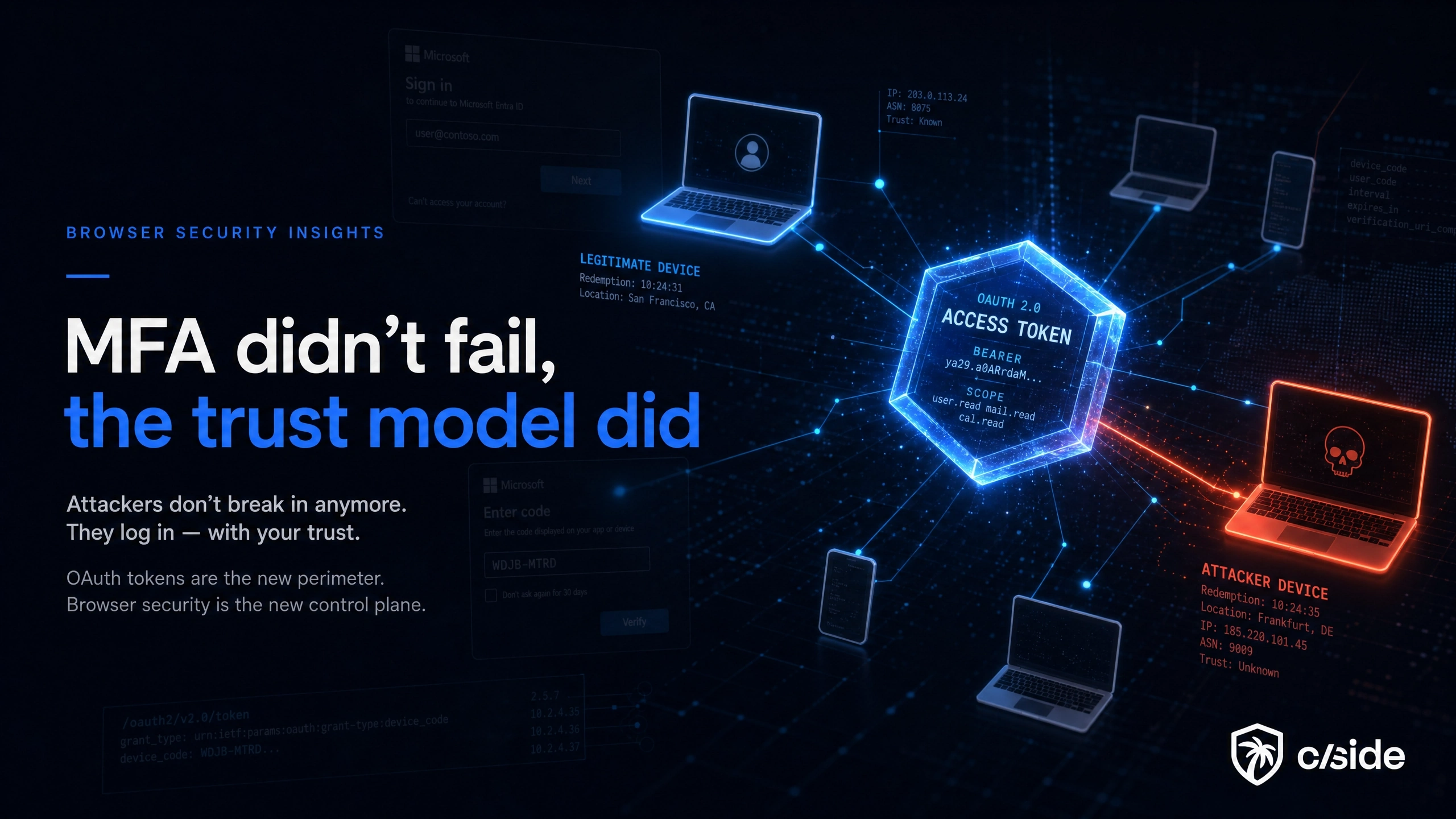
On 2026-05-21 the FBI issued public service announcement I-052126-PSA, warning about a Phishing-as-a-Service kit called Kali365 that hijacks Microsoft 365 accounts. It does not steal passwords. It does not intercept MFA codes. The victim signs in on Microsoft's own page, completes multi-factor authentication, and the attacker still walks away with persistent access. Kali365 does this by abusing the OAuth 2.0 device authorization grant to capture the access and refresh tokens Microsoft issues after a fully legitimate sign-in.
This is not a new technique. In February 2025 Microsoft documented a device code phishing campaign by Storm-2372, an actor it assesses as aligned with Russian state interests, active against government, defense, telecom, and energy targets. What changed is packaging. Kali365 turns that tradecraft into a subscription kit with AI-generated lures, so a low-skill actor can run it. The login succeeds, the MFA prompt succeeds, and the assumption underneath both fails: that a successful authentication event tells you who holds the session a minute later.
That assumption is the real target. "User authenticated successfully" stopped being a trust boundary. The live session, carried by a bearer token bound to nothing, is.
What Kali365 actually automates
The FBI describes Kali365 as a Telegram-distributed PhaaS platform, first seen in April 2026. It bundles AI-generated phishing lures, automated campaign templates, real-time dashboards for tracking targeted individuals, and OAuth token capture. In the FBI's words, it "lowers the barrier of entry, providing less-technical attackers access to AI-generated phishing lures, automated campaign templates, real-time targeted individual/entity tracking dashboards, and OAuth token capture capabilities."
Read that as a division of labor. The hard parts of device code phishing used to be writing a convincing lure and operating the token capture and redemption infrastructure reliably inside a 15-minute window. AI writes the lure. The kit runs the OAuth plumbing. The operator just picks targets. That is what makes this a cleaner example of AI scaling fraud than most: it does not invent a new attack, it removes the skill that used to gatekeep an existing one.
The device code flow, step by step
The device authorization grant exists for a good reason. It lets you sign in on devices that are awkward to type on, such as smart TVs, streaming boxes, and command-line tools. You see a short code, you enter it on your phone, the device gets signed in. The design is legitimate and used constantly across Microsoft 365.
Here is the same flow turned into an attack:
- The attacker sends a
POSTtohttps://login.microsoftonline.com/common/oauth2/v2.0/devicecodeusing a public first-partyclient_id, often Microsoft Office (d3590ed6-52b3-4102-aeff-aad2292ab01c) or Azure CLI (04b07795-8ddb-461a-bbee-02f9e1bf7b46). These are pre-consented Microsoft clients, so no custom app registration or admin consent is needed. - Microsoft returns a
device_code, a human-typableuser_code, the verification URLhttps://microsoft.com/devicelogin, and anexpires_inof 900 seconds. The attacker now has a 15-minute window. - The attacker phishes the victim to open
microsoft.com/deviceloginand enter theuser_code. Microsoft Entra does not supportverification_uri_complete, the prefilled variant of the link, so the victim must type the code by hand. That manual step is exactly what a high-conviction, AI-written lure is built to drive. - The victim authenticates on the genuine Microsoft page, completes MFA, and consents. Every element is real: the domain is Microsoft, the certificate is valid, the MFA prompt is the one they always get.
- The attacker polls
https://login.microsoftonline.com/common/oauth2/v2.0/tokenwithgrant_type=urn:ietf:params:oauth:grant-type:device_codeand thedevice_code, respecting theinterval(5 seconds) and absorbingauthorization_pendingresponses, until the endpoint returns anaccess_tokenand arefresh_token.
There is no spoofed domain to flag and no payload on the endpoint to detect. The fraudulent part is a legitimate Microsoft flow completed by the wrong person, and the token it produces is indistinguishable from a token issued to a real session.
Why MFA is satisfied and Conditional Access waves it through
This is the part that catches teams off guard. The victim genuinely completed the interactive sign-in, including MFA, against Microsoft's real endpoint. So the sign-in is recorded as MFA-satisfied, reflected in the authentication detail of the Entra sign-in log and, on v1.0 tokens, the amr claim carrying mfa. Conditional Access evaluates that sign-in as a compliant, MFA-passed interactive login and issues tokens accordingly.
The attacker is not bypassing MFA in the sense of defeating the challenge. The challenge ran and passed. What the bearer-token model never does is bind the issued token to the device that satisfied the challenge. MFA answered "is the right person authenticating right now." It did not answer "is the right device holding this token thirty seconds from now," and nothing in the standard flow does.
The blast radius: FOCI refresh tokens and PRT escalation
A captured access token is bad for an hour. The refresh token is the real prize, and Microsoft's token model makes it worse than a single-app compromise.
Refresh tokens issued to Microsoft's first-party clients are typically FOCI, Family of Client IDs, tokens. A family refresh token obtained through one client can be redeemed for access tokens as other clients in the family, so a token captured via Microsoft Office can be exchanged for Exchange Online, Teams, SharePoint and OneDrive, and Microsoft Graph access. One stolen refresh token is lateral movement across the tenant's data, not a foothold in one app.
The lifetime math compounds it. Since January 2021 refresh token lifetimes are no longer tunable through token lifetime policies; the default refresh token inactivity window is 90 days and the max age is effectively until-revoked. Where the client and resource support Continuous Access Evaluation, access tokens can extend to 24 to 28 hours, though those are revocable in near real time on critical events. To force re-authentication you now lean on Conditional Access sign-in frequency, not token policy.
The escalation ceiling is higher still. In the February 2025 update to its Storm-2372 reporting, Microsoft observed the actor pivoting to the Microsoft Authentication Broker client (29d9ed98-a469-4536-ade2-f981bc1d605e) to obtain a refresh token, register an attacker-controlled device in Entra ID, and then mint a Primary Refresh Token. A PRT is durable, device-bound identity material that unlocks broad single sign-on. The device code is the entry point; the PRT is the tenancy.
"Authenticated successfully" stopped being a trust boundary
For years the dominant model was simple: verify the user at login, then trust the token until it expires. Backends log the authentication event, identity providers alert on odd sign-in patterns, and once the session exists most applications stop asking who is on the other end.
Device code phishing is a clean refutation of that model. The login event is genuine, the token is genuine, and the only thing wrong is that the token is now held by someone other than the person who authenticated. A token minted for a user on their laptop in one country can be redeemed and replayed from attacker infrastructure in another, and Entra sees a valid, MFA-satisfied session because, at the moment of authentication, it was one.
It helps to see the three common token-theft paths side by side. They all end with a valid post-authentication token, but they touch different parts of the attack surface, which changes both how they evade controls and where you can still catch them.
| Attack | Token captured | What touches the victim | Where the malicious use happens | Primary telemetry gap |
|---|---|---|---|---|
| Device code phishing (Kali365) | OAuth access and refresh (often FOCI) | A phishing message plus the real microsoft.com/devicelogin page | Token redemption and reuse from attacker infrastructure | Sign-in is the victim's genuine MFA login; redemption is attributed to it |
| Adversary-in-the-middle phishing | Session token or cookie captured in transit | A reverse-proxied fake login page | Replayed session from attacker infrastructure | A lookalike domain exists but the session looks valid downstream |
| Infostealer malware | Session cookies copied from disk | Malware running on the endpoint | Resumed session from the stolen cookie | Endpoint compromise, but the resumed session passes server-side checks |
The common thread is the last column. In every case the application holds a valid token and treats the holder as the authenticated user. The device that authenticated and the device now using the token are different, and the standard model has no native check for that difference.
Detecting and blocking it
There are two jobs here: close the flow, and find where it was already used.
Block the flow in Entra Conditional Access
This maps directly to the FBI's primary recommendation. In Conditional Access, use the Authentication flows condition and set Device code flow to Block, and block Authentication transfer in the same policy. Microsoft's own guidance is to block device code flow wherever possible.
- Scope the policy to all users and all resources, then exclude break-glass and emergency-access accounts so a misconfiguration cannot lock you out.
- If a legitimate process registers devices through device code flow, exclude the Device Registration Service (
01cb2876-7ebd-4aa4-9cc9-d28bd4d359a9), since authentication-flows policies are enforced there when the policy targets all resources. - Audit current device code usage before you enforce, so the genuine exceptions are known rather than guessed.
Hunt prior use in the sign-in logs
Device code sign-ins are visible in Entra ID sign-in logs. The widely used detection filter is the authentication protocol:
SigninLogs
| where AuthenticationProtocol == "deviceCode"
| summarize logins=count() by UserPrincipalName, AppDisplayName, IPAddress, tostring(LocationDetails.countryOrRegion)
Also watch OriginalTransferMethod == "deviceCodeFlow" to catch protocol-tracked sessions on later refreshes, and flag device-registration events performed by the Microsoft Authentication Broker client where you do not expect them, which is the PRT-escalation tell.
The honest limitation is in the table above. The authentication event that produced the token is the victim's real, MFA-satisfied sign-in, so log-based detection is strong on the flow itself but weak on the redemption and reuse that follow, which Entra attributes back to that legitimate sign-in.
Where the device code gap actually closes: the session layer
A stolen token has to be used somewhere, and that somewhere is almost never the device that authenticated. That mismatch is the signal the bearer-token model throws away and the one cside is built to keep.
cside's advanced device fingerprinting collects over 100 browser, device, and network signals to build a persistent identifier for each visitor. At authentication, those signals set a baseline for the session. When a token is later presented from a different environment, a different TLS and browser fingerprint, a different ASN or residential-proxy egress, automation or headless markers that were not there at login, the fingerprint does not match the baseline, and that mismatch can drive token invalidation or a step-up challenge before the attacker reaches data. We go deeper on this in how advanced location data detects unsafe token reuse and on the broader shift in why the browser session is now a security control plane.
cside also monitors the client-side environment for the malicious scripts and session-hijacking payloads that operate below the authentication layer entirely. That is the browser-layer visibility backend logs cannot provide, and it is the part of the attack surface where token theft is actually decided. For where this sits in a wider account-takeover stack, our guide to comparing ATO prevention solutions maps where MFA stops and session-level signals start.
Book a demo to see how cside detects compromised sessions before the damage is done.
Microsoft 365 controls, Entra behavior, and FBI guidance are accurate as of 2026-05-31. Vendor flows, client IDs, and advisories change; confirm current Microsoft device code flow and Conditional Access options before relying on a specific setting.