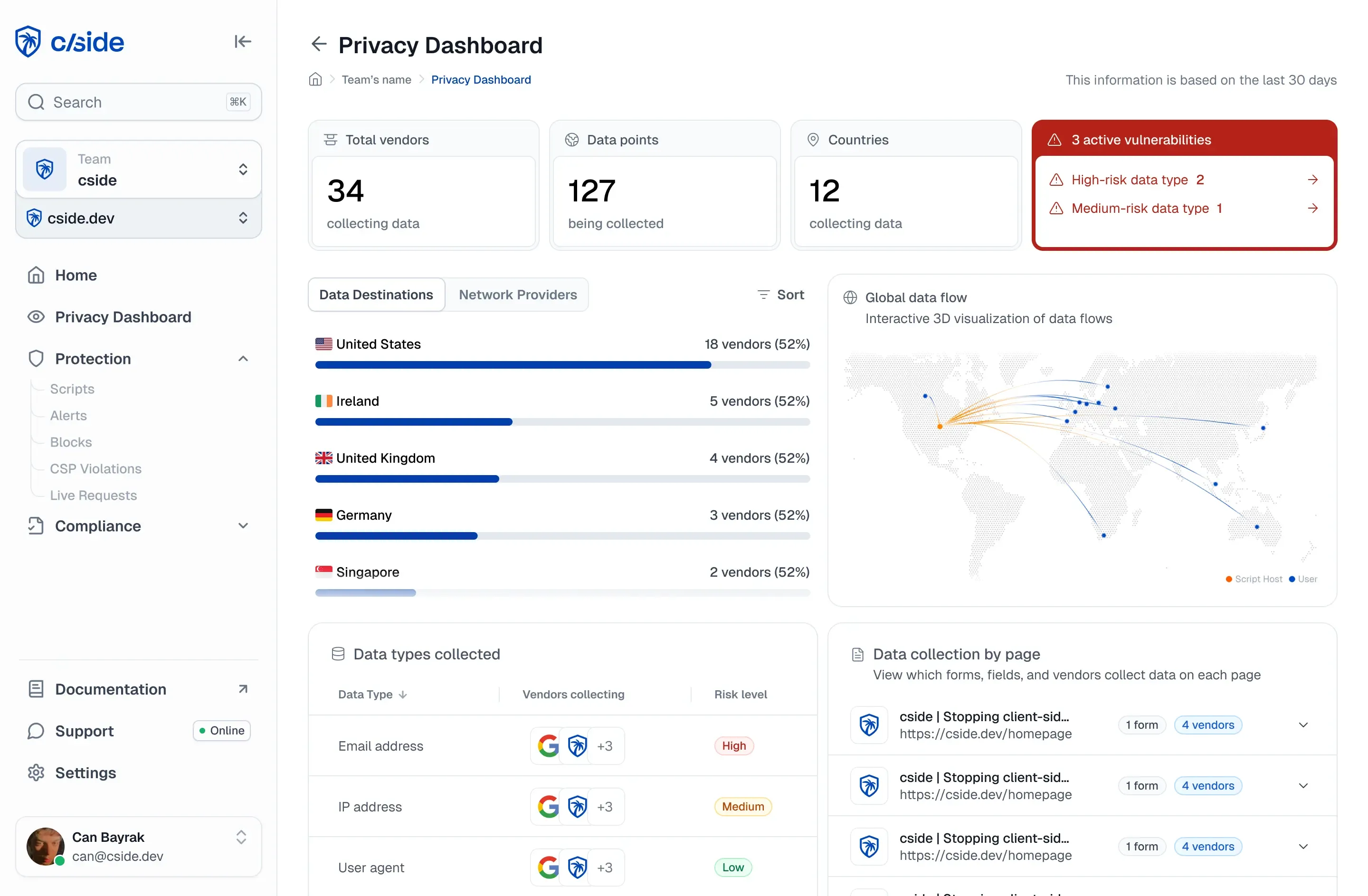
Data skimming attacks steal payment card information directly from your customers' browsers. These attacks operate entirely client-side, which means your WAF, SIEM, and server logs see nothing unusual while card numbers flow to attacker-controlled servers. According to DataDome research, Magecart attacks have compromised over 2 million websites globally since the first mass-executed attack in 2015.
cside monitors third-party scripts as they execute in real browser sessions, detecting unauthorized data exfiltration and script changes in under 60 seconds on average. This article explains what data skimming protection is, how these attacks work, and what you can do to stop them.
Key Takeaways: What Is Data Skimming Protection for Ecommerce
- Data skimming protection monitors browser-executed scripts to detect and block payment theft before card data reaches attackers.
- Magecart and formjacking attacks inject malicious JavaScript into checkout pages, operating entirely client-side where server security tools cannot see them.
- PCI DSS 4.0.1 requirements 6.4.3 and 11.6.1 now mandate script inventory, integrity monitoring, and change detection on payment pages.
- cside automates script monitoring, detects unauthorized changes, and generates audit-ready reports that QSAs accept for PCI compliance.
- Traditional security tools like WAFs and CSPs cannot detect runtime script behavior, leaving checkout pages vulnerable to supply chain attacks.
What Is Data Skimming in Ecommerce?
Data skimming is a browser-based attack where malicious JavaScript captures payment card data as customers enter it on checkout pages. The attack happens in the customer's browser after your server delivers a clean page. Your backend infrastructure sees a normal transaction while the attacker receives a copy of every keystroke.
The name "Magecart" refers to multiple hacker groups that pioneered this technique, originally targeting Magento shopping cart software. Today, the term describes any web skimming attack that injects malicious code into legitimate third-party scripts or directly into payment pages.
Attackers typically gain access through one of three entry points: direct website compromise via CMS vulnerabilities, supply chain attacks on third-party vendors, or misconfigured cloud storage buckets containing website resources. Once inside, they implant skimming code that blends with legitimate payment processing scripts.
How Do Data Skimming Attacks Work?
Data skimming attacks follow a three-stage process: infiltration, implantation, and exfiltration. Understanding each stage helps you identify where protection is needed.
Infiltration: How Attackers Gain Access
Attackers compromise websites directly by exploiting vulnerabilities in content management systems or ecommerce platforms. This gives them access to modify website code without triggering server-side alerts.
Supply chain attacks target third-party services rather than your site directly. When you load resources from a compromised analytics provider, chatbot vendor, or payment library, malicious code executes alongside legitimate functionality. One breach at a third-party vendor can compromise thousands of downstream sites.
Implantation: How Skimming Code Gets Installed
Once attackers have access, they inject skimming code using several techniques. JavaScript injection inserts malicious code that operates alongside legitimate payment processing. Form field cloning creates invisible duplicates that capture data as customers type.
Advanced attacks replace entire payment forms with visually identical fraudulent versions. To avoid detection, attackers obfuscate their code using Base64 encoding, code fragmentation, and legitimate-looking domain names like "google-analytics.net" instead of "google-analytics.com".
Exfiltration: How Stolen Data Leaves the Browser
Captured payment data transmits to attacker-controlled servers through direct transmission or stealth exfiltration. Some skimmers store collected data in browser storage and transmit it in small batches or when the user navigates away from the page. This makes detection harder because the data transfer does not occur during the checkout process itself.
What Is Data Skimming Protection?
Data skimming protection refers to security controls that monitor, detect, and block unauthorized script behavior in your visitors' browsers. Unlike server-side security that stops at the network boundary, client-side protection watches what scripts actually do as they execute.
Effective data skimming protection includes script inventory management, real-time behavior monitoring, change detection, and enforcement capabilities. cside collects 250+ browser and device signals, monitors every third-party script payload in real visitor sessions, and alerts your team when scripts attempt to access payment form fields or exfiltrate data to external endpoints.
Why Traditional Security Tools Miss Data Skimming
WAFs inspect traffic at the server boundary. They cannot see JavaScript running client-side, data leaving the browser via third-party script calls, or attacks targeting specific user segments based on geography or cart value.
Content Security Policies (CSP) restrict which domains can load scripts but cannot monitor script behavior once loaded. If a trusted vendor is compromised, the malicious code executes from an approved domain. CSP sees nothing wrong because the source remains on the allowlist.
Why Ecommerce Sites Need Data Skimming Protection
Modern ecommerce checkout pages load dozens of third-party scripts for analytics, marketing, chatbots, and payment processing. HTTP Archive data shows the average website uses 23 third-party scripts, and each one represents a potential entry point for attackers.
British Airways suffered a Magecart attack that compromised 380,000 customers' payment data, resulting in a £20 million GDPR fine. Ticketmaster was breached through a compromised third-party chatbot service, affecting over 800 ecommerce sites using the same vendor. These attacks went undetected for weeks or months while card data flowed to attackers.
PCI DSS 4.0.1 Requirements for Payment Page Security
PCI DSS 4.0.1 requirements 6.4.3 and 11.6.1 became mandatory on 2025-03-31. Requirement 6.4.3 mandates that organizations maintain a complete, authorized inventory of all scripts on payment pages and document each script's purpose and integrity.
Requirement 11.6.1 mandates change and tamper detection mechanisms to alert personnel to unauthorized modification of payment page scripts. cside satisfies both requirements automatically: it inventories every script in real visitor sessions, generates AI-written justifications per script, monitors headers in real time, and produces audit-ready reports accepted by QSAs. VikingCloud has validated cside for these requirements.
How to Deploy Data Skimming Protection
Deploying data skimming protection starts with gaining visibility into what scripts currently execute on your payment pages. You cannot protect what you cannot see.
Step 1: Create a Script Inventory
Document every third-party script running on your checkout pages. For each script, record its purpose, the data it can access, and the vendor's security practices. This inventory forms the baseline for detecting unauthorized changes.
Step 2: Deploy Client-Side Monitoring
Add a lightweight monitoring script to your pages. cside deploys via a single JavaScript snippet added to your page head. No traffic routes through cside infrastructure, there is no reverse proxy, no CDN dependency, and no DNS configuration changes required. The snippet runs directly in your visitors' browsers.
Step 3: Configure Alerts and Enforcement
Set up alerts for unauthorized script changes, new script additions, and suspicious data transmission from payment pages. Magecart attacks modify existing trusted scripts or inject new ones. Real-time alerts ensure your team knows about changes within seconds, not after a breach report.
Limitations of Common Protection Approaches
Understanding what each protection method cannot do helps you build a layered defense.
Limitations of CSP-Only Protection
CSP controls which scripts can load but not what they do after loading. A compromised vendor script executes from an approved domain. CSP also struggles with dynamic scripts and inline code generated at runtime.
Limitations of Scanner-Based Solutions
Scanners check your site periodically, often daily or weekly. Attacks targeting specific user sessions (high-value orders, certain geographies) evade detection because the scanner sees a clean page. Scanners also cannot block attacks in progress since they detect threats after the fact.
Limitations of Server-Side Logging
Server logs record incoming requests and outgoing responses. Data skimming happens entirely client-side. The stolen card data goes directly from the customer's browser to the attacker's server without touching your infrastructure. Your logs show a normal checkout transaction while the breach occurs.
In Conclusion: How Data Skimming Protection Secures Ecommerce Checkouts
Data skimming protection monitors browser-executed scripts to detect and block payment theft. These attacks exploit the gap between server-side security and client-side code execution, operating in the one place your existing tools cannot see.
cside gives your team full visibility into third-party script behavior on checkout pages. Add a lightweight script to your website to start monitoring scripts, detecting Magecart attacks, and generating PCI DSS 4.0.1 compliance evidence immediately. To get started with cside, book a demo.